
A common problem in a React dashboard happens when a user opens a customer details page, starts loading data, and quickly navigates away. The API request finishes afterward, and the old component still tries to update its state.
I have seen this issue often in real-world React applications with API calls, timers, subscriptions, and delayed actions. The key is understanding when a component leaves the screen and cleaning up work that should no longer continue.
Let’s look at why this warning happens and the best ways to prevent React state updates after a component unmounts.
What Does an Unmounted Component Mean in React?
A React component is a reusable piece of JavaScript that returns UI using JSX. React mounts a component when it adds the component to the page.
React unmounts a component when it removes that component from the page.
For example, imagine a customer support dashboard for a company in Austin, Texas:
- A user opens a customer profile.
- React mounts the
CustomerDetailscomponent. - The component starts an asynchronous operation.
- The user closes the profile before the operation finishes.
- React unmounts the component.
- The asynchronous operation finishes and tries to update state.
That final step causes the problem.
The warning often appears as:
Can't perform a React state update on an unmounted component.In modern React versions, you may not always see this exact warning, but updating application logic after cleanup remains a real problem. You should still cancel requests, timers, and subscriptions when they are no longer needed.
Why Does a React State Update on an Unmounted Component Happen?
State stores data that can change while users interact with a component.
A state update usually looks like this:
setCustomer(customerData);The problem occurs when setCustomer() runs after React has already removed the component.
The most common causes include:
- API requests
setTimeout()setInterval()- WebSocket connections
- Event listeners
- Subscriptions
- Promises that finish after navigation
This issue commonly appears in applications that load customer records, reports, or dashboard data. If you are building components with changing state, you may also find React component state update troubleshooting useful.
React State Update on an Unmounted Component With an API Request
Let’s start with a simple example.
The component below loads customer data after mounting.
App.jsx
import { useEffect, useState } from "react";

function CustomerDetails() {
  const [customer, setCustomer] = useState(null);

  useEffect(() => {
    async function loadCustomer() {
      await new Promise((resolve) => setTimeout(resolve, 3000));

      setCustomer({
        name: "Emily Carter",
        location: "Seattle, Washington"
      });
    }

    loadCustomer();
  }, []);

  return (
    <div>
      <h2>Customer Details</h2>

      {customer ? (
        <p>
          {customer.name} from {customer.location}
        </p>
      ) : (
        <p>Loading customer...</p>
      )}
    </div>
  );
}

function App() {
  const [showCustomer, setShowCustomer] = useState(true);

  return (
    <div>
      <button onClick={() => setShowCustomer(!showCustomer)}>
        {showCustomer ? "Hide Customer" : "Show Customer"}
      </button>

      {showCustomer && <CustomerDetails />}
    </div>
  );
}

export default App;
Sample output
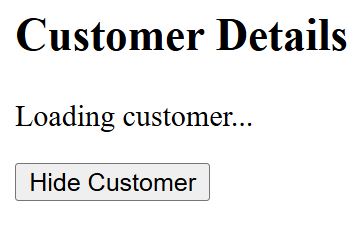
Initially, the browser displays:
Customer Details

Loading customer...

Hide Customer
You can refer to the screenshot below to see the output.
If you click Hide Customer before three seconds finish, React removes CustomerDetails.
However, the delayed operation still finishes and calls:
setCustomer(...)The component no longer exists in the UI.
Why this happens
The useEffect hook lets a functional component perform side effects. A side effect includes work outside normal rendering, such as loading data or starting a timer.
The asynchronous operation continues independently. Removing the component does not automatically stop every operation that JavaScript already started.
This is why cleanup matters.
Fix React State Update on an Unmounted Component With Cleanup
The useEffect hook supports a cleanup function.
React runs the cleanup when the component unmounts or before the effect runs again when dependencies change.
Here is a safer version using clearTimeout().
App.jsx
import { useEffect, useState } from "react";

function CustomerDetails() {
  const [customer, setCustomer] = useState(null);

  useEffect(() => {
    const timerId = setTimeout(() => {
      setCustomer({
        name: "Emily Carter",
        location: "Seattle, Washington"
      });
    }, 3000);

    return () => {
      clearTimeout(timerId);
    };
  }, []);

  return (
    <div>
      <h2>Customer Details</h2>

      {customer ? (
        <p>
          {customer.name} from {customer.location}
        </p>
      ) : (
        <p>Loading customer...</p>
      )}
    </div>
  );
}

function App() {
  const [showCustomer, setShowCustomer] = useState(true);

  return (
    <div>
      <button onClick={() => setShowCustomer(!showCustomer)}>
        {showCustomer ? "Hide Customer" : "Show Customer"}
      </button>

      {showCustomer && <CustomerDetails />}
    </div>
  );
}

export default App;
Sample output
Initially:
Customer Details

Loading customer...

Hide Customer
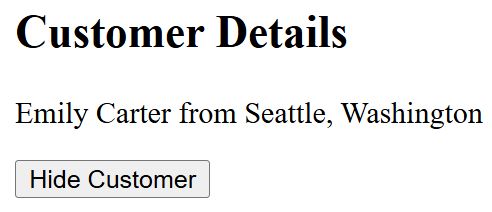
If you wait three seconds:
Customer Details

Emily Carter from Seattle, Washington

Hide Customer
You can refer to the screenshot below to see the output.
If you click Hide Customer before three seconds finish, the cleanup function runs and cancels the timer.
Why this solution works
The code stores the timer ID:
const timerId = setTimeout(...)The cleanup function then runs:
return () => {
  clearTimeout(timerId);
};
React calls this cleanup when it removes the component. This prevents the delayed state update.
Pro Tip: I always clean up timers and subscriptions immediately when I create them. Waiting until a component starts causing bugs makes asynchronous React code much harder to debug.
Fix API Requests With AbortController
Timers are easy to cancel with clearTimeout(). API requests need a different approach. For browser fetch() requests, AbortController provides a clean way to cancel an active request.
App.jsx
import { useEffect, useState } from "react";

function CustomerDetails() {
  const [customer, setCustomer] = useState(null);
  const [error, setError] = useState("");

  useEffect(() => {
    const controller = new AbortController();

    async function loadCustomer() {
      try {
        const response = await fetch(
          "/api/customers/emily-carter",
          {
            signal: controller.signal
          }
        );

        if (!response.ok) {
          throw new Error("Unable to load customer details.");
        }

        const customerData = await response.json();

        setCustomer(customerData);
      } catch (error) {
        if (error.name !== "AbortError") {
          setError(error.message);
        }
      }
    }

    loadCustomer();

    return () => {
      controller.abort();
    };
  }, []);

  return (
    <div>
      <h2>Customer Details</h2>

      {error && <p>{error}</p>}

      {!customer && !error && <p>Loading customer...</p>}

      {customer && (
        <p>
          {customer.name} from {customer.location}
        </p>
      )}
    </div>
  );
}

function App() {
  const [showCustomer, setShowCustomer] = useState(true);

  return (
    <div>
      <button onClick={() => setShowCustomer(!showCustomer)}>
        {showCustomer ? "Close Customer" : "Open Customer"}
      </button>

      {showCustomer && <CustomerDetails />}
    </div>
  );
}

export default App;
Sample output
While the request runs:
Customer Details

Loading customer...

Close Customer
After the API responds successfully:
Customer Details

Emily Carter from Seattle, Washington

Close Customer
If the user closes the customer panel before the request finishes, this code runs:
controller.abort();The request stops instead of continuing unnecessarily.
Why AbortController is useful
AbortController solves two problems:
- It stops unnecessary network activity.
- It prevents your component from processing a result after users leave the page.
For real API-driven applications, I prefer cancellation over simply ignoring the final result. If you work with asynchronous rendering patterns, using await in React components can provide additional related context.
Clean Up setInterval to Prevent Unmounted Component Problems
A setInterval continues running until JavaScript clears it. Consider a sales dashboard that refreshes information every five seconds.
App.jsx
import { useEffect, useState } from "react";

function SalesDashboard() {
  const [refreshCount, setRefreshCount] = useState(0);

  useEffect(() => {
    const intervalId = setInterval(() => {
      setRefreshCount((currentCount) => currentCount + 1);
    }, 5000);

    return () => {
      clearInterval(intervalId);
    };
  }, []);

  return (
    <div>
      <h2>Austin Sales Dashboard</h2>
      <p>Dashboard refreshed: {refreshCount} times</p>
    </div>
  );
}

function App() {
  const [showDashboard, setShowDashboard] = useState(true);

  return (
    <div>
      <button onClick={() => setShowDashboard(!showDashboard)}>
        {showDashboard ? "Close Dashboard" : "Open Dashboard"}
      </button>

      {showDashboard && <SalesDashboard />}
    </div>
  );
}

export default App;
Sample output
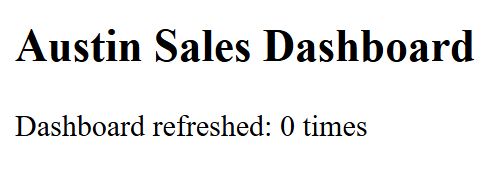
Initially:
Austin Sales Dashboard

Dashboard refreshed: 0 times
You can refer to the screenshot below to see the output.
After five seconds:
Austin Sales Dashboard

Dashboard refreshed: 1 times
After ten seconds:
Austin Sales Dashboard

Dashboard refreshed: 2 times
When the user closes the dashboard, clearInterval() stops future updates.
Why cleanup is important
Without cleanup, the interval continues running even after users leave the dashboard. This wastes resources and can create unexpected application behavior.
Clean Up Event Listeners
Browser event listeners can also continue after a component disappears. For example, a dashboard may listen for browser resize events.
App.jsx
import { useEffect, useState } from "react";

function DashboardSize() {
  const [width, setWidth] = useState(window.innerWidth);

  useEffect(() => {
    function handleResize() {
      setWidth(window.innerWidth);
    }

    window.addEventListener("resize", handleResize);

    return () => {
      window.removeEventListener("resize", handleResize);
    };
  }, []);

  return (
    <div>
      <h2>Seattle Support Dashboard</h2>
      <p>Browser width: {width}px</p>
    </div>
  );
}

function App() {
  const [showDashboard, setShowDashboard] = useState(true);

  return (
    <div>
      <button onClick={() => setShowDashboard(!showDashboard)}>
        {showDashboard ? "Hide Dashboard" : "Show Dashboard"}
      </button>

      {showDashboard && <DashboardSize />}
    </div>
  );
}

export default App;
Sample output
The browser might display:
Seattle Support Dashboard

Browser width: 1440px
When you resize the browser window, React updates the displayed width. When you hide the component, the cleanup removes the event listener:
window.removeEventListener("resize", handleResize);This prevents the old component from continuing to respond to browser events.
Should You Use an isMounted Variable?
You may find code like this:
let isMounted = true;

useEffect(() => {
  async function loadData() {
    const data = await getData();

    if (isMounted) {
      setData(data);
    }
  }

  loadData();

  return () => {
    isMounted = false;
  };
}, []);
This pattern can prevent a state update after unmounting, but it does not stop the original operation. The API request still runs. The timer still waits. The subscription may still consume resources.
For that reason, prefer actual cleanup whenever possible:
- Use
AbortControllerforfetch(). - Use
clearTimeout()for timers. - Use
clearInterval()for intervals. - Remove event listeners.
- Close WebSocket connections.
- Unsubscribe from external subscriptions.
The goal should not only be avoiding a React warning. The goal should be stopping work that the application no longer needs.
React State Update on an Unmounted Component and useEffect
The useEffect hook is the most common place where this problem occurs.
A typical effect has two parts:
useEffect(() => {
  // Start side effect here

  return () => {
    // Clean up here
  };
}, []);
The first section starts work. The returned function cleans up that work.
Here is the basic lifecycle:
Component mounts
       ↓
useEffect runs
       ↓
Async work starts
       ↓
User navigates away
       ↓
Component unmounts
       ↓
Cleanup function runs
       ↓
Timer/request/listener stops
This simple pattern makes asynchronous React code easier to maintain.
If your application has broader component lifecycle issues, React component rendering problems may also help identify related problems.
A Complete Real-World Example
Let’s combine these concepts into a customer support dashboard. The dashboard loads Emily Carter’s profile and also starts a refresh timer.
App.jsx
import { useEffect, useState } from "react";

function CustomerProfile() {
  const [customer, setCustomer] = useState(null);
  const [status, setStatus] = useState("Loading customer...");
  const [refreshCount, setRefreshCount] = useState(0);

  useEffect(() => {
    const controller = new AbortController();

    const refreshTimer = setInterval(() => {
      setRefreshCount((count) => count + 1);
    }, 5000);

    async function loadCustomer() {
      try {
        const response = await fetch(
          "/api/customers/emily-carter",
          {
            signal: controller.signal
          }
        );

        if (!response.ok) {
          throw new Error("Customer request failed.");
        }

        const data = await response.json();

        setCustomer(data);
        setStatus("");
      } catch (error) {
        if (error.name === "AbortError") {
          return;
        }

        setStatus(error.message);
      }
    }

    loadCustomer();

    return () => {
      controller.abort();
      clearInterval(refreshTimer);
    };
  }, []);

  return (
    <div>
      <h2>Customer Support Profile</h2>

      {status && <p>{status}</p>}

      {customer && (
        <>
          <p>Name: {customer.name}</p>
          <p>Location: {customer.location}</p>
        </>
      )}

      <p>Refresh count: {refreshCount}</p>
    </div>
  );
}

function App() {
  const [showProfile, setShowProfile] = useState(true);

  return (
    <div>
      <button onClick={() => setShowProfile(!showProfile)}>
        {showProfile ? "Close Profile" : "Open Profile"}
      </button>

      {showProfile && <CustomerProfile />}
    </div>
  );
}

export default App;
Sample output
While data loads:
Customer Support Profile

Loading customer...

Refresh count: 0
After the API succeeds:
Customer Support Profile

Name: Emily Carter
Location: Seattle, Washington

Refresh count: 1
When the user clicks Close Profile, React unmounts CustomerProfile.
The cleanup function then:
- Cancels the API request if it still runs.
- Stops the interval.
- Prevents unnecessary work after navigation.
This pattern works well in production dashboards and data-driven React applications.
Things to Keep in Mind
- Always clean up side effects: Cancel timers, listeners, subscriptions, and requests when the component no longer needs them.
- Prefer cancellation over ignoring results:
AbortControllerstops unnecessary fetch activity instead of simply skipping a state update. - Keep cleanup inside useEffect: Return the cleanup function directly from the effect that created the resource.
- Handle AbortError separately: Do not show users an error message when they intentionally navigate away and abort a request.
- Watch dependency changes: React runs cleanup before an effect reruns when a dependency changes, so your cleanup logic should handle repeated execution safely.
- Avoid unnecessary async work: Start requests only when the component actually needs the data.
Frequently Asked Questions
Why do I get a React state update on an unmounted component?
This usually happens when an asynchronous operation finishes after React removes the component. API requests, timers, subscriptions, and event listeners are common causes.
How do I fix an unmounted component state update in React?
Clean up the operation when the component unmounts. Use AbortController for fetch requests, clearTimeout() for timers, and removeEventListener() for browser listeners.
Does useEffect cleanup run when a component unmounts?
Yes. React runs the cleanup function returned from useEffect when the component unmounts. React also runs cleanup before rerunning an effect when its dependencies change.
Should I use an isMounted flag in React?
An isMounted flag can prevent a final state update, but it does not cancel the underlying operation. Prefer cancelling or unsubscribing from the actual resource whenever possible.
How do I cancel a fetch request in React?
Create an AbortController, pass its signal to fetch(), and call controller.abort() inside the useEffect cleanup function.
Can setInterval cause state updates after unmounting?
Yes. An interval continues until you explicitly stop it. Always call clearInterval() during cleanup.
Understanding the React state update on an unmounted component problem helps you build safer applications with API calls, timers, and subscriptions. Start with proper useEffect cleanup and cancel work whenever possible, and I hope you found this article helpful.
You May Also Like
- React hooks inside class components
- React cannot update component warning
- How to force a React component to rerender
- React PureComponent vs Component
- How to convert a class component to a functional component

Bijay Kumar is an experienced Python and AI professional who enjoys helping developers learn modern technologies through practical tutorials and examples. His expertise includes Python development, Machine Learning, Artificial Intelligence, automation, and data analysis using libraries like Pandas, NumPy, TensorFlow, Matplotlib, SciPy, and Scikit-Learn. At PythonGuides.com, he shares in-depth guides designed for both beginners and experienced developers. More about us.

