
concat() is the built-in way to concatenate arrays in TypeScript: a.concat(b) returns a new array with every item of a followed by every item of b, and neither original changes. The spread syntax [...a, ...b] does the same job:
const all = east.concat(west); // or [...east, ...west]Every snippet was compiled and run with TypeScript 7.0.2 and Node.js v22.22.2 in strict mode, so the outputs are the real ones.
In this tutorial, we’ll cover how to concatenate arrays in TypeScript with concat(), when spread is the better pick, why mixed types fail to compile, nesting, and typed tuples.
Concatenate two or more arrays with concat()
concat() takes any number of arguments. Arrays get spread into the result one level deep, and plain values are added as single items:
const east: string[] = ["Boston", "New York"];
const west: string[] = ["Denver", "Seattle"];
const south: string[] = ["Austin"];

const two = east.concat(west);
console.log("two:  ", two);

const all = east.concat(west, south, "Miami");
console.log("all:  ", all);

console.log("east: ", east, "(unchanged)");
Output:
two:   [ 'Boston', 'New York', 'Denver', 'Seattle' ]
all:   [ 'Boston', 'New York', 'Denver', 'Seattle', 'Austin', 'Miami' ]
east:  [ 'Boston', 'New York' ] (unchanged)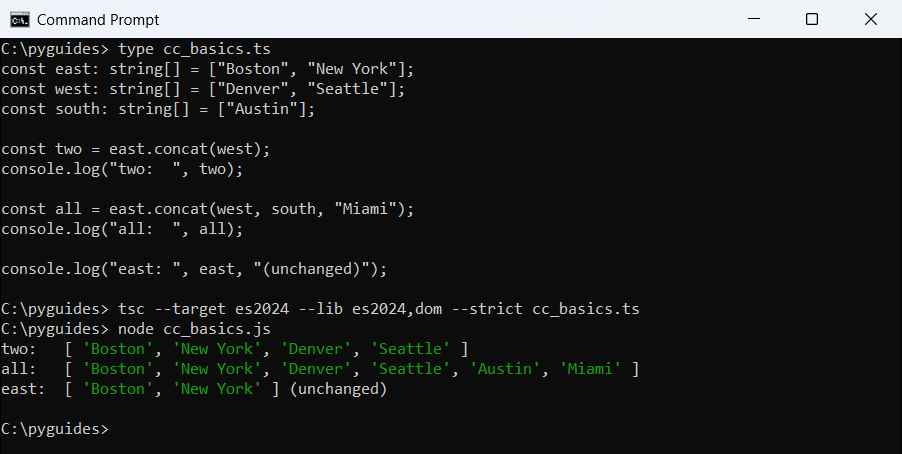
east still has its two items.Because concat() never mutates, it’s safe on shared data. If you want to change the array in place, adding elements to an array in TypeScript covers push() and unshift().
Why does concat() fail with a number array and a string array?
TypeScript types concat() against the array it’s called on. A number[] only accepts numbers, so passing a string[] is a compile error:
const ids: number[] = [101, 102];
const codes: string[] = ["A7", "B9"];

const both = ids.concat(codes);
Output:
cc_mixed.ts(4,25): error TS2769: No overload matches this call.
  The last overload gave the following error.
    Argument of type 'string[]' is not assignable to parameter of type 'number | ConcatArray<number>'.
      Type 'string[]' is not assignable to type 'ConcatArray<number>'.
        The types returned by 'slice(...)' are incompatible between these types.
          Type 'string[]' is not assignable to type 'number[]'.
            Type 'string' is not assignable to type 'number'.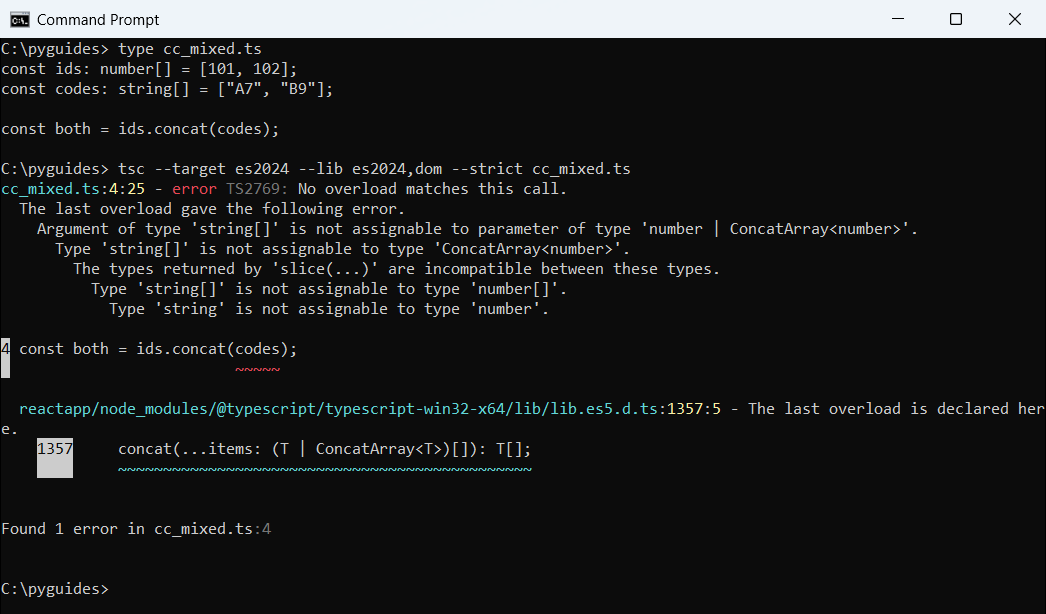
ids.concat(codes) because a string array isn’t assignable to the number array’s element type.I hit this most often when two API responses use slightly different element types.
Concat vs spread operator in TypeScript
Spread builds a brand-new array literal, so you can give it a union type. With concat(), start from an empty array cast to the wider type:
const ids: number[] = [101, 102];
const codes: string[] = ["A7", "B9"];

const both: (number | string)[] = [...ids, ...codes];
console.log("spread:", both);

const wide = ([] as (number | string)[]).concat(ids, codes);
console.log("concat:", wide);

const withNew = [...ids, 103, ...codes];
console.log("insert:", withNew);
Output:
spread: [ 101, 102, 'A7', 'B9' ]
concat: [ 101, 102, 'A7', 'B9' ]
insert: [ 101, 102, 103, 'A7', 'B9' ]
Both print the same four items, but I usually pick spread because it can drop single values in the middle. The TypeScript spread operator guide covers its other uses.
Does concat() flatten nested arrays or copy objects?
It flattens only one level, and only for arguments that are arrays. Objects inside are shared, not cloned:
const a = [1, 2];
const b = [[3, 4], [5]];
const joined = a.concat(...b);
console.log("spread rows:", joined);

const keep = (a as (number | number[])[]).concat([[6, 7]]);
console.log("one level:  ", JSON.stringify(keep));

const users = [{ name: "Ava", city: "Austin" }];
const copy = users.concat([]);
copy[0].city = "Dallas";
console.log("shared obj: ", users[0].city);
Output:
spread rows: [ 1, 2, 3, 4, 5 ]
one level:   [1,2,[6,7]]
shared obj:  Dallas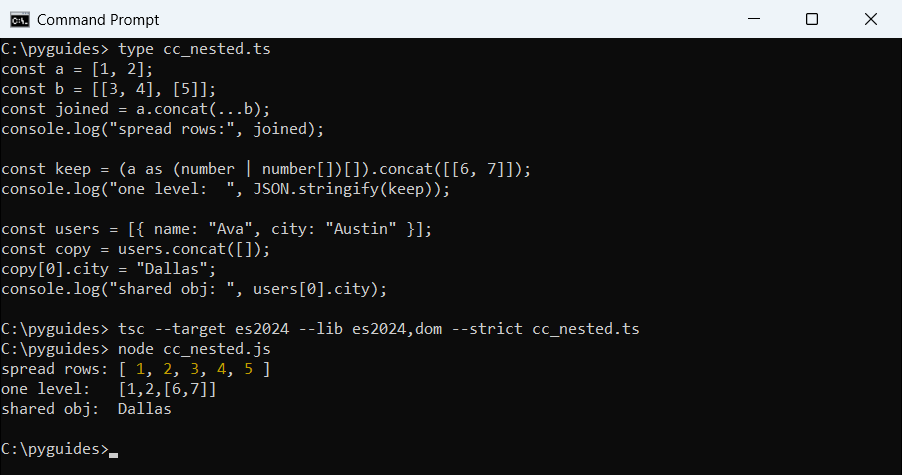
copy[0] also changes users[0].For deeper nesting, use flat(); flattening an array of arrays in TypeScript walks through it. Use structuredClone() for independent objects.
Concatenate arrays of objects and typed tuples
Here, online and in-store orders become one list, then get summed and deduplicated by state. A generic helper at the end keeps exact tuple types:
interface Order {
  id: number;
  state: string;
  total: number;
}

const online: Order[] = [
  { id: 2001, state: "TX", total: 84.5 },
  { id: 2002, state: "CA", total: 129.99 },
];
const store: Order[] = [
  { id: 3001, state: "NY", total: 42 },
  { id: 3002, state: "TX", total: 310.25 },
];

const allOrders = online.concat(store);
console.log("orders:", allOrders.length);

const revenue = allOrders.reduce((sum, o) => sum + o.total, 0);
console.log(`revenue: $${revenue.toFixed(2)}`);

const states = [...new Set(allOrders.map((o) => o.state))];
console.log("states:", states);

function concatTuple<A extends unknown[], B extends unknown[]>(a: [...A], b: [...B]): [...A, ...B] {
  return [...a, ...b];
}
const row = concatTuple(["2026-10-25", 2001], [84.5, true]);
console.log("tuple:", row, "length", row.length);
Output:
orders: 4
revenue: $566.74
states: [ 'TX', 'CA', 'NY' ]
tuple: [ '2026-10-25', 2001, 84.5, true ] length 4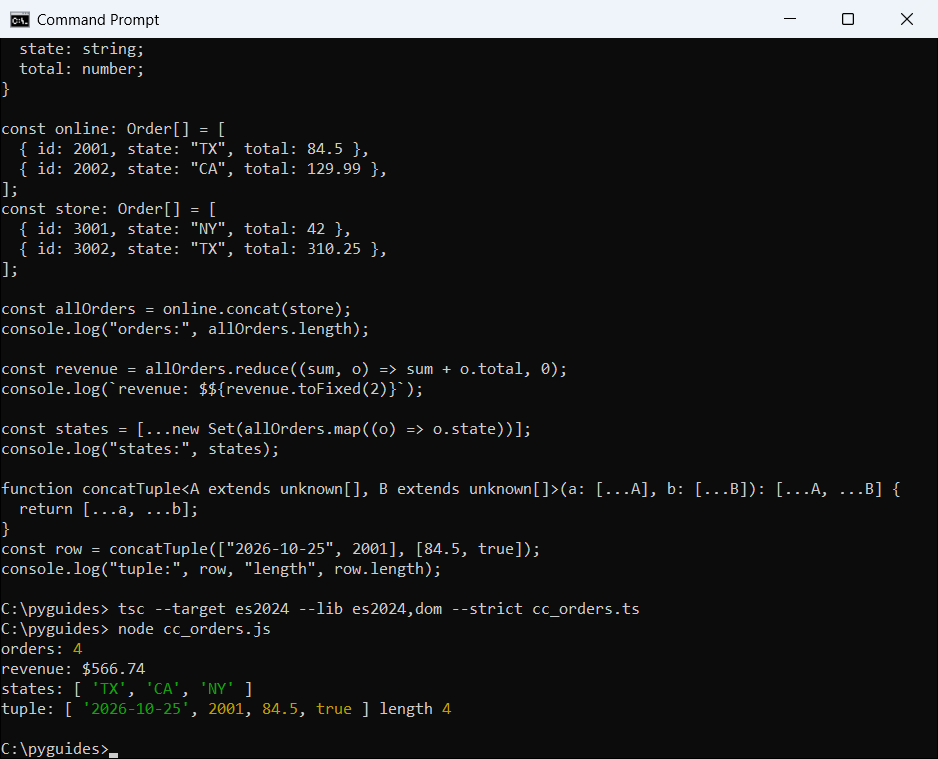
concat() just appends, so duplicate records stay. When both lists hold the same IDs, merging arrays of objects in TypeScript shows how to combine them by key.
The sum of an array in TypeScript tutorial has more on totals, and converting a Set to an array in TypeScript explains the dedupe line.
The [...A, ...B] return type uses variadic tuple types, so row is typed as [string, number, number, boolean], not a loose union array. Need to lock the result? See readonly arrays in TypeScript.
Arrays still on your list? These four tutorials pick up where this one stops:
- Initialize an array in TypeScript
- Find the length of an array in TypeScript
- Combine an array of strings with join()
- Remove an item from an array in TypeScript
Frequently asked questions
How do I concatenate two arrays in TypeScript?
Use a.concat(b) or [...a, ...b]. Both return a new array and leave the originals alone.
Does concat() modify the original array?
No. It always returns a new array. Use push(...b) if you want to change a in place.
Can I concatenate more than two arrays at once?
Yes, a.concat(b, c, d) takes any number of arrays and single values.
Why do I get “No overload matches this call” with concat()?
The arrays have different element types. Use spread with a union type such as (number | string)[].
Is concat() a deep copy?
No. Objects inside are shared by reference, and nested arrays deeper than one level stay nested.
Where is Array concat() documented?
See Array.prototype.concat() on MDN.

Bijay Kumar is a 13-time Microsoft MVP with more than 18 years in software development, and the founder of Python Guides and TSinfo Technologies. He started out building .NET and SharePoint solutions at HP, TCS and KPIT before moving into Python, machine learning and AI, and he also builds web apps with TypeScript and React. He writes the tutorials here himself, and every example is run before publishing so you see the real output. More about Bijay · Microsoft MVP profile · LinkedIn