
Many guides still find the average of a list in Python with a counter loop. It works, but it’s five lines for a one-line job.
The better answer is sum(prices) / len(prices). Python has no built-in average(), but statistics.mean() is the named version.
In this tutorial, I’ll show you the average of a list in Python four ways, plus weighted averages, empty lists, NaN and lists of dictionaries. I ran everything on Python 3.12.5 and NumPy 2.5.3.
The sample price list we’ll average in Python
Every example imports the same two lists from shop.py:
# Unit prices of 8 best sellers, Seattle shop, Oct 2026 (USD)
prices = [42.50, 18.99, 125.00, 64.75, 9.99, 88.20, 57.30, 31.45]
units = [12, 30, 3, 8, 45, 5, 10, 20]      # units sold of each item
You get eight US dollar prices, from a $9.99 filter pack to a $125.00 grinder; units drives the weighted average. New to lists? See how to create a list in Python.
Method 1: Average a list with sum() and len() (Recommended)
This is the one I use daily. You need no import, and it works on any list of numbers:
from shop import prices, units

average = sum(prices) / len(prices)

print("Total:  ", round(sum(prices), 2))
print("Average:", average)
print(f"Average price: ${average:.2f}")
Output:
Total:   438.18
Average: 54.7725
Average price: $54.77
The total is 438.18 across 8 items, so the average is 54.7725, which prints as $54.77.
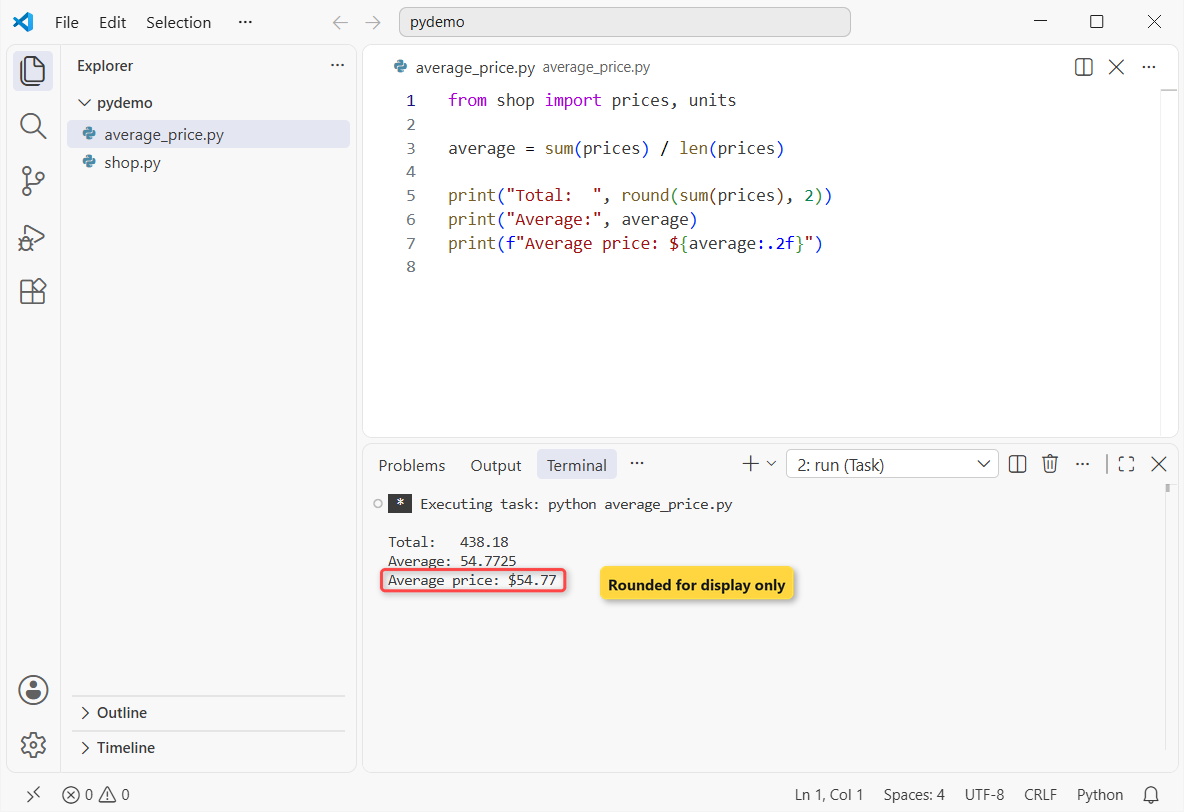
How does this code work?
sum(prices) adds the eight values and len(prices) counts them. The Python sum() function runs in C, so it’s fast.
Important: :.2f only rounds the printed value; round(average, 2) stores it. See rounding numbers to 2 decimal places.
Method 2: Average a list with statistics.mean() and fmean()
The statistics module ships with Python and reads better in reports. Same prices again:
from shop import prices, units

import statistics
print("mean():  ", statistics.mean(prices))
print("fmean(): ", statistics.fmean(prices))
print("median():", statistics.median(prices))

print("ints:    ", statistics.mean([2, 4]), statistics.fmean([2, 4]))

w = statistics.fmean(prices, weights=units)
print(f"Weighted by units sold: ${w:.2f}")
Output:
mean():   54.7725
fmean():  54.7725
median(): 49.9
ints:     3 3.0
Weighted by units sold: $30.57
Both mean() and fmean() return 54.7725, the median is 49.9, and the weighted average is $30.57.
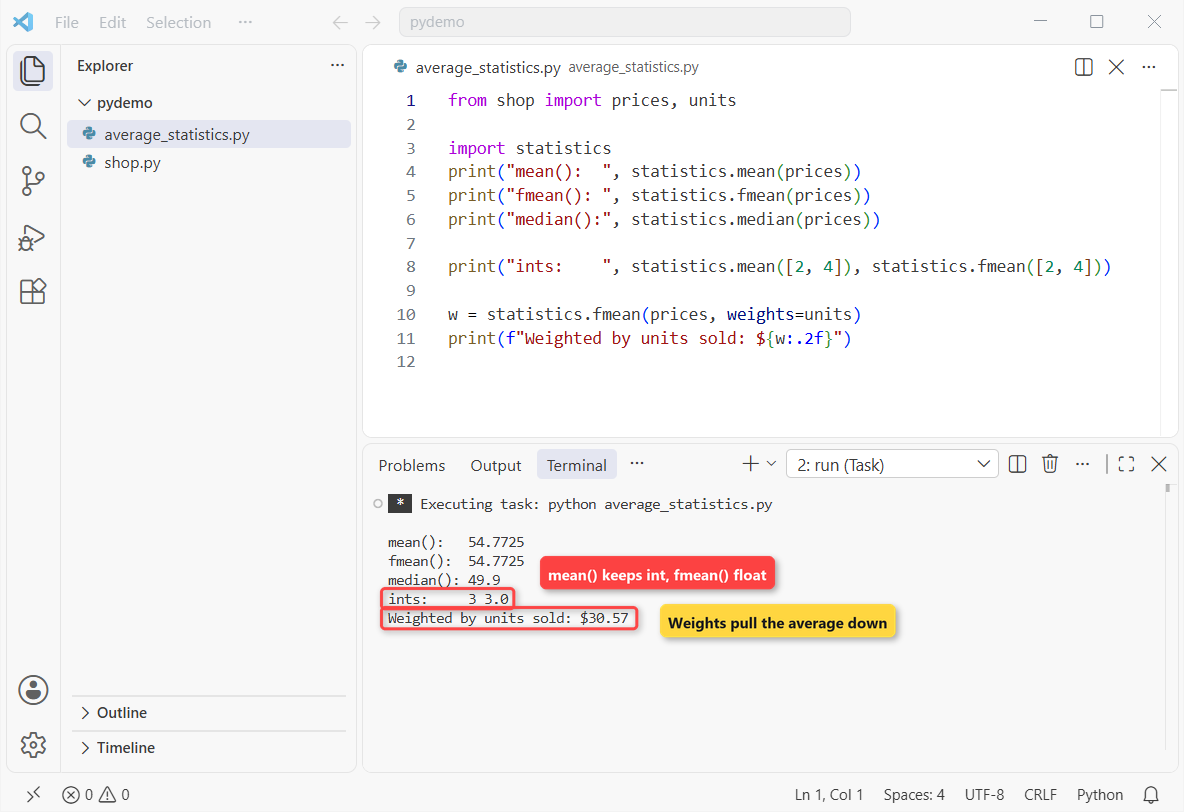
mean() keeps the input type, fmean() always returns a float, and weights move the average to $30.57.How does this code work?
mean() keeps the data’s type: mean([2, 4]) gives the int 3, and Decimals stay Decimals. fmean() converts to float first, so it runs faster.
Since Python 3.11, fmean() also takes weights=. I dig into the rest of the function in the mean() function in Python.
Method 3: Average a list with NumPy mean() and average()
For arrays or millions of values, use np.mean(). It takes the same list:
from shop import prices, units

import numpy as np

print("np.mean():   ", np.mean(prices))
print("np.average():", np.average(prices))
print("Result type: ", type(np.mean(prices)).__name__)

w = np.average(prices, weights=units)
print(f"Weighted:     ${w:.2f}")
Output:
np.mean():    54.7725
np.average(): 54.7725
Result type:  float64
Weighted:     $30.57
Both functions give 54.7725 as a float64, and the weighted version again lands on $30.57.
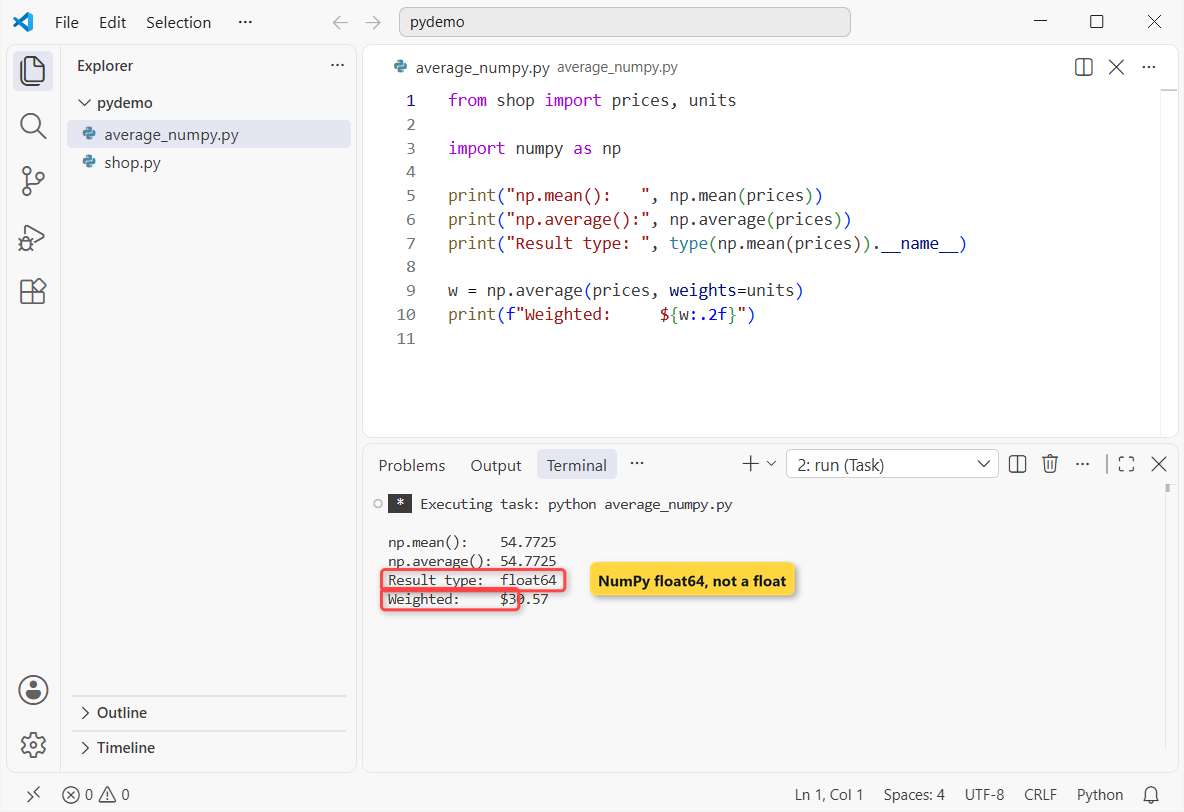
np.mean() and np.average() agree; only average() accepts weights.How does this code work?
Why $30.57? Most units sold were cheap, like 45 filter packs at $9.99, and weights counts each price by how often it sold.
On a small list, the array conversion costs more than it saves, so convert once if you’ll reuse the data: converting a list to an array in Python.
Method 4: Average a list with a for loop
Here’s the old way from the intro, still handy in interviews:
from shop import prices, units

total = 0
count = 0
for price in prices:
    total += price
    count += 1

average = total / count
print(f"{count} items, total ${total:.2f}")
print(f"Loop average: ${average:.2f}")
Output:
8 items, total $438.18
Loop average: $54.77
The loop counts 8 items, totals $438.18, and gets the same $54.77.
How does this code work?
total and count grow each pass, then one division gives the average. More on this pattern in summing elements in a list with a for loop.
How do you average an empty list or a list with missing values?
Real data has gaps: an empty list, a None or a NaN. Each breaks an average differently:
import statistics
import warnings
import numpy as np

try:
    print(sum([]) / len([]))
except ZeroDivisionError as err:
    print("sum/len:   ZeroDivisionError:", err)

try:
    statistics.mean([])
except statistics.StatisticsError as err:
    print("mean():    StatisticsError:", err)

with warnings.catch_warnings(record=True) as w:
    warnings.simplefilter("always")
    print("np.mean():  ", np.mean([]), "|", w[0].message)

def safe_average(values):
    clean = [v for v in values if v is not None]
    return sum(clean) / len(clean) if clean else None

print("with None: ", round(safe_average([42.50, None, 125.00, 9.99]), 2))

readings = [42.50, float("nan"), 125.00]
print("np.mean:   ", np.mean(readings))
print("np.nanmean:", np.nanmean(readings))
Output:
sum/len:   ZeroDivisionError: division by zero
mean():    StatisticsError: mean requires at least one data point
np.mean():   nan | Mean of empty slice
with None:  59.16
np.mean:    nan
np.nanmean: 83.75
sum/len raises ZeroDivisionError, statistics.mean() raises StatisticsError, and NumPy returns nan with a warning.
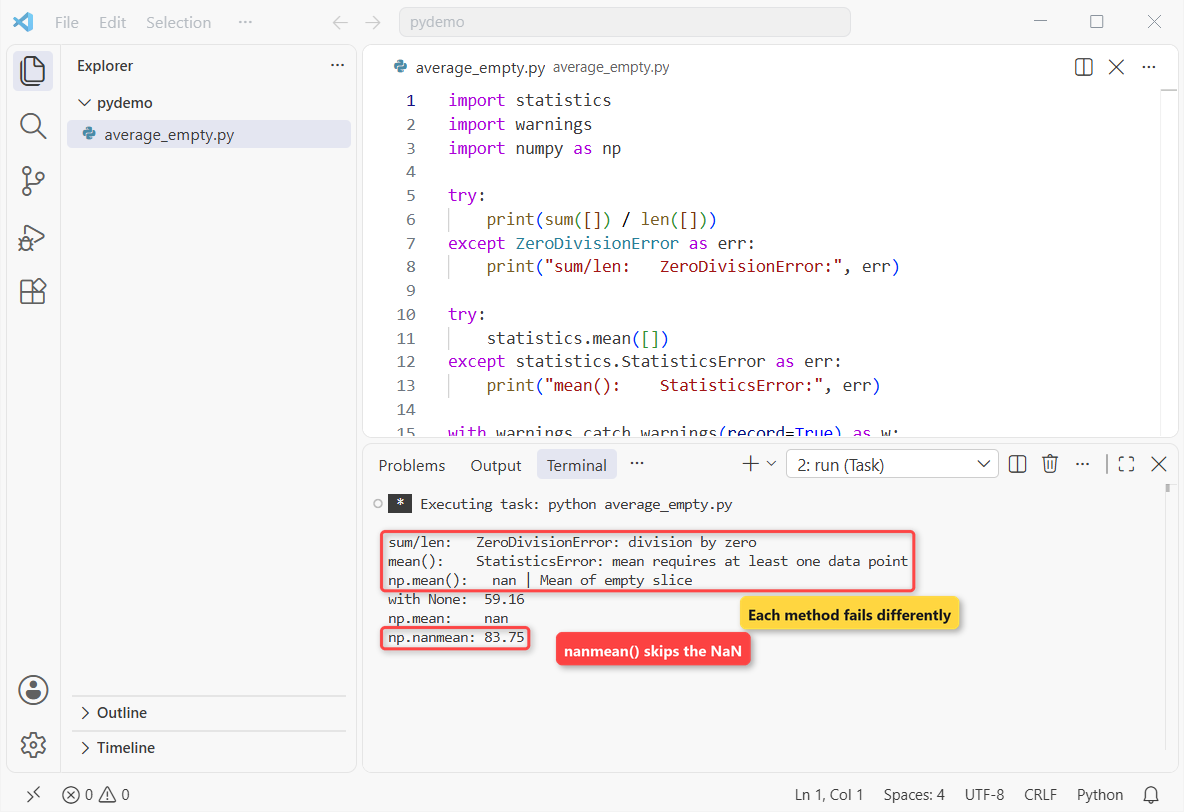
safe_average() and np.nanmean() cope.How does this code work?
safe_average() drops None first and returns None for an empty list. With one gap, it averages the other three to 59.16.
One NaN turns np.mean() into nan, while np.nanmean() skips it and returns 83.75. To clean lists first, see removing NaN values from a list.
Average a list of dictionaries or tuples in Python
When your numbers sit inside records, pull the field out with a generator or unzip tuples into columns:
orders = [
    {"customer": "Emily Carter", "total": 42.50},
    {"customer": "James Rivera", "total": 125.00},
    {"customer": "Olivia Brooks", "total": 64.75},
    {"customer": "Ryan Mitchell", "total": 18.99},
]

avg = sum(o["total"] for o in orders) / len(orders)
print(f"Average order: ${avg:.2f}")

sales = [("Mon", 1249.99), ("Tue", 875.50), ("Wed", 1430.25)]
days, dollars = zip(*sales)
print(f"Avg daily sales: ${sum(dollars) / len(dollars):.2f}")
Output:
Average order: $62.81
Avg daily sales: $1185.25
The four orders average $62.81, and the three days average $1,185.25 in sales.
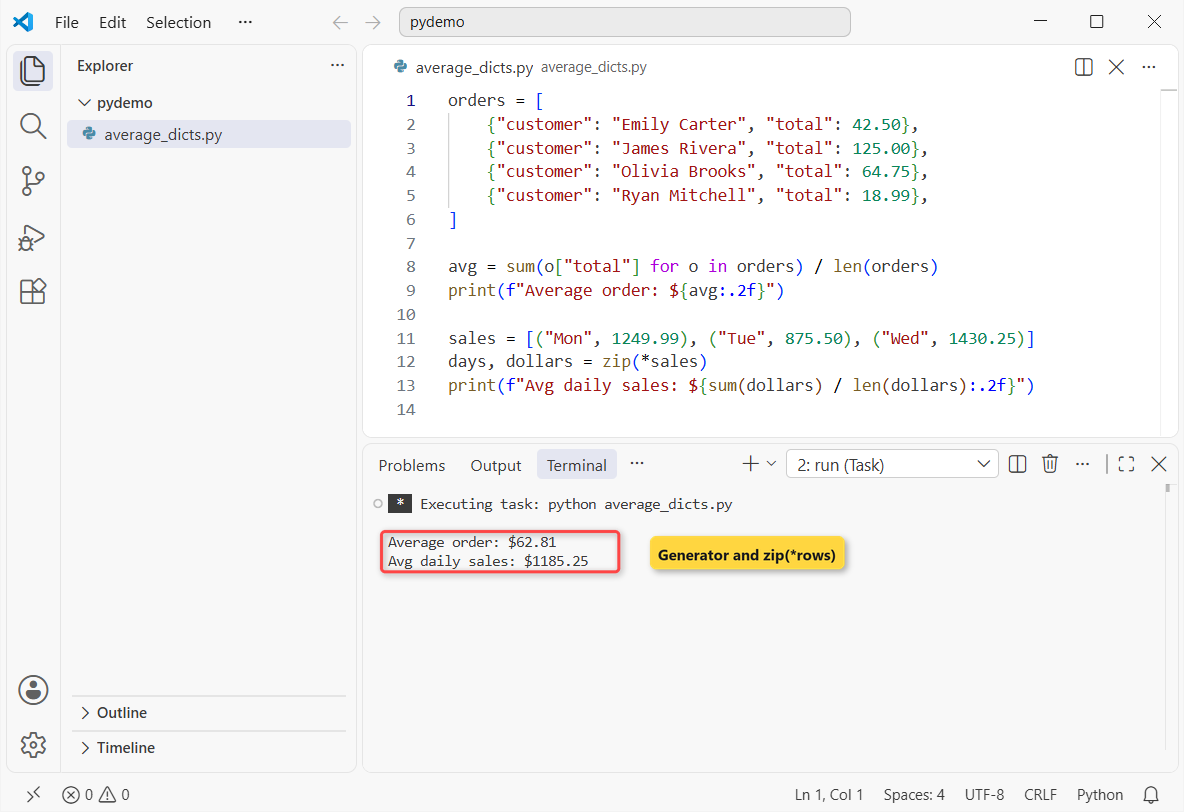
zip(*sales) splits tuples into columns.How does this code work?
The generator adds one key from each dictionary without building a new list. zip(*sales) flips rows into columns, so you can average each one.
Which method should you use to average a list in Python?
| Method | Use it when | Watch out for |
|---|---|---|
sum() / len() | Almost always; no import | ZeroDivisionError on an empty list |
statistics.mean() | Readable code, Decimal or Fraction data | StatisticsError on an empty list |
statistics.fmean() | Floats, speed, weights (3.11+) | Always returns a float |
np.mean() / np.average() | Arrays, big data, weights | Returns nan on empty input |
for loop | Interviews | More code to get wrong |
Things to keep in mind when averaging a list in Python
- Check for an empty list. Every method fails or returns nan.
- Strip None and NaN first. One bad value breaks the result.
- Use median for skewed data. One $125.00 grinder pulls the mean up.
If you’re working through more list math, these pair well with this one:
- Find the largest number in a list using Python
- Sum NumPy arrays in Python
- Use pandas groupby aggregation functions
- Find the sum of N numbers in Python
Frequently asked questions
How do you find the average of a list in Python?
Use sum(nums) / len(nums) or statistics.mean(nums).
Is there a built-in average function in Python?
No. Use sum()/len(), or statistics.mean() from the standard library.
What’s the difference between statistics.mean() and fmean()?
mean() keeps the input type; fmean() returns a float, runs faster and takes weights (3.11+).
How do I calculate a weighted average of a list?
Use np.average(values, weights=w) or fmean() with weights.
Why does my average raise ZeroDivisionError?
The list is empty. Check if nums: before dividing.
Where is statistics.mean() documented?
See the statistics module in the official Python docs.

Bijay Kumar is a 13-time Microsoft MVP with more than 18 years in software development, and the founder of Python Guides and TSinfo Technologies. He started out building .NET and SharePoint solutions at HP, TCS and KPIT before moving into Python, machine learning and AI, and he also builds web apps with TypeScript and React. He writes the tutorials here himself, and every example is run before publishing so you see the real output. More about Bijay · Microsoft MVP profile · LinkedIn