
The shortest Fibonacci series program in Python is three lines, and it works because Python evaluates the whole right-hand side before assigning:
a, b = 0, 1
for _ in range(10):
    print(a, end=" ")
    a, b = b, a + b        # 0 1 1 2 3 5 8 13 21 34
That single swap line replaces the temporary variable other languages need. Everything else on this page is a variation on it.
All the timings below are real runs on Python 3.12.5.
What is the Fibonacci series?
Each number is the sum of the two before it, starting from 0 and 1:
0, 1, 1, 2, 3, 5, 8, 13, 21, 34, 55, 89, ...
       \_____/
       1 + 1 = 2, then 1 + 2 = 3, then 2 + 3 = 5
Most courses start the series at 0. Some start at 1, which shifts every position by one, so check which your assignment expects.
Fibonacci series in Python using a for loop
This is the version to reach for when you know how many terms you want:
n = 10
a, b = 0, 1

for _ in range(n):
    print(a, end=" ")
    a, b = b, a + b        # both sides evaluate before either is assigned
Output:
0 1 1 2 3 5 8 13 21 34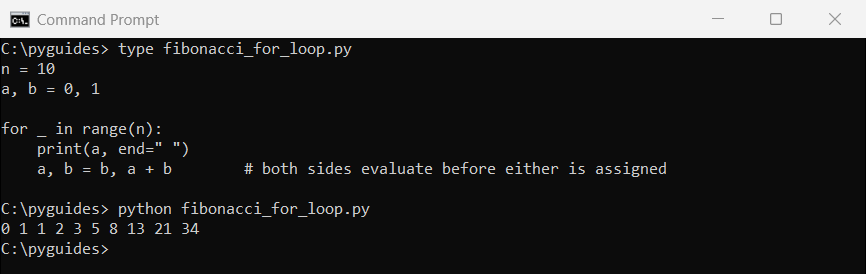
_.a, b = b, a + b is the whole trick. Python builds the tuple (b, a + b) from the old values first, then unpacks it.
Write it as two statements and you get the wrong answer, because the second line would use the already-updated a.
Fibonacci series in Python using a while loop
A while loop suits you better when the stopping point is a value rather than a count:
n = 10
a, b = 0, 1
count = 0

while count < n:
    print(a, end=" ")
    a, b = b, a + b
    count += 1

print()
print("\nor loop until a value instead of a count:")
a, b = 0, 1
while a < 100:
    print(a, end=" ")
    a, b = b, a + b
Output:
0 1 1 2 3 5 8 13 21 34

or loop until a value instead of a count:
0 1 1 2 3 5 8 13 21 34 55 89
The first loop counts to n, exactly like the for version. The second keeps going until the number itself passes 100.
That second form is the one worth knowing. You cannot express it with range without guessing how many terms you’ll need, and that’s the same reason a recursive approach feels natural here even though it performs badly.
Fibonacci series in Python using recursion
The recursive definition reads exactly like the mathematical one:
def fib(n):
    if n < 2:
        return n                     # fib(0) is 0, fib(1) is 1
    return fib(n - 1) + fib(n - 2)


for i in range(10):
    print(fib(i), end=" ")
print()
Output:
0 1 1 2 3 5 8 13 21 34It’s elegant and it’s correct. It is also the slowest thing on this page by an enormous margin.
Why recursive Fibonacci is so slow
Plain recursion recomputes the same values over and over. Counting the calls shows how bad it gets:
import time

calls = 0

def fib(n):
    global calls
    calls += 1
    return n if n < 2 else fib(n - 1) + fib(n - 2)


print(f"{'n':>4} {'calls':>12} {'time':>11}")
for n in (20, 25, 30):
    calls = 0
    start = time.perf_counter()
    fib(n)
    elapsed = time.perf_counter() - start
    print(f"{n:>4} {calls:>12,} {elapsed * 1000:>8.1f} ms")

print("\nEvery +5 on n multiplies the work by about 11.")
Output:
   n        calls        time
  20       21,891      1.0 ms
  25      242,785     15.6 ms
  30    2,692,537    144.4 ms

Every +5 on n multiplies the work by about 11.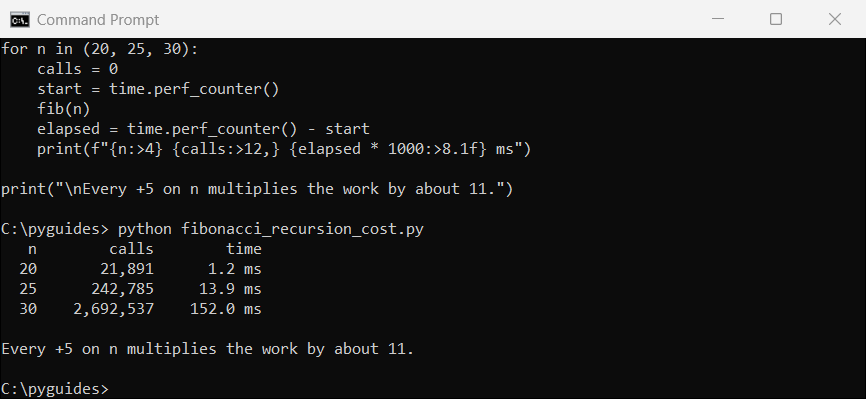
fib(30) makes 2,692,537 calls to compute 30 numbers. fib(28) alone is calculated thousands of times.
The cost roughly doubles for every extra term, so fib(40) would take minutes and fib(50) is out of reach entirely.
Fibonacci with memoization using functools.lru_cache
One decorator fixes it. lru_cache remembers each result, so every value is computed once:
import time
from functools import lru_cache

@lru_cache(maxsize=None)
def fib(n):
    return n if n < 2 else fib(n - 1) + fib(n - 2)


start = time.perf_counter()
result = fib(30)
elapsed = time.perf_counter() - start

print("fib(30)      =", result)
print(f"time         = {elapsed * 1e6:.1f} microseconds")
print("cache info   =", fib.cache_info())
print("\nthe plain recursive version needed 2,692,537 calls for the same answer")
Output:
fib(30)      = 832040
time         = 14.6 microseconds
cache info   = CacheInfo(hits=28, misses=31, maxsize=None, currsize=31)

the plain recursive version needed 2,692,537 calls for the same answer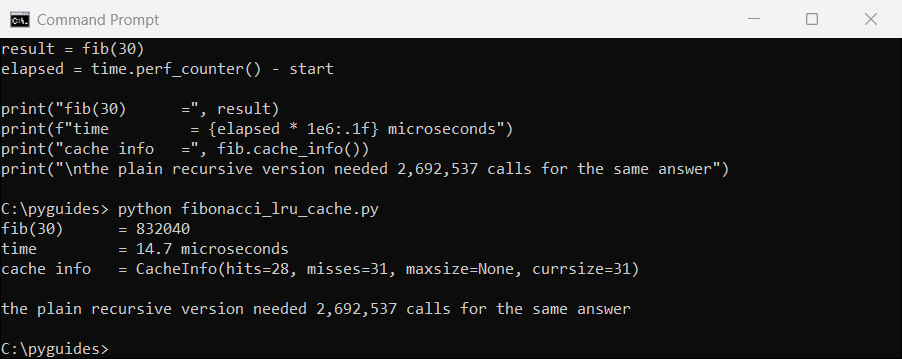
Read the cache_info() line. The hits are all the calls that would otherwise have been recomputed from scratch.
functools.cache is the same thing with a shorter name if you’re on Python 3.9 or later.
Fibonacci series in Python without a function
Assignments often ask for this, and it is just the loop with no def around it. Here is the practical version with timings:
import time

def fib(n):
    a, b = 0, 1
    for _ in range(n):
        a, b = b, a + b
    return a


start = time.perf_counter()
for _ in range(1000):
    fib(30)
elapsed = time.perf_counter() - start

print("fib(30)  =", fib(30))
print(f"1000 calls took {elapsed * 1000:.1f} ms")
print(f"that is {elapsed / 1000 * 1e6:.2f} microseconds each")

# Python integers never overflow, so big terms are exact
print("\nfib(100) =", fib(100))
print("fib(300) =", fib(300))
Output:
fib(30)  = 832040
1000 calls took 0.5 ms
that is 0.53 microseconds each

fib(100) = 354224848179261915075
fib(300) = 222232244629420445529739893461909967206666939096499764990979600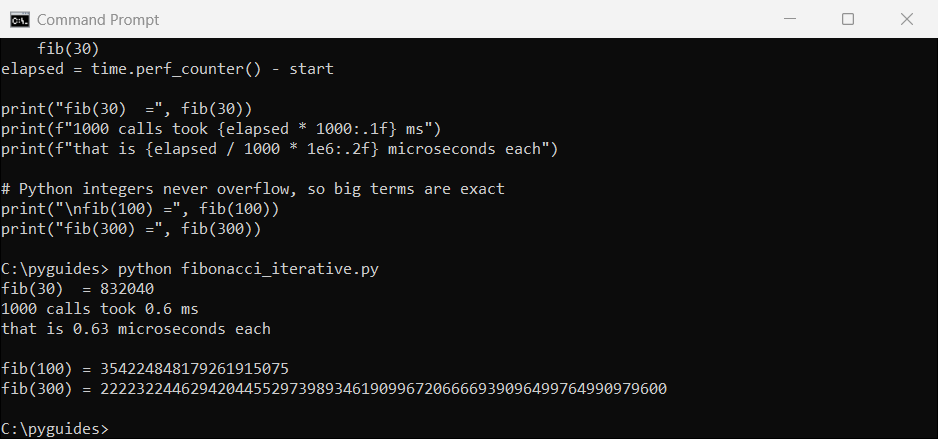
Notice fib(300). Python integers grow as large as memory allows, so there is no overflow and no need for a big-number library.
In C or Java that value would have wrapped around to nonsense long before term 100.
Fibonacci with a generator
A generator gives you the series as an endless stream, which is the most Pythonic version of all:
def fibonacci():
    a, b = 0, 1
    while True:              # an endless series, computed on demand
        yield a
        a, b = b, a + b


gen = fibonacci()
first_ten = [next(gen) for _ in range(10)]
print("first ten   :", first_ten)

# take terms until a condition is met, without deciding the count up front
under_500 = []
for value in fibonacci():
    if value > 500:
        break
    under_500.append(value)

print("under 500   :", under_500)
Output:
first ten   : [0, 1, 1, 2, 3, 5, 8, 13, 21, 34]
under 500   : [0, 1, 1, 2, 3, 5, 8, 13, 21, 34, 55, 89, 144, 233, 377]
yield hands back one value and pauses. Nothing is computed until you ask for the next term, so an infinite while True is perfectly safe.
This is the right shape when you don’t know in advance how many terms you need.
RecursionError on large Fibonacci numbers
Recursion has a hard ceiling that loops do not:
import sys

def fib(n):
    return n if n < 2 else fib(n - 1) + fib(n - 2)


print("recursion limit:", sys.getrecursionlimit())

try:
    fib(2000)
except RecursionError as err:
    print("fib(2000) ->", type(err).__name__ + ":", err)

print("\nthe loop version handles it without complaint:")
a, b = 0, 1
for _ in range(2000):
    a, b = b, a + b
print("fib(2000) has", len(str(a)), "digits")
Output:
recursion limit: 1000
fib(2000) -> RecursionError: maximum recursion depth exceeded

the loop version handles it without complaint:
fib(2000) has 418 digits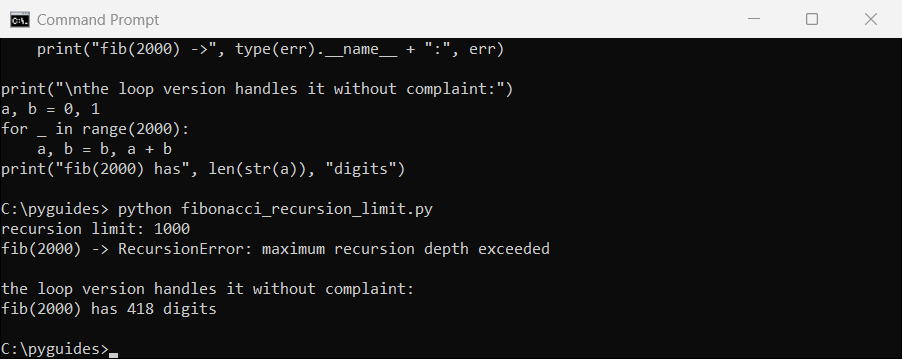
Python’s default recursion limit is 1000 frames. Raising it with sys.setrecursionlimit risks a hard crash rather than a clean exception.
If you need large terms, use the loop. It has no depth limit and no cache to fill.
Plotting the Fibonacci series
Seeing the growth makes the recursion cost obvious, and it shows off the golden ratio:
import matplotlib.pyplot as plt

def fib_list(n):
    out, a, b = [], 0, 1
    for _ in range(n):
        out.append(a)
        a, b = b, a + b
    return out


values = fib_list(15)

plt.figure(figsize=(8, 4.5))
plt.bar(range(len(values)), values, color="#0b6bcb")
plt.title("The first 15 Fibonacci numbers")
plt.xlabel("position in the series"); plt.ylabel("value")
plt.grid(axis="y", alpha=.3); plt.tight_layout()
plt.show()

print("ratio of consecutive terms approaches the golden ratio:")
for i in range(8, 14):
    print(f"  {values[i + 1]} / {values[i]} = {values[i + 1] / values[i]:.8f}")
Output:
ratio of consecutive terms approaches the golden ratio:
  34 / 21 = 1.61904762
  55 / 34 = 1.61764706
  89 / 55 = 1.61818182
  144 / 89 = 1.61797753
  233 / 144 = 1.61805556
  377 / 233 = 1.61802575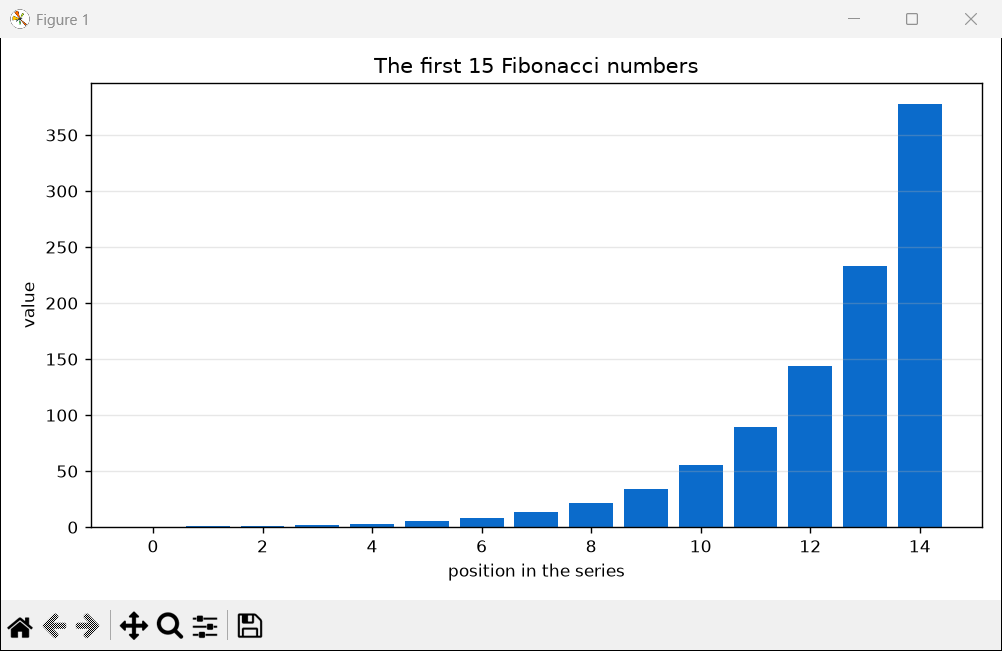
Divide any term by the one before it and the answer closes in on 1.618, the golden ratio. By term 13 it is accurate to seven decimal places.
Which Fibonacci method should you use?
| Method | Speed for n=30 | Use it when |
|---|---|---|
for loop | 0.5 microseconds | You know the term count |
while loop | 0.5 microseconds | You are stopping at a value |
| Generator | 0.5 microseconds | The count is open-ended |
lru_cache recursion | 17 microseconds | You want the recursive shape and the speed |
| Plain recursion | 140,000 microseconds | Teaching recursion, nothing else |
For real code, use the loop. For an assignment that asks for recursion, add @lru_cache and explain why in a comment.
More Python program and algorithm guides:
- Recursion in Python
- Armstrong numbers in Python
- Factorials in Python
- Area of a rectangle in Python
- List comprehension with if else
- Validating numbers with isdigit()
Frequently asked questions
How do you write a Fibonacci series program in Python?
Start with a, b = 0, 1 and loop, updating both with a, b = b, a + b. Tuple assignment is explained in the Python assignment statement reference.
What is the Fibonacci series in Python?
A sequence where each number is the sum of the two before it: 0, 1, 1, 2, 3, 5, 8, 13 and so on.
How do you write Fibonacci using a for loop?
for _ in range(n) with print(a) and a, b = b, a + b inside. That prints exactly n terms.
Why is recursive Fibonacci so slow?
It recomputes the same values repeatedly. fib(30) makes 2,692,537 calls, and the count roughly doubles for each extra term.
How do I make recursive Fibonacci fast?
Add @lru_cache(maxsize=None) above the function. That drops fib(30) from 140 milliseconds to about 17 microseconds.
Why do I get RecursionError with Fibonacci?
You exceeded the default limit of 1000 nested calls. Use an iterative loop, which has no depth limit.
Can Python handle very large Fibonacci numbers?
Yes. Python integers grow to fit, so fib(300) is exact with no overflow and no extra library.

Bijay Kumar is a 13-time Microsoft MVP with more than 18 years in software development, and the founder of Python Guides and TSinfo Technologies. He started out building .NET and SharePoint solutions at HP, TCS and KPIT before moving into Python, machine learning and AI, and he also builds web apps with TypeScript and React. He writes the tutorials here himself, and every example is run before publishing so you see the real output. More about Bijay · Microsoft MVP profile · LinkedIn