
NameError: name 'x' is not defined means Python reached a name it has no value for. Four causes account for almost every case:
- A typo in the name.
- A missing
import. - A string written without quotes.
- A variable that only exists inside a function.
Since Python 3.10 the error often names the fix itself, which is the fastest place to start.
Every traceback below is a real failing script on Python 3.12.5.
The Python NameError “Did you mean” suggestion
Misspell a name that is close to a real one and Python guesses what you intended:
message = "Hello there"

print(mesage)          # one letter missing
Output:
Traceback (most recent call last):
  File "C:\pyguides\nameerror_typo.py", line 3, in <module>
    print(mesage)          # one letter missing
          ^^^^^^
NameError: name 'mesage' is not defined. Did you mean: 'message'?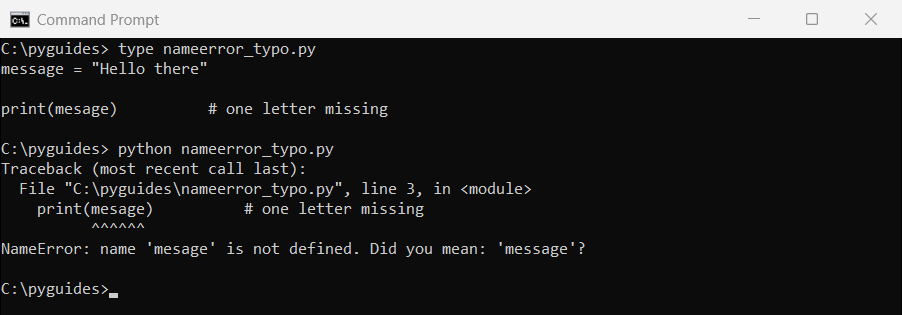
Read the last line before touching anything. Did you mean: 'message'? is Python comparing the failed name against everything in scope.
No suggestion appears when nothing is close enough. That absence is informative too, because it usually means the variable was never created at all.
NameError from a missing import
Module aliases are just names, so forgetting the import produces the same error as a typo:
# numpy was never imported
data = np.array([1, 2, 3])
print(data.mean())
Output:
Traceback (most recent call last):
  File "C:\pyguides\nameerror_missing_import.py", line 2, in <module>
    data = np.array([1, 2, 3])
           ^^
NameError: name 'np' is not defined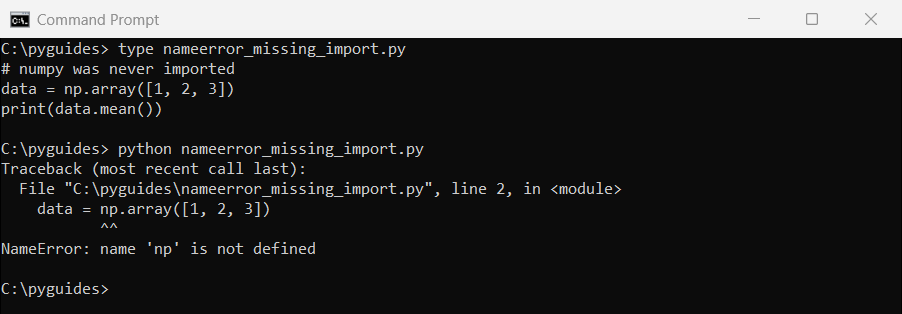
np is not special. Without the import it’s an undefined name.| Error | Missing line |
|---|---|
name 'np' is not defined | import numpy as np |
name 'pd' is not defined | import pandas as pd |
name 'plt' is not defined | import matplotlib.pyplot as plt |
name 'math' is not defined | import math |
If the import is there and it still fails, check for a ModuleNotFoundError higher up the traceback. A failed import leaves the alias undefined.
NameError from forgetting quotes around a string
Python cannot tell a bare word from a variable, so an unquoted string sends it looking for one:
name = input("Your name: ")

if name == Bijay:      # Bijay has no quotes, so Python looks for a variable
    print("hello")
Typing ‘Bijay’ at the prompt:
Your name: Traceback (most recent call last):
  File "C:\pyguides\runs\nameerror\ex_quotes.py", line 3, in <module>
    if name == Bijay:      # Bijay has no quotes, so Python looks for a variable
               ^^^^^
NameError: name 'Bijay' is not defined
if name == Bijay asks Python for a variable called Bijay. Add the quotes and it becomes the text you meant.
This bites hardest when comparing against user input, because the value on the left is a string and the one on the right looks like it should be.
Using a variable outside the function that defined it
Names created inside a function disappear when it returns:
def load_settings():
    timeout = 30           # local to this function only
    print("loaded, timeout =", timeout)


load_settings()
print("timeout outside the function:", timeout)
Output:
loaded, timeout = 30
Traceback (most recent call last):
  File "C:\pyguides\nameerror_scope.py", line 7, in <module>
    print("timeout outside the function:", timeout)
                                           ^^^^^^^
NameError: name 'timeout' is not defined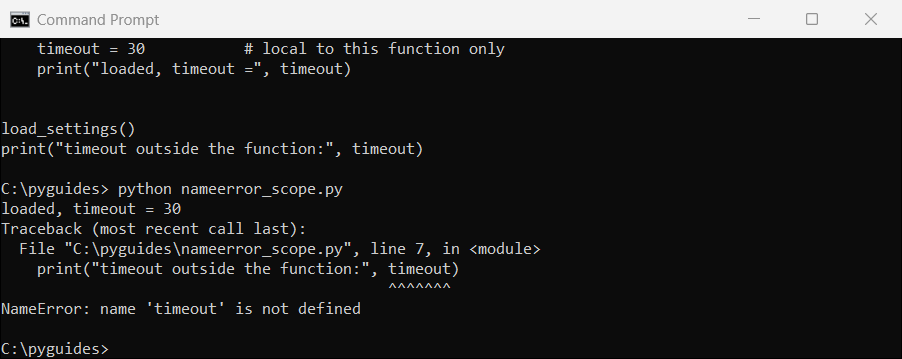
The fix is to return the value rather than reaching for it: timeout = load_settings().
The same applies to names created inside an if branch that never ran, or a for loop that iterated zero times.
NameError vs UnboundLocalError
Assign to a global inside a function without declaring it and you get a different error:
counter = 0                # a global

def bump():
    counter += 1           # assignment makes counter LOCAL for the whole function
    print(counter)


bump()
Output:
Traceback (most recent call last):
  File "C:\pyguides\unboundlocalerror.py", line 8, in <module>
    bump()
  File "C:\pyguides\unboundlocalerror.py", line 4, in bump
    counter += 1           # assignment makes counter LOCAL for the whole function
    ^^^^^^^
UnboundLocalError: cannot access local variable 'counter' where it is not associated with a value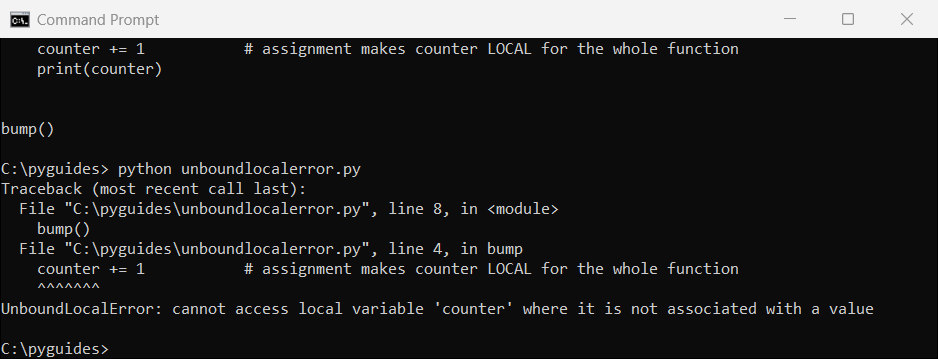
counter += 1 makes counter local for the whole function.Python decides a variable is local by scanning for assignments anywhere in the function, before running a single line.
So counter += 1 tries to read a local counter that has not been assigned yet, and the global is never consulted.
Two ways out, and the second is usually better:
counter = 0

def bump():
    global counter         # say which one you mean
    counter += 1
    return counter


print(bump())
print(bump())
print("final:", counter)

# the cleaner alternative: take it in, hand it back
def bump_pure(value):
    return value + 1

total = 0
for _ in range(3):
    total = bump_pure(total)
print("without global:", total)
Output:
1
2
final: 2
without global: 3
global works but makes the function harder to reason about. Passing the value in and returning it out keeps everything explicit, which matters as soon as you start tracking whether a variable exists.
Is UnboundLocalError a NameError?
Yes, and that is occasionally useful:
print("UnboundLocalError inherits from:")
for cls in UnboundLocalError.__mro__[:4]:
    print("   ", cls.__name__)

print()
# so this catches both
def risky(which):
    if which == "name":
        return undefined_thing
    value = value + 1

for which in ("name", "unbound"):
    try:
        risky(which)
    except NameError as err:
        print(f"{which:<9} caught as NameError -> {type(err).__name__}: {err}")
Output:
UnboundLocalError inherits from:
    UnboundLocalError
    NameError
    Exception
    BaseException

name      caught as NameError -> NameError: name 'undefined_thing' is not defined
unbound   caught as NameError -> UnboundLocalError: cannot access local variable 'value' where it is not associated with a value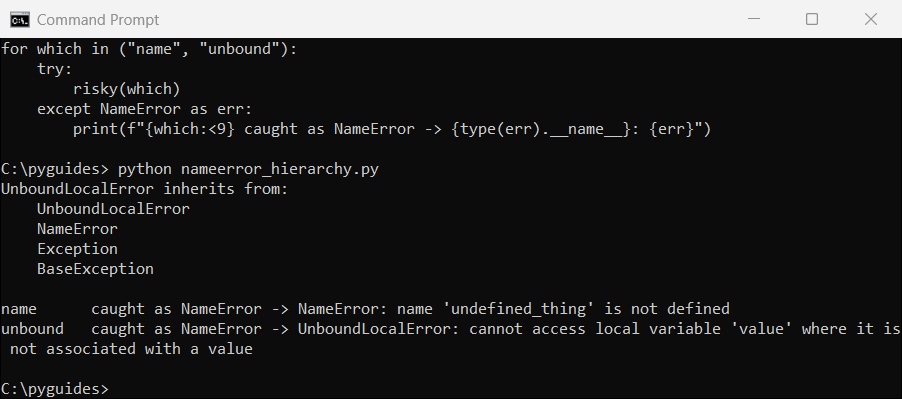
except NameError catches both.| Error | Means | Typical cause |
|---|---|---|
NameError | The name does not exist anywhere in scope | Typo, missing import, wrong scope |
UnboundLocalError | The name is local but has no value yet | Assigning to a global without global |
NameError in Jupyter Notebook
Notebooks add a cause that scripts do not have: cells remember state, and they run in whatever order you click them.
- A cell that defines the variable has not been run yet in this session.
- The kernel was restarted, which clears every name while the output stays on screen.
- Cells were edited and re-run out of order, so an earlier definition was replaced.
- The variable was defined in a different notebook entirely.
Run Restart Kernel and Run All Cells before you debug anything. If the error survives that, it’s a real bug rather than a stale kernel.
Avoiding NameError before it happens
For names that might legitimately be missing, check rather than hope:
config = {"host": "localhost"}

# checking before use, for names that may genuinely be absent
if "port" in config:
    print(config["port"])
else:
    print("port not set, using 8080")

# for a variable that may not have been assigned, set a default first
result = None
for value in []:            # loop body never runs
    result = value

print("result:", result)    # None, not a NameError

# checking whether a name exists at all
print("'config' defined?", "config" in dir())
print("'missing' defined?", "missing" in dir())
Output:
port not set, using 8080
result: None
'config' defined? True
'missing' defined? False
Setting result = None before a loop guarantees the name exists even when the loop body never runs.
For dictionaries, in or .get() is the right tool. A KeyError and a NameError are different problems with different fixes.
How to fix name is not defined
| Message | Check this first |
|---|---|
Did you mean: 'x'? | Use the suggested spelling |
name 'np' is not defined | Add the missing import |
| A word you expected to be text | Add quotes around it |
| Works inside a function, not outside | Return the value |
UnboundLocalError | Add global, or pass and return |
| Only fails in a notebook | Restart the kernel and run all cells |
Other Python error and variable guides you may want next:
- Check if a variable is defined
- Python variables explained
- No module named matplotlib
- raw_input in Python 2 vs 3
- Check if a variable is null or empty
- Recursion in Python
Frequently asked questions
What does NameError: name is not defined mean in Python?
Python reached a name that has no value bound to it in any accessible scope. The exception is described in the Python built-in exceptions reference.
How do I fix name is not defined?
Check the spelling first, then that the variable is assigned before use, then that any module it comes from is imported, and finally that it is not trapped inside a function.
What does ‘Did you mean’ mean in a NameError?
Python 3.10 and later compare the failed name against names in scope and suggest the closest match. It is usually correct.
Why do I get NameError for a variable defined in a function?
Local names are destroyed when the function returns. Return the value instead of reading it from outside.
What is the difference between NameError and UnboundLocalError?
NameError means the name does not exist. UnboundLocalError means it is local but has not been assigned yet. UnboundLocalError is a subclass of NameError.
Why do I get NameError in Jupyter Notebook?
The defining cell has not run in the current session, usually after a kernel restart or running cells out of order. Restart the kernel and run all cells.
How do I check if a variable exists before using it?
Use "name" in dir(), or assign a default such as None before the branch that may skip it.

Bijay Kumar is a 13-time Microsoft MVP with more than 18 years in software development, and the founder of Python Guides and TSinfo Technologies. He started out building .NET and SharePoint solutions at HP, TCS and KPIT before moving into Python, machine learning and AI, and he also builds web apps with TypeScript and React. He writes the tutorials here himself, and every example is run before publishing so you see the real output. More about Bijay · Microsoft MVP profile · LinkedIn