
I’ve seen many developers struggle with inheritance. Specifically, many get tripped up when trying to pass data from a child class up to a parent class.
If you are building a complex system, like a payroll tool for a New York City corporation or a logistics tracker for a shipping company in Chicago, you need to know how to handle constructors properly.
In this tutorial, I will show you exactly how to call a base class constructor with arguments in Python using my firsthand experience.
Why You Need to Call the Base Class Constructor
When you create a child class (subclass) that inherits from a parent class (base class), the child class often needs its own __init__ method.
However, if the parent class also has an __init__ method that sets up essential data, the child class won’t automatically run it if you define a new one.
In the US corporate world, we use this to ensure that every “Employee” object has a Social Security Number (SSN) before we define if they are a “Manager” or an “Intern.”
Method 1: Use the super() Function (The Recommended Way)
The most common and “Pythonic” way to call a base class constructor is by using the super() function.
I prefer this method because it handles multiple inheritance much better and keeps your code clean and maintainable.
The Real-World Scenario: Employee Benefits System
Let’s imagine we are building a system for a company based in Austin, Texas. We have a base class called Employee and a subclass called FullTimeEmployee.
class Employee:
    def __init__(self, name, employee_id):
        # Initializing the base class attributes
        self.name = name
        self.employee_id = employee_id
        print(f"Base Class: Initializing data for {self.name}")

class FullTimeEmployee(Employee):
    def __init__(self, name, employee_id, annual_salary):
        # Calling the base class constructor with arguments using super()
        super().__init__(name, employee_id)

        # Initializing subclass specific attribute
        self.annual_salary = annual_salary
        print(f"Subclass: Adding salary information: ${self.annual_salary}")

# Creating an instance
emp = FullTimeEmployee("John Doe", "TX-9982", 95000)

print(f"\nEmployee Record:")
print(f"Name: {emp.name}")
print(f"ID: {emp.employee_id}")
print(f"Salary: ${emp.annual_salary}")
I executed the above example code and added the screenshot below.
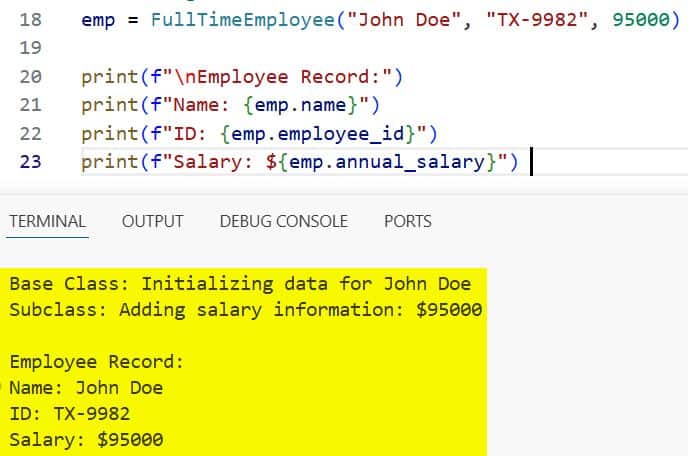
In the code above, super().__init__(name, employee_id) looks for the parent class and executes its constructor.
I passed the name and employee_id parameters directly into it, ensuring the base class is properly set up before the FullTimeEmployee adds the salary data.
Method 2: Call the Base Class by Name
Sometimes, especially in older legacy codebases I’ve maintained for banks in Charlotte, you might see the base class called explicitly by its name.
While super() is usually better, this method is very explicit and easy to follow for beginners.
The Real-World Scenario: California Real Estate Listings
Let’s look at a real estate example where we have a Property and a House.
class Property:
    def __init__(self, address, zip_code):
        self.address = address
        self.zip_code = zip_code
        print("Property base class initialized.")

class House(Property):
    def __init__(self, address, zip_code, num_bedrooms):
        # Explicitly calling the base class constructor
        Property.__init__(self, address, zip_code)

        self.num_bedrooms = num_bedrooms
        print("House subclass initialized.")

# Example usage for a listing in Los Angeles
la_house = House("123 Sunset Blvd", "90001", 4)

print(f"\nListing Details:")
print(f"Address: {la_house.address}, {la_house.zip_code}")
print(f"Bedrooms: {la_house.num_bedrooms}")
I executed the above example code and added the screenshot below.
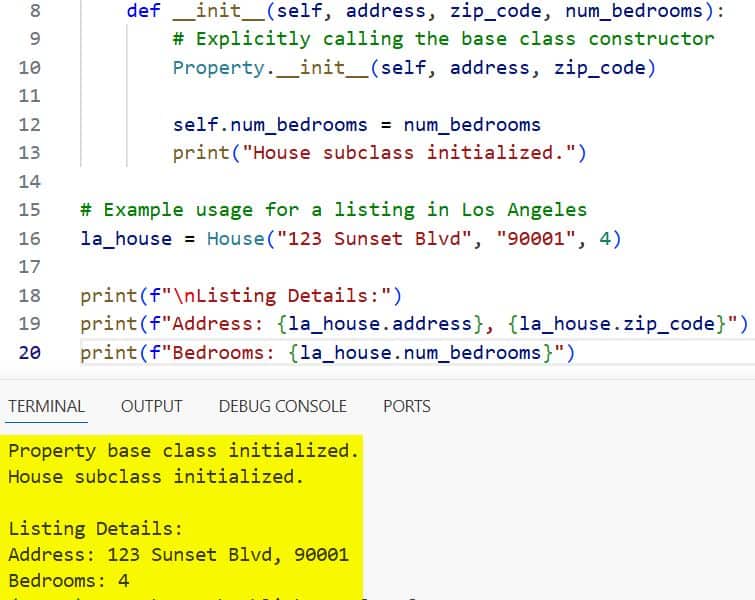
When you use Property.__init__(self, …), you must include the self argument manually.
If you forget self, Python will throw an error because it doesn’t know which specific object instance you are trying to initialize.
Method 3: Handle Multiple Inheritance with Arguments
In more complex US enterprise software, you might have a class that inherits from two different parents.
Passing arguments to multiple base classes requires careful planning to ensure everything is initialized in the correct order.
The Real-World Scenario: A Tesla Electric Vehicle
Think about a Tesla. It is both a Vehicle and an ElectronicDevice.
class Vehicle:
    def __init__(self, make, model):
        self.make = make
        self.model = model
        print("Vehicle initialized.")

class ElectronicDevice:
    def __init__(self, battery_capacity):
        self.battery_capacity = battery_capacity
        print("Electronic Device initialized.")

class ElectricCar(Vehicle, ElectronicDevice):
    def __init__(self, make, model, battery_capacity, range_miles):
        # Initializing both base classes
        Vehicle.__init__(self, make, model)
        ElectronicDevice.__init__(self, battery_capacity)

        self.range_miles = range_miles
        print("Electric Car initialized.")

# Initializing a car for a tech exec in San Francisco
my_tesla = ElectricCar("Tesla", "Model S", "100 kWh", 405)

print(f"\nCar Specs:")
print(f"Brand: {my_tesla.make} {my_tesla.model}")
print(f"Battery: {my_tesla.battery_capacity}")
print(f"Range: {my_tesla.range_miles} miles")
I executed the above example code and added the screenshot below.
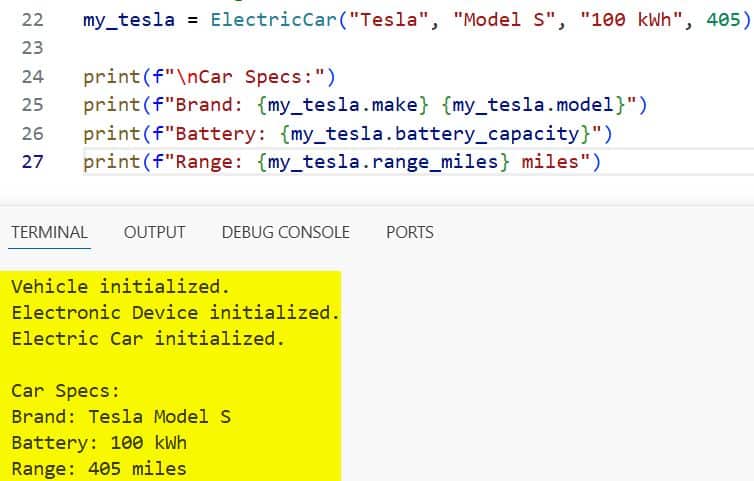
In this scenario, I find that calling the class names explicitly (Method 2) is often safer than super() because it gives you total control over which arguments go to which parent.
Common Mistakes to Avoid
In my years of code reviews, I see the same three mistakes over and over again. Avoiding these will save you hours of debugging.
1. Forget to Call the Base Constructor
If you define __init__ in the child class but don’t call the base constructor, the parent’s attributes will never be created.
If you try to access self.name (from the parent) in a child object, Python will raise an AttributeError.
2. Incorrect Argument Order
Python is strict about the order of arguments. Always ensure the parameters you pass to super().__init__() match the signature of the parent class exactly.
3. Mix super() and Explicit Calls
Don’t mix super() and BaseClassName.__init__ in the same class hierarchy.
This can cause a “Method Resolution Order” (MRO) nightmare where constructors are called twice or not at all. Stick to one style.
When to Use super() vs. Class Name
Throughout my career, I’ve developed a simple rule of thumb for this:
- Use super(): In 95% of cases. It’s the standard for modern Python (3.x) and is essential if you plan on using mixins or complex inheritance.
- Use Class Name: Use this only if you are working on very old Python 2.x codebases or if you have a very specific reason to bypass the standard method resolution order.
Pro Tip: Using *args and **kwargs
If you want to make your code extremely flexible—something I highly recommend for library developers—use *args and **kwargs.
This allows you to pass any number of arguments up the chain without explicitly naming them in the child class.
class Base:
    def __init__(self, *args, **kwargs):
        self.data = kwargs.get('data', 'No Data')
        print(f"Base received: {self.data}")

class Derived(Base):
    def __init__(self, *args, **kwargs):
        super().__init__(*args, **kwargs)
        print("Derived initialized.")

# Usage
obj = Derived(data="US Market Analysis")
This is particularly useful when you are building frameworks where you might not know what arguments the parent class will need in the future.
In this tutorial, we looked at how to call a base class constructor with arguments in Python.
I’ve used these techniques to build everything from small scripts to massive cloud infrastructures for US-based clients.
You may also like to read:
- Perform Word Count in a Python Program
- Write a Program to Calculate Simple Interest in Python
- Identifier in Python
- Python Subtraction Program

Bijay Kumar is an experienced Python and AI professional who enjoys helping developers learn modern technologies through practical tutorials and examples. His expertise includes Python development, Machine Learning, Artificial Intelligence, automation, and data analysis using libraries like Pandas, NumPy, TensorFlow, Matplotlib, SciPy, and Scikit-Learn. At PythonGuides.com, he shares in-depth guides designed for both beginners and experienced developers. More about us.

