
Python provides several simple ways to remove the first element from a list (often informally called an “array” in Python), each with different trade‑offs for readability, performance, and safety. In this tutorial, you’ll learn the most common techniques, when to use each one, and how they behave in real-world scenarios such as queues and data processing pipelines.
List vs Array in Python
In everyday Python code, most developers use the list when they say “array”. A Python list is an ordered, mutable collection that supports index-based access and removal.
If you are using:
- Core Python data structures → you almost always mean
list arraymodule → you’re working with typed arrays (less common)- NumPy → you’re working with
ndarray, which has different semantics
In this tutorial, we will focus on Python lists, since that’s what most codebases use for ordered collections where you want to remove the first element.
Quick Overview of Methods
Here are the main ways to remove the first element from a Python list:
del lst[0]– remove by index, no return valuelst.pop(0)– remove by index and return the removed elementlst = lst[1:]– create a new list using slicing, skipping the first elementlst.remove(value)– remove by value (not index), useful only if you know the value
Later, you’ll see which method to choose based on:
- Whether you need the removed value
- Whether performance matters
- Whether you want to mutate the original list or create a new one
Method 1: Remove First Element with del
The del statement removes an item at a specific index and mutates the list in place. It is a clear and efficient way to delete the first element when you don’t need the removed value.
# Initial list of cities in the USA
cities = ["New York", "Los Angeles", "Chicago", "Houston", "Phoenix"]

# Remove the first element
del cities[0]

print(cities)
Output:
['Los Angeles', 'Chicago', 'Houston', 'Phoenix']
You can see the output in the screenshot below.
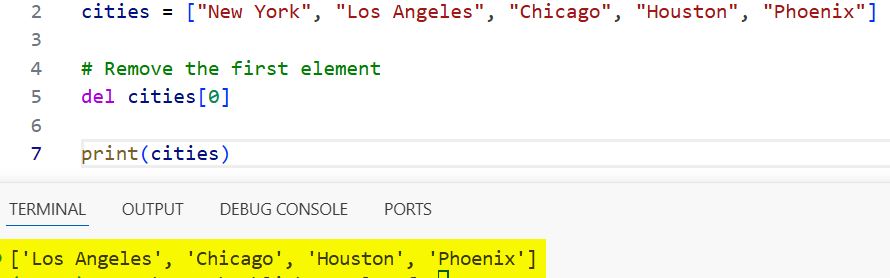
del cities[0] deletes the item at index 0, shifting the remaining elements to the left.
When to use del:
- You only care about mutating the list, not about the removed value
- You want a concise, explicit “delete by index” operation
- You’re working with relatively small lists or performance is not critical
Method 2: Remove and Return First Element with pop(0)
The list.pop() method removes an item by index and returns it. When used with index 0, it behaves like dequeuing from the front of a list.
# Initial list of cities in the USA
cities = ["New York", "Los Angeles", "Chicago", "Houston", "Phoenix"]

# Remove and return the first element
first_city = cities.pop(0)

print("Removed city:", first_city)
print("Remaining cities:", cities)
Output:
Removed city: New York
Remaining cities: ['Los Angeles', 'Chicago', 'Houston', 'Phoenix']
You can see the output in the screenshot below.
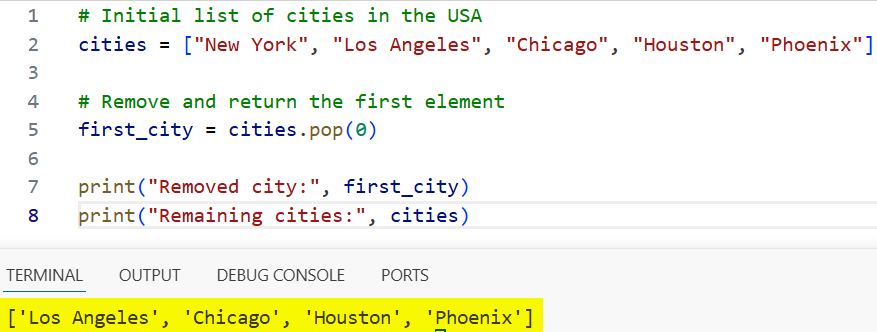
cities.pop(0) both removes the first element and gives you the removed value.
When to use pop(0):
- You need the removed item (for logging, processing, or further computation)
- You are implementing simple queue-like behavior and can tolerate list shifting cost
- You want concise, self-documenting code (pop from the front)
Important note on performance:
Removing from the front of a list (pop(0) or del lst[0]) is an O(n)O(n) operation because all elements are shifted one position. For large or performance-critical queues, prefer collections.deque and use popleft() instead. For this tutorial, we focus on lists since that matches most beginner and intermediate code.
Method 3: Remove First Element Using List Slicing
List slicing creates a new list from a portion of an existing list. To “remove” the first element, you can create a slice that starts from index 1 and assign it back to the original variable.
# Initial list of cities in the USA
cities = ["New York", "Los Angeles", "Chicago", "Houston", "Phoenix"]

# Remove the first element using slicing
cities = cities[1:]

print(cities)
Output:
['Los Angeles', 'Chicago', 'Houston', 'Phoenix']
You can see the output in the screenshot below.
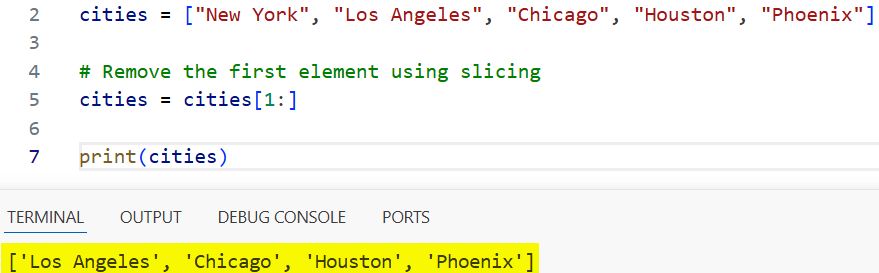
Here, cities[1:] returns a new list containing all elements except the first one, and we reassign it to cities.
When to use slicing:
- You want a new list that excludes the first element
- You prefer a functional style (no in-place mutation on the original object)
- The list is not extremely large, and the extra copy is acceptable
Caution:
Slicing creates a copy of the list. For very large lists, this can be memory and time-expensive compared to mutating in place with del or pop.
Method 4: Remove First Element by Value with remove()
list.remove(value) deletes the first occurrence of a given value, not a specific index. It can be used to remove the first element if you know the value stored there, but it is not index-based.
# Initializing a list of tech companies
tech_companies = ["Apple", "Google", "Microsoft", "Amazon", "Meta"]

# Removing the first element by value
tech_companies.remove("Apple")

print(tech_companies)
Output:
['Google', 'Microsoft', 'Amazon', 'Meta']
tech_companies.remove(“Apple”) removes the first occurrence of "Apple".
When to use remove():
- You know the value of the first element and want to remove it by value
- You don’t want to expose or rely on index positions in your code
- You’re aware that if the value is not present, Python will raise a
ValueError
Why remove() is less ideal for “remove first element”:
- It requires you to know the value, not just “remove index 0”
- If the same value appears later in the list,
remove()only handles the first occurrence it finds, which might be different from index 0 in modified lists
Choosing the Right Method
Here is a quick reference to help you decide:
| Goal | Recommended method |
|---|---|
| Mutate the list, no need for the removed value | del lst[0] |
| Remove and use the removed value | lst.pop(0) |
| Get a new list without the first element | lst[1:] |
| Remove by known value, not by index | lst.remove(value) |
| High-performance queue from the left (large data) | collections.deque |
Even though this tutorial focuses on lists, if you regularly remove elements from the front in production code, consider switching to deque:
from collections import deque

queue = deque(["task1", "task2", "task3"])
first_task = queue.popleft()
popleft() runs in O(1)O(1) time, making it more suitable for long-running or high-volume queues.
Practical Example: Processing a Task Queue
A common real-world use case is processing tasks in the order they arrive, like a simple queue. Let’s revisit your task queue example and tighten it for clarity.
# Initial queue of tasks
tasks = [
    {"task": "Review code", "priority": "high"},
    {"task": "Write documentation", "priority": "medium"},
    {"task": "Fix bugs", "priority": "high"},
    {"task": "Deploy application", "priority": "low"},
]

def process_task(queue):
    if not queue:
        print("No tasks to process")
        return

    current_task = queue.pop(0)  # remove first element
    print(f"Processing: {current_task['task']} (priority: {current_task['priority']})")

# Process tasks until the queue is empty
while tasks:
    process_task(tasks)
This demonstrates:
- How to use
pop(0)to process tasks in FIFO (first in, first out) order - How to guard against empty queues with a simple check
- How list removal interacts with iterative processing
For larger workloads or long-running background workers, you would likely replace list with deque to avoid repeated shifting costs.
Handle Errors and Edge Cases Safely
Removing elements from the front of an empty list raises an IndexError. In robust code (production scripts, APIs, or data pipelines), you should always handle this possibility.
Safe Removal with Explicit Check
def safe_remove_first_element(lst):
    if lst:
        del lst[0]
    else:
        print("The list is already empty")

# Example usage
cities = ["New York", "Los Angeles", "Chicago"]
safe_remove_first_element(cities)   # Removes "New York"
safe_remove_first_element([])       # Prints a helpful message
This pattern ensures you don’t encounter runtime errors when lists are unexpectedly empty.
Safe Removal with Try/Except
If you prefer to keep the call site simple and centralize error handling, use a try/except block:
def pop_first_or_none(lst):
    try:
        return lst.pop(0)
    except IndexError:
        return None

items = []

first_item = pop_first_or_none(items)
print(first_item)  # None, no exception raised
This pattern is useful when:
- You don’t want callers to care about exceptions
- You want a consistent return type (e.g.,
Nonewhen the list is empty)
Performance Considerations for Large Lists
For most small to medium lists, all methods shown here are perfectly fine. If you are working with large lists or performance-sensitive code, there are some important implications.
Example: Comparing Methods with timeit
Here is an improved version of the timing code that avoids mutating the same list repeatedly and keeps each test isolated:
import timeit

setup_code = """
cities = ["New York", "Los Angeles", "Chicago", "Houston", "Phoenix"] * 1000
"""

del_stmt = """
lst = cities[:]        # copy list
del lst[0]
"""

pop_stmt = """
lst = cities[:]
lst.pop(0)
"""

slice_stmt = """
lst = cities[:]
lst = lst[1:]
"""

print("del[0]:", timeit.timeit(del_stmt, setup=setup_code, number=10000))
print("pop(0):", timeit.timeit(pop_stmt, setup=setup_code, number=10000))
print("slice:", timeit.timeit(slice_stmt, setup=setup_code, number=10000))
Key insights from this kind of benchmark:
del lst[0]andlst.pop(0)have similar complexity; both must shift elements- Slicing
lst[1:]is more expensive because it copies almost the entire list - If you remove from the front many times, the cost adds up
Again, for serious queue-like workloads, collections.deque is the preferred data structure because popleft() is O(1)O(1).
Removing the First Element from Other Sequence Types
Although this tutorial focuses on lists, it’s helpful to understand how similar operations work for other common sequence types.
Strings
Strings are immutable, so you cannot “remove” characters in place. Instead, you create a new string:
text = "Python"
text_without_first = text[1:]

print(text_without_first)  # "ython"
Tuples
Tuples are also immutable. To remove an element, you create a new tuple:
numbers = (1, 2, 3, 4)
numbers_without_first = numbers[1:]

print(numbers_without_first)  # (2, 3, 4)
In both cases, slicing semantics are similar, but you can’t mutate the original object.
Best Practices and Common Pitfalls
To wrap up, here are some practical guidelines you can apply in your projects:
- Prefer
pop(0)when you need the removed element and your list is not huge - Use
del lst[0]when you only care about mutating the list - Use
lst[1:]when you want a new list and don’t want to mutate the original - Avoid
remove()for “remove first element” unless you truly care about value, not index - Always guard against empty lists in production code to avoid
IndexError - For heavy queue-like workloads, use
collections.dequeandpopleft()
By understanding not just how to remove the first element, but also the cost and behavior of each approach, you can write code that is both clean and robust.
You may also read:
- Reverse a List in Python
- Convert a List to a String in Python
- Remove the Last Element from a List in Python
- Flatten a List of Lists in Python

Bijay Kumar is an experienced Python and AI professional who enjoys helping developers learn modern technologies through practical tutorials and examples. His expertise includes Python development, Machine Learning, Artificial Intelligence, automation, and data analysis using libraries like Pandas, NumPy, TensorFlow, Matplotlib, SciPy, and Scikit-Learn. At PythonGuides.com, he shares in-depth guides designed for both beginners and experienced developers. More about us.

