
You’re working with an API response or a form object, and suddenly you need to loop through all its properties. Maybe you want to validate fields, transform data, or log values. You try a regular loop, but objects don’t behave like arrays, and things get messy fast.
That’s where the for…in loop in TypeScript comes in. It helps you iterate over object keys cleanly while still keeping type safety in mind. But using it the wrong way can break your typing or introduce bugs.
In this article, I’ll show you 4 ways to do for…in loops in TypeScript.
Method 1 – Basic for…in Loop with Object
Use this when you want a quick way to loop through object keys without strict typing.
Step 1: Create a simple object
const user = {
  name: "John",
  age: 28,
  isActive: true
};
Step 2: Use a for…in loop
for (const key in user) {
  console.log(key, user[key as keyof typeof user]);
}
Output:
name John
age 28
isActive true
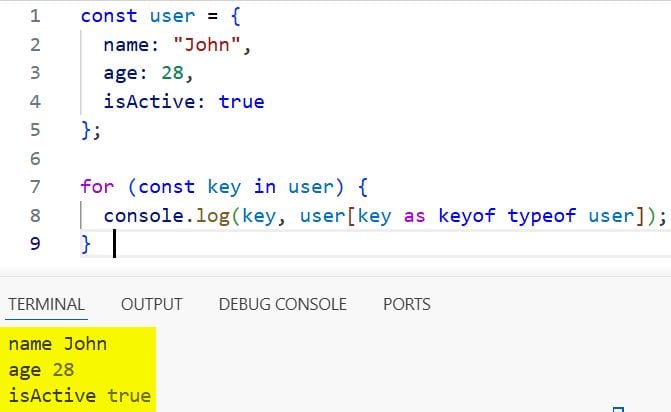
You can refer to the screenshot below to see the output.
How does this code work?
The for…in loop iterates over all keys in the object. Since TypeScript doesn’t know the exact key type, you use keyof typeof user to tell the compiler that the key belongs to the user object.
Pro Tip: Always use keyof typeof when accessing object values inside a for…in loop to avoid type errors.
Method 2 – for…in with Interface (Better Type Safety)
Use this when working with structured data, such as API responses or form models.
Step 1: Define an interface
An interface defines the shape of an object.
interface User {
  name: string;
  age: number;
  isActive: boolean;
}
Step 2: Create an object using the interface
const user: User = {
  name: "John",
  age: 28,
  isActive: true
};
Step 3: Loop through the object
for (const key in user) {
  const typedKey = key as keyof User;
  console.log(typedKey, user[typedKey]);
}
Output:
name John
age 28
isActive true
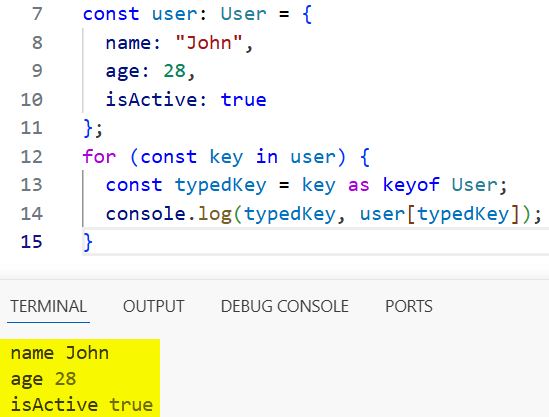
You can refer to the screenshot below to see the output.
How does this code work?
The keyof User type creates a union of all keys: "name" | "age" | "isActive". Casting key ensures safe property access.
Pro Tip: Using an interface improves readability and enforces strict structure, especially in large apps.
Method 3 – for…in with Conditional Logic
Use this when you need to filter or validate specific fields.
Step 1: Reuse the same interface and object
interface User {
  name: string;
  age: number;
  isActive: boolean;
}

const user: User = {
  name: "John",
  age: 28,
  isActive: true
};
Step 2: Add conditions inside loop
for (const key in user) {
  const typedKey = key as keyof User;

  if (typedKey === "age") {
    console.log("User age is:", user[typedKey]);
  }
}
Output:
User age is: 28
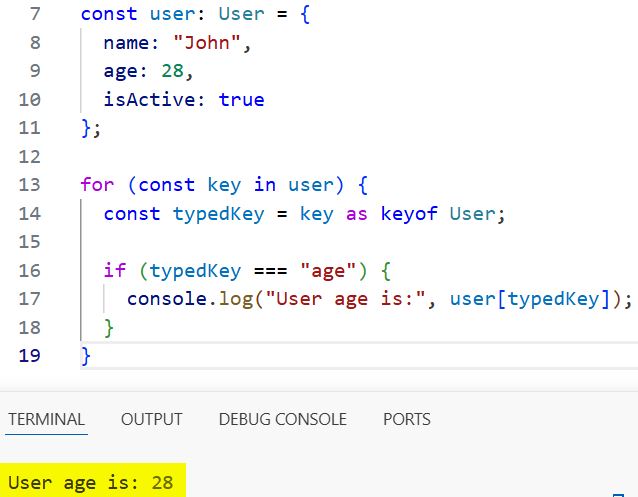
You can refer to the screenshot below to see the output.
How does this code work?
The loop checks each key and runs logic only when the condition matches. This is useful for validation or selective processing.
Pro Tip: Combine for…in with conditional checks to avoid unnecessary operations on every property.
Method 4 – for…in with Nested Objects
Use this when working with complex objects, such as API responses.
Step 1: Define nested types
interface Address {
  city: string;
  zip: number;
}

interface User {
  name: string;
  age: number;
  address: Address;
}
Step 2: Create a nested object
const user: User = {
  name: "John",
  age: 28,
  address: {
    city: "Bengaluru",
    zip: 560001
  }
};
Step 3: Loop through properties
for (const key in user) {
  const typedKey = key as keyof User;

  if (typeof user[typedKey] === "object") {
    console.log("Nested object:", typedKey);

    for (const nestedKey in user[typedKey]) {
      console.log(nestedKey, (user[typedKey] as any)[nestedKey]);
    }
  } else {
    console.log(typedKey, user[typedKey]);
  }
}
Output:
name John
age 28
Nested object: address
city Bengaluru
zip 560001
How does this code work?
The outer loop handles top-level keys. When it finds an object, it runs another for…in loop. TypeScript requires a type assertion (as any) for nested dynamic access.
Pro Tip: Avoid any in production. Replace it with a proper type or generic when possible.
Things to Keep in Mind
- Key type is always string: Even if your object keys look like numbers, for…in treats them as strings.
- Use keyof for safety: Without keyof, TypeScript may throw indexing errors.
- Avoid any when possible: Use proper types instead of any to maintain type safety.
- Works on enumerable properties: It loops through all enumerable keys, including inherited ones.
- Strict mode warnings: In strict mode, unsafe indexing will fail without proper casting in TypeScript.
- Optional properties: Handle undefined values carefully when using interfaces with optional fields.
You learned four practical ways to use for…in loops in TypeScript, from basic usage to nested object handling. Use the interface-based method for better type safety and conditional logic when you need control. I hope you found this article helpful.
You may also read:
- How to Convert JSON to TypeScript Interface?
- How to Create an Object from an Interface in TypeScript?
- Optional Parameters in TypeScript Interfaces
- Loose vs Strict Equality in TypeScript

Bijay Kumar is an experienced Python and AI professional who enjoys helping developers learn modern technologies through practical tutorials and examples. His expertise includes Python development, Machine Learning, Artificial Intelligence, automation, and data analysis using libraries like Pandas, NumPy, TensorFlow, Matplotlib, SciPy, and Scikit-Learn. At PythonGuides.com, he shares in-depth guides designed for both beginners and experienced developers. More about us.

