
If you have been working with React as long as I have, you know that unexpected re-renders are the silent killers of application performance.
I remember building a real-time dashboard for a logistics firm, and the lag was unbearable because a single state update triggered a chain reaction of renders.
In this tutorial, I will show you exactly why your React components render multiple times and the professional techniques I use to keep my apps snappy and efficient.
React Render Cycle
Before we dive into the fixes, it is important to understand that React renders whenever a component’s state or props change.
In a complex application, like a real estate listing site for New York City apartments, a small change in a filter can cause dozens of components to refresh.
While React is fast, unnecessary renders can lead to “UI flickering” or slow input response times, especially on mobile devices.
Method 1: Identify State Updates in the Wrong Place
One of the most common mistakes I see developers make is placing state updates directly in the body of the component.
When you do this, the state update triggers a render, which runs the component body again, triggering another update, and suddenly, you are stuck in an infinite loop.
Below is an example of how this happens when calculating sales tax for a retail app based in California.
import React, { useState } from 'react';

const CaliforniaTaxCalculator = () => {
  const [price, setPrice] = useState(100);
  const [total, setTotal] = useState(0);

  // WRONG: This causes an infinite loop because it sets state during render
  const salesTax = 0.0725;
  setTotal(price + (price * salesTax));

  return (
    <div style={{ padding: '20px' }}>
      <h2>CA Sales Tax Calculator</h2>
      <p>Base Price: ${price}</p>
      <p>Total with Tax: ${total}</p>
      <button onClick={() => setPrice(price + 10)}>Add $10 to Item</button>
    </div>
  );
};

export default CaliforniaTaxCalculator;
To fix this, I always use the useEffect hook or simply derive the value during the render without using state at all.
import React, { useState, useEffect } from 'react';

const CaliforniaTaxCalculatorFixed = () => {
  const [price, setPrice] = useState(100);
  const [total, setTotal] = useState(0);

  const salesTax = 0.0725;

  // RIGHT: Use useEffect to handle side effects or derived state
  useEffect(() => {
    setTotal(price + (price * salesTax));
  }, [price]);

  return (
    <div style={{ padding: '20px' }}>
      <h2>CA Sales Tax Calculator (Fixed)</h2>
      <p>Base Price: ${price}</p>
      <p>Total with Tax: ${total.toFixed(2)}</p>
      <button onClick={() => setPrice(price + 10)}>Add $10 to Item</button>
    </div>
  );
};

export default CaliforniaTaxCalculatorFixed;
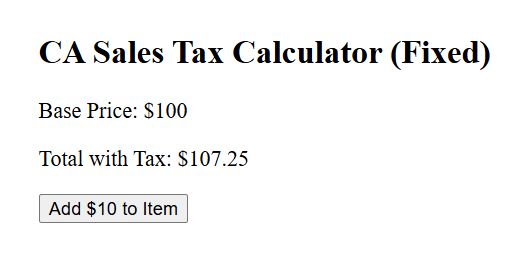
You can refer to the screenshot below to see the output.
Method 2: Prevent Renders with React.memo
In many of my projects, I have found that a parent component rendering frequently will force all its children to render, even if their props haven’t changed.
Think of a Stock Market Tracker tracking the S&P 500. If the main ticker updates every second, you don’t want the static “Market Info” footer to re-render every time.
import React, { useState } from 'react';

// This component will ONLY re-render if the 'name' prop changes
const StockLabel = React.memo(({ name }) => {
  console.log(`Rendering Label: ${name}`);
  return <h3 style={{ color: '#004b87' }}>Trading Symbol: {name}</h3>;
});

const NasdaqTracker = () => {
  const [price, setPrice] = useState(150.25);
  const [count, setCount] = useState(0);

  return (
    <div style={{ border: '1px solid #ccc', padding: '20px', margin: '10px' }}>
      <h1>Wall Street Live Feed</h1>
      <StockLabel name="AAPL (Apple Inc.)" />
      <p>Current Price: ${price.toFixed(2)}</p>
      <button onClick={() => setPrice(price + Math.random())}>Update Price</button>
      <hr />
      <p>Page Refreshes: {count}</p>
      <button onClick={() => setCount(count + 1)}>Ping Server</button>
    </div>
  );
};

export default NasdaqTracker;
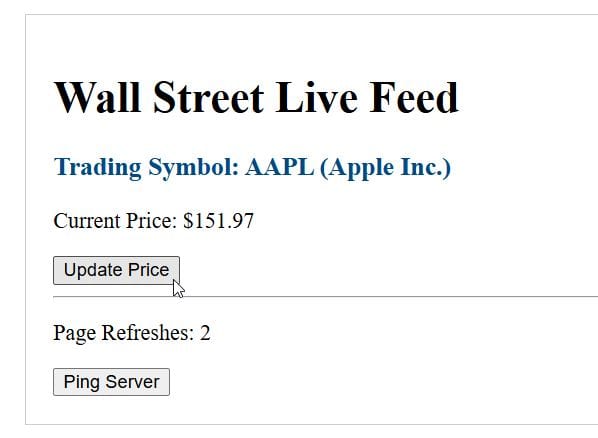
You can refer to the screenshot below to see the output.
I use React.memo to wrap functional components so they only re-render if their props actually change.
Method 3: Use useCallback to Stabilize Functions
Even with React.memo, you might notice a component still renders multiple times. This usually happens because of “Referential Equality.”
In JavaScript, a function created inside a component is “new” on every render. If you pass that function as a prop, React thinks the prop has changed.
import React, { useState, useCallback } from 'react';

// Memoized Child Component
const VoteButton = React.memo(({ onVote }) => {
  console.log("VoteButton rendered");
  return (
    <button onClick={onVote} style={{ backgroundColor: '#bf0a30', color: '#fff', padding: '10px' }}>
      Cast Your Vote
    </button>
  );
});

const ElectionPortal = () => {
  const [voterName, setVoterName] = useState("");
  const [votes, setVotes] = useState(0);

  // useCallback ensures this function remains the same between renders
  const handleVote = useCallback(() => {
    setVotes((prev) => prev + 1);
  }, []);

  return (
    <div style={{ padding: '30px', textAlign: 'center' }}>
      <h2>2026 Local Election Portal</h2>
      <input
        type="text"
        placeholder="Enter Full Name"
        value={voterName}
        onChange={(e) => setVoterName(e.target.value)}
        style={{ marginBottom: '20px', display: 'block', margin: '0 auto' }}
      />
      <p>Voter: {voterName || "Anonymous"}</p>
      <p>Total Ballots Cast: {votes}</p>
      <VoteButton onVote={handleVote} />
    </div>
  );
};

export default ElectionPortal;
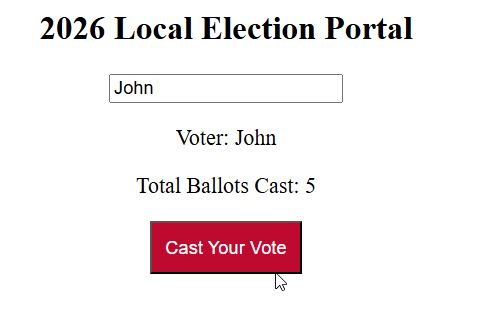
You can refer to the screenshot below to see the output.
I dealt with this recently while building a voter registration portal. Every time the user typed their name, the “Submit” button component re-rendered because the handler function was being recreated.
Method 4: Optimize Heavy Calculations with useMemo
Sometimes, the render itself isn’t the problem, but the heavy logic inside the render is.
I use useMemo to cache the result of these expensive calculations.
import React, { useState, useMemo } from 'react';

const USZipCodeSearch = () => {
  const [query, setQuery] = useState("");
  const [theme, setTheme] = useState("light");

  const zipCodes = [
    { code: '90210', city: 'Beverly Hills, CA' },
    { code: '10001', city: 'New York, NY' },
    { code: '60601', city: 'Chicago, IL' },
    { code: '33101', city: 'Miami, FL' },
    { code: '75201', city: 'Dallas, TX' }
  ];

  // useMemo prevents re-filtering when the 'theme' changes
  const filteredZips = useMemo(() => {
    console.log("Filtering ZIP codes...");
    return zipCodes.filter(item => item.code.includes(query));
  }, [query]);

  return (
    <div style={{
      backgroundColor: theme === 'light' ? '#fff' : '#333',
      color: theme === 'light' ? '#000' : '#fff',
      padding: '40px'
    }}>
      <button onClick={() => setTheme(theme === 'light' ? 'dark' : 'light')}>
        Toggle {theme === 'light' ? 'Dark' : 'Light'} Mode
      </button>

      <h3>US Postal Search</h3>
      <input
        value={query}
        onChange={(e) => setQuery(e.target.value)}
        placeholder="Search ZIP..."
      />

      <ul>
        {filteredZips.map(zip => (
          <li key={zip.code}>{zip.code} - {zip.city}</li>
        ))}
      </ul>
    </div>
  );
};

export default USZipCodeSearch;
If you are filtering a large dataset, like a list of all ZIP codes in the United States, you don’t want to run that filter on every single keystroke if the data hasn’t changed.
Method 5: Handle React Strict Mode
If you notice your components rendering exactly twice every time you load the page in development, don’t panic. This is often intentional.
In the United States, most modern dev environments use React.StrictMode. It intentionally invokes your render phase twice to help you find side effects.
This double rendering only happens in development mode and will not happen in your production build.
If you want to verify this, look for the following in your index.js:
// index.js
import React from 'react';
import ReactDOM from 'react-dom/client';
import App from './App';

const root = ReactDOM.createRoot(document.getElementById('root'));
root.render(
  <React.StrictMode>
    <App />
  </React.StrictMode>
);
While it might seem annoying, I highly recommend keeping it on. It has saved me from dozens of memory leaks in high-traffic applications.
Conclusion
Managing how many times a component renders is one of the most effective ways to improve the user experience of your React applications.
In this tutorial, I showed you how to use state correctly, how to wrap components in React.memo, and how hooks like useCallback and useMemo can keep your app running smoothly.
You may also like to read:
- How to Use default props in React?
- How to Fix React Fetch API Data Not Displaying in Component
- Create React Image Upload Component
- React Component Reuse

Bijay Kumar is an experienced Python and AI professional who enjoys helping developers learn modern technologies through practical tutorials and examples. His expertise includes Python development, Machine Learning, Artificial Intelligence, automation, and data analysis using libraries like Pandas, NumPy, TensorFlow, Matplotlib, SciPy, and Scikit-Learn. At PythonGuides.com, he shares in-depth guides designed for both beginners and experienced developers. More about us.

