
When Python developers say “convert an array to a set”, they often mean converting a list (or a NumPy array) into a Python set so they can remove duplicates or perform fast membership checks. In this tutorial, you will learn several practical ways to convert lists and arrays to sets, understand when each approach is appropriate, and see real-world data-cleaning examples.
By the end, you will know how to convert:
- A standard Python list to a set in one line
- A NumPy array to a set
- Nested lists to a flat set of unique items
- Large collections efficiently, with an idea of performance trade-offs
What is a set in Python?
A set in Python is an unordered collection of unique, hashable elements. Sets are implemented in CPython as hash tables, which makes membership checks (x in my_set) very fast on average.
Key properties:
- No duplicate elements
- Unordered (no guaranteed position)
- Mutable (you can add or remove elements)
- Only hashable types allowed (e.g., numbers, strings, tuples; not lists or dicts)
Because sets automatically discard duplicates, converting a list or array to a set is a common way to get unique values.
Why convert a list or array to a set?
Common reasons to convert a list or array to a set in Python include:
- Removing duplicates: Quickly extract unique items from a list of IDs, names, or codes.
- Fast membership testing: Checking
if item in my_setis usually faster than checking membership in a list, especially for large collections. - Set operations: Perform unions, intersections, and differences between collections of values.
If your primary goal is to keep order and remove duplicates, you may want to combine a set with other tools (like dict.fromkeys() or a custom loop) so you do not lose order.
Quick answer: convert list to set in one line
The shortest way to convert a list to a set is to call the built-in set() constructor:
numbers = [1, 2, 2, 3, 3, 3]
unique_numbers = set(numbers)
print(unique_numbers)
Typical output:
{1, 2, 3}This:
- Removes duplicate values automatically
- Does not preserve the original order of elements
Use this pattern when you only care about uniqueness, not order.
Method 1: Using set() with a Python list
The most common case is converting a plain Python list to a set. This is exactly what set() is designed for.
Example: remove duplicate ZIP codes
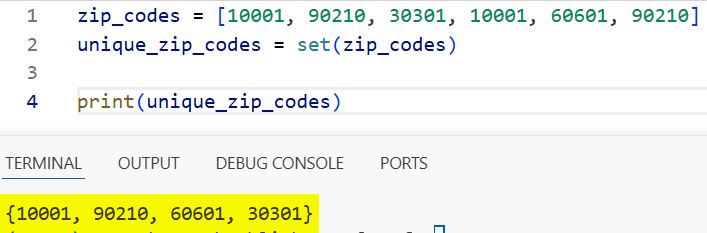
zip_codes = [10001, 90210, 30301, 10001, 60601, 90210]
unique_zip_codes = set(zip_codes)

print(unique_zip_codes)
Possible output:
{10001, 90210, 60601, 30301}You can see the output in the screenshot below.
Why this works:
- The
set()constructor iterates over the list and inserts each item into an internal hash table. - When the same value appears again, it overwrites the existing entry, so duplicates are removed.
When to use:
- You have a standard Python list.
- You want unique values.
- You do not care about the original order of items.
Method 2: Convert a NumPy array to a set
In data science and numerical computing, you often use NumPy arrays instead of lists. You can still convert them to sets, but there are a few details to be aware of.
Example: unique values from a NumPy array
import numpy as np

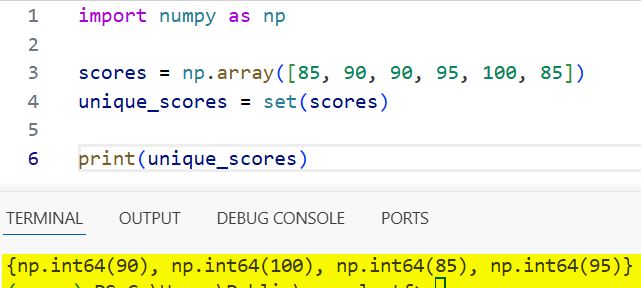
scores = np.array([85, 90, 90, 95, 100, 85])
unique_scores = set(scores)

print(unique_scores)
Output:
{100, 90, 95, 85}You can see the output in the screenshot below.
Notes:
- NumPy scalars (like
numpy.int64) are hashable, so they can be elements of a set. - You can also call
np.unique(scores)first if you want a sorted array of unique values, then convert to a set if you need set operations.
When to use:
- You already have a NumPy array.
- You want to quickly get the set of unique values for membership checks or set operations.
Method 3: Using a for loop for custom logic
Sometimes you want more control over the process than set() alone gives you. For example, you might want to skip invalid values or apply a transformation before inserting values into the set.
Example: unique area codes with validation
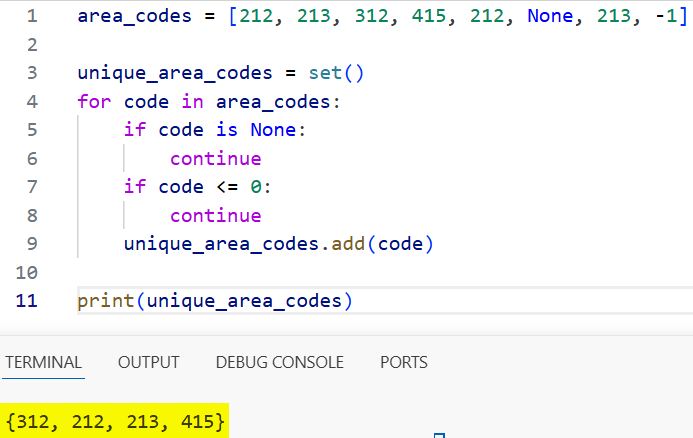
area_codes = [212, 213, 312, 415, 212, None, 213, -1]

unique_area_codes = set()
for code in area_codes:
    if code is None:
        continue
    if code <= 0:
        continue
    unique_area_codes.add(code)

print(unique_area_codes)
Output:
{312, 212, 213, 415}You can see the output in the screenshot below.
Why this is useful:
- You can filter out
None, negative numbers, or any other undesired values. - You can normalize data before inserting, such as stripping whitespace from strings or converting string to lowercase.
When to use:
- You need custom filtering or transformation logic.
- You want to log or handle problematic entries as you convert.
Method 4: Using set comprehension
Set comprehension is a concise way to build sets in Python when you need to transform or filter items on the fly.
Example: unique uppercase state abbreviations
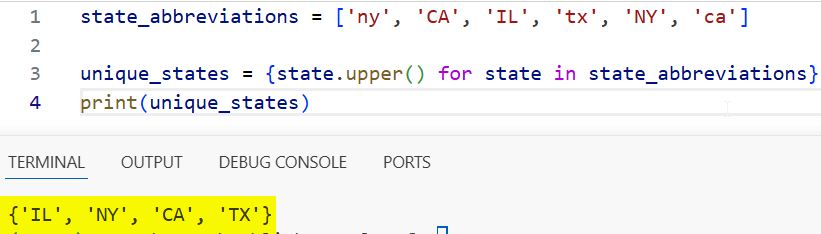
state_abbreviations = ['ny', 'CA', 'IL', 'tx', 'NY', 'ca']

unique_states = {state.upper() for state in state_abbreviations}
print(unique_states)
Output:
{'CA', 'TX', 'IL', 'NY'}You can see the output in the screenshot below.
Here, you:
- Convert each value to uppercase.
- Automatically remove duplicates due to the nature of sets.
When to use:
- You want both transformation and deduplication in a single, readable expression.
- You already understand list comprehensions and want a similar pattern for sets.
Method 5: Using dict.fromkeys() to keep order
One important limitation of sets is that they are unordered. If you need to remove duplicates but keep the original order, you can use dict.fromkeys() (dictionaries preserve insertion order in modern Python) and then take the keys.
Example: unique cities preserving order
cities = ['New York', 'Los Angeles', 'Chicago', 'Houston',
          'New York', 'Los Angeles']

unique_cities_in_order = list(dict.fromkeys(cities))
print(unique_cities_in_order)
Output:
['New York', 'Los Angeles', 'Chicago', 'Houston']
If you still need a set afterwards, you can convert this list:
unique_cities_set = set(unique_cities_in_order)
print(unique_cities_set)
Why this matters:
set()alone cannot guarantee original order.dict.fromkeys()gives you a simple way to deduplicate while preserving the first occurrence of each element.
When to use:
- Order matters (e.g., first-seen wins).
- You want a unique list but may still want a set for fast membership checks.
How to handle nested lists (lists of lists)
A common beginner mistake is trying to directly convert a list of lists into a set:
nested = [[1, 2], [3, 4]]
# This will raise a TypeError:
# TypeError: unhashable type: 'list'
set(nested)
Lists are not hashable, so they cannot be elements of a set. You have two typical options:
- Flatten the nested structure and create a set of individual values.
- Convert inner lists to tuples, which are hashable, so you can get unique combinations.
Example 1: flatten nested lists into a set of values
nested_area_codes = [[212, 213], [312, 415], [212, 312]]

unique_codes = {code for sublist in nested_area_codes for code in sublist}
print(unique_codes)
Output:
{312, 212, 213, 415}Example 2: unique combinations using tuples
routes = [['NY', 'CA'], ['TX', 'FL'], ['NY', 'CA']]

unique_routes = {tuple(route) for route in routes}
print(unique_routes)
Output:
{('NY', 'CA'), ('TX', 'FL')}When to use:
- Flattening when you care about unique atomic values.
- Python Tuples when you care about unique combinations (e.g., routes, coordinate pairs).
Real-world applications of converting arrays to sets
To make this more than a generic tutorial, here are realistic scenarios where these patterns are useful.
Data cleaning: unique customer IDs
You might pull customer IDs from multiple files and want to ensure there are no duplicates.
customer_ids = [101, 102, 103, 101, 104, 105, 102, 106]

unique_customer_ids = set(customer_ids)
print(unique_customer_ids)
Output:
{101, 102, 103, 104, 105, 106}This is especially useful when:
- Merging multiple CSV files.
- De-duplicating IDs before running a report or training a model.
Configuration and access control lists
Suppose you maintain a list of roles or permissions, and you want to ensure there are no duplicates due to misconfiguration.
roles = ['admin', 'editor', 'viewer', 'admin', 'editor']
unique_roles = set(roles)

print(unique_roles)
Output:
{'admin', 'editor', 'viewer'}Using a set here can also make membership checks in your authorization code faster and clearer.
Performance notes: which method is faster?
For large collections:
- The
set()constructor is written in C and is typically the fastest and simplest way to convert a list into a set. - A Python-level
forloop withset.add()is slightly more verbose and can be marginally slower, but it gives you more control. - Set comprehensions are roughly similar to looping with
set.add()but more concise.
In practice:
- Use
set()by default. - Switch to a custom loop or comprehension only when you need additional logic (filtering, transformation, logging).
If you want to demonstrate this in your article for advanced readers, you can include micro-benchmarks using the timeit module, but keep them focused and clear.
Common Issues and best practices
Here are some practical “gotchas” and how to avoid them:
- Expecting order to be preserved: Sets are unordered; do not rely on element positions. If you need order and uniqueness, use
dict.fromkeys()or a loop with a helper set. - Using unhashable types: Lists, dictionaries, and other mutable objects cannot be added directly to a set. Convert them to tuples or other hashable representations first.
- Mixing types unintentionally: If you convert a list of strings and numbers, the set will happily hold all of them, but equality comparisons may surprise you. Normalize types before inserting.
- Overusing sets for every collection: Sets are great for uniqueness and membership tests. For ordered sequences or frequent index-based access, Python lists (or other sequence types) may be more appropriate.
A simple rule of thumb:
- Choose a set when “I care about uniqueness and fast membership test”.
- Choose a list (or list plus a helper set) when “I care about order and need to deduplicate”.
FAQs: converting lists and arrays to sets in Python
Does converting a list to a set preserve order?
No. Sets are unordered. If you need to preserve the original order while removing duplicates, use dict.fromkeys() or a custom loop before, or instead of, using a set.
Can I convert any list to a set?
You can convert a list to a set as long as all elements in the list are hashable (e.g., numbers, strings, tuples). Lists and dictionaries inside the list must be converted to hashable types first.
How do I convert a set back to a list?
Use list():
my_set = {1, 2, 3}
my_list = list(my_set)
Keep in mind that the resulting list will not have a guaranteed order.
Can I use sets with NumPy arrays in machine learning code?
Yes, but be deliberate: sets are useful for unique labels, feature names, or configuration options. For numeric computation on arrays, you will still primarily use NumPy or pandas and only convert to sets when you specifically need uniqueness or fast membership checks.
You may also read:
- Find the Index of the Maximum Value in an Array Using Python
- Reverse an Array in Python
- Read a File into an Array in Python
- Initialize an Array in Python

Bijay Kumar is an experienced Python and AI professional who enjoys helping developers learn modern technologies through practical tutorials and examples. His expertise includes Python development, Machine Learning, Artificial Intelligence, automation, and data analysis using libraries like Pandas, NumPy, TensorFlow, Matplotlib, SciPy, and Scikit-Learn. At PythonGuides.com, he shares in-depth guides designed for both beginners and experienced developers. More about us.

