
You fetch data from an API, and suddenly your editor stops helping. You don’t know what each object contains. Autocomplete fails. Errors slip through. Sound familiar?
This is exactly where a TypeScript interface array of objects helps. It lets you define a clear structure for every object inside an array, so your code stays predictable and safe. Think of it like a contract that every object must follow.
In this article, I’ll show you 4 ways to define and use a TypeScript interface array of objects in TypeScript.
Method 1 – Basic Interface with Array Type
This is the most common and beginner-friendly way. Use this when you already know the structure of your objects.
Step 1: Define the Interface
interface User {
  id: number;
  name: string;
  email: string;
}
How does this code work?
The interface User defines the shape of an object. Each property has a type like number or string.
Step 2: Create an Array of Objects Using the Interface
const users: User[] = [
  { id: 1, name: "Amit", email: "amit@example.com" },
  { id: 2, name: "Neha", email: "neha@example.com" }
];
How does this code work?
The syntax User[] means “an array where every item must follow the User interface.”
Step 3: Access Data Safely
users.forEach(user => {
  console.log(user.name);
});
Expected Output:
Amit
Neha
You can see the output in the screenshot below.
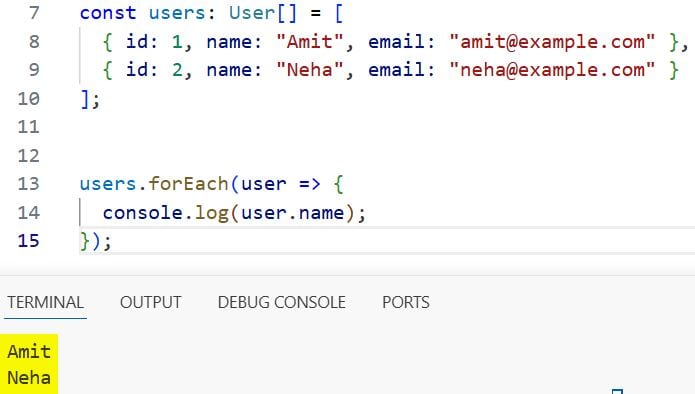
How does this code work?
TypeScript knows each item is a User, so it allows safe access to name and prevents invalid properties.
Pro Tip: Use this method when working with API responses or database results where structure is fixed.
Method 2 – Use Array Generic Syntax
This method uses the Array<T> generic type. It works the same but is useful in complex type scenarios.
Step 1: Define the Interface
interface User {
  id: number;
  name: string;
  email: string;
}
Step 2: Use Generic Array Type
const users: Array<User> = [
  { id: 1, name: "Amit", email: "amit@example.com" },
  { id: 2, name: "Neha", email: "neha@example.com" }
];
How does this code work?
Array<User> is a generic type. It tells TypeScript that this array contains only User objects.
Step 3: Use in Functions
function printUsers(userList: Array<User>) {
  userList.forEach(user => console.log(user.email));
}

printUsers(users);
Expected Output:
amit@example.com
neha@example.com
You can see the output in the screenshot below.
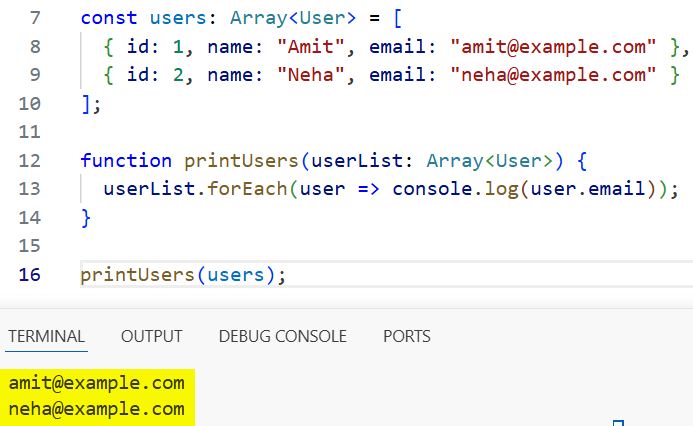
How does this code work?
The function parameter userList is strictly typed so that invalid objects will cause compile-time errors.
Pro Tip: Use Array<T> when combining with other generics or utility types like Promise<Array<T>>.
Method 3 – Interface with Optional and Readonly Properties
Use this when your objects may not always have all fields, or some fields should not change.
Step 1: Define Flexible Interface
interface User {
  readonly id: number;
  name: string;
  email?: string;
}
How does this code work?
- readonly means the value cannot change after assignment
- email? means the property is optional
Step 2: Create Array
const users: User[] = [
  { id: 1, name: "Amit" },
  { id: 2, name: "Neha", email: "neha@example.com" }
];
Step 3: Try Updating Values
users[0].name = "Rahul"; // Allowed
// users[0].id = 10; // Error
How does this code work?
TypeScript allows updating name, but blocks changes to id due to the readonly keyword.
Pro Tip: Use optional properties when working with partial API data or forms.
Method 4 – Interface with Nested Objects in Array
Use this when your objects contain other objects, like address or settings.
Step 1: Define Nested Interfaces
interface Address {
  city: string;
  zip: string;
}

interface User {
  id: number;
  name: string;
  address: Address;
}
Step 2: Create Array with Nested Data
const users: User[] = [
  {
    id: 1,
    name: "Amit",
    address: { city: "Bangalore", zip: "560001" }
  },
  {
    id: 2,
    name: "Neha",
    address: { city: "Delhi", zip: "110001" }
  }
];
Step 3: Access Nested Properties
users.forEach(user => {
  console.log(user.address.city);
});
Expected Output:
Bangalore
Delhi
You can see the output in the screenshot below.
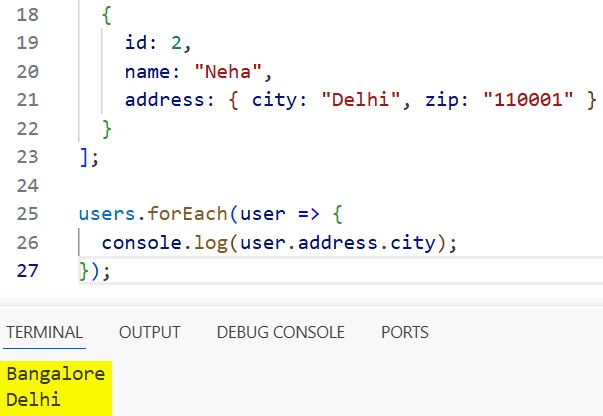
How does this code work?
TypeScript enforces the structure of address, ensuring every user has a valid nested object.
Pro Tip: Break large interfaces into smaller ones for better readability and reuse.
Things to Keep in Mind
- Avoid using any: Using any[] removes all type safety and defeats the purpose of TypeScript.
- Use optional properties carefully: Too many optional fields can weaken type guarantees.
- Enable strict mode: Turn on strict in tsconfig.json to catch more errors early.
- Prefer interfaces for objects: Interfaces work better for object shapes than type aliases in most cases.
- Watch for undefined values: Optional fields can be undefined, so handle them safely.
- Use union types when needed: If array items vary, combine interfaces using union types.
You learned four practical ways to create a TypeScript interface array of objects, from basic usage to nested structures. Use the basic interface approach for most cases, and switch to advanced patterns when your data becomes more complex. I hope you found this article helpful.
You may also read:
- Do-While Loop in TypeScript
- How to Use the Break Statement in TypeScript For Loops?
- How to Use For Loop Range in TypeScript?
- How to Use TypeScript Loops to Execute Code Multiple Times?

Bijay Kumar is an experienced Python and AI professional who enjoys helping developers learn modern technologies through practical tutorials and examples. His expertise includes Python development, Machine Learning, Artificial Intelligence, automation, and data analysis using libraries like Pandas, NumPy, TensorFlow, Matplotlib, SciPy, and Scikit-Learn. At PythonGuides.com, he shares in-depth guides designed for both beginners and experienced developers. More about us.

