
To overwrite a file in Python, open it in "w" mode and write the new content. Python empties the file the moment it opens it, then saves only what you write, and it creates the file if it’s missing:
with open("prices.txt", "w", encoding="utf-8") as f:
    f.write("Coffee,4.50\n")
I tested each script below on Python 3.12.5 on Windows 11, and every output block is pasted straight from those runs.
In this tutorial, I’ll cover w mode, Path.write_text(), overwriting while reading with seek() and truncate(), the loop mistake that keeps only one line, and a crash-safe overwrite with os.replace().
Overwrite a file with open() in w mode
I write four prices to prices.txt, then open it again in "w" mode and write one line:
from pathlib import Path

prices = Path("prices.txt")
with open(prices, "w", encoding="utf-8") as f:
    f.write("Coffee,4.25\nBagel,3.10\nMuffin,2.95\nLatte,5.40\n")
print("before:", prices.stat().st_size, "bytes")
print(prices.read_text(encoding="utf-8"))

with open(prices, "w", encoding="utf-8") as f:      # w = empty the file, then write
    f.write("Coffee,4.50\n")
print("after: ", prices.stat().st_size, "bytes")
print(prices.read_text(encoding="utf-8"))
Output:
before: 50 bytes
Coffee,4.25
Bagel,3.10
Muffin,2.95
Latte,5.40

after:  13 bytes
Coffee,4.50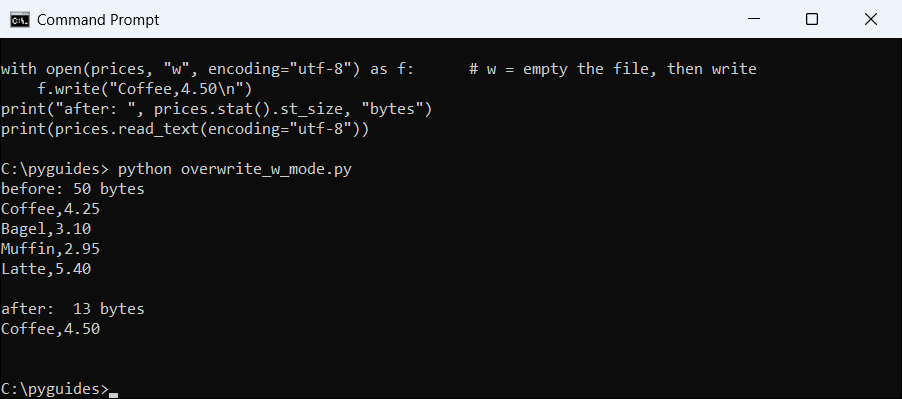
"w" throws away the old content before writing.The bagel, muffin and latte lines are gone. Opening with "w" truncates the file, which means it cuts its length to zero before writing.
That’s also why "w" is risky on the wrong file. If you only want to add lines, use "a" instead. All the modes are compared in opening a file in Python.
Overwrite a file in one line with pathlib write_text()
When the whole new content is one string, Path.write_text() opens the file in write mode, writes and closes it for you:
from pathlib import Path

menu = Path("menu.txt")
menu.write_text("Breakfast menu for 2026-10-27\nPancakes $8.99\nOmelet $10.49\n", encoding="utf-8")
chars = menu.write_text("Lunch menu for 2026-10-27\nBurger $12.99\n", encoding="utf-8")
print("characters written:", chars)
print(menu.read_text(encoding="utf-8"))
Output:
characters written: 40
Lunch menu for 2026-10-27
Burger $12.99
write_text() returns the number of characters it wrote, and the lunch menu fully replaced the breakfast menu.
For bytes, use write_bytes() or mode "wb". Newlines and encodings are covered in writing a string to a file in Python.
Overwrite a file you’re reading with seek() and truncate()
Sometimes you need the old content first, for example to drop one order and save the rest. Mode "r+" opens the file for reading and writing without wiping it.
The catch is that writing shorter text leaves the old tail behind. I ran it both ways:
from pathlib import Path

orders = Path("orders.txt")
orders.write_text("order 1001 pending\norder 1002 pending\norder 1003 pending\n", encoding="utf-8")

with open(orders, "r+", encoding="utf-8") as f:      # r+ = read and write, no wipe
    text = f.read()
    f.seek(0)                                        # go back to the start
    f.write(text.replace("order 1001 pending\n", ""))
print("without truncate():")
print(orders.read_text(encoding="utf-8"))

orders.write_text("order 1001 pending\norder 1002 pending\norder 1003 pending\n", encoding="utf-8")
with open(orders, "r+", encoding="utf-8") as f:
    text = f.read()
    f.seek(0)
    f.write(text.replace("order 1001 pending\n", ""))
    f.truncate()                                     # cut off whatever is left
print("with truncate():")
print(orders.read_text(encoding="utf-8"))
Output:
without truncate():
order 1002 pending
order 1003 pending
order 1003 pending

with truncate():
order 1002 pending
order 1003 pending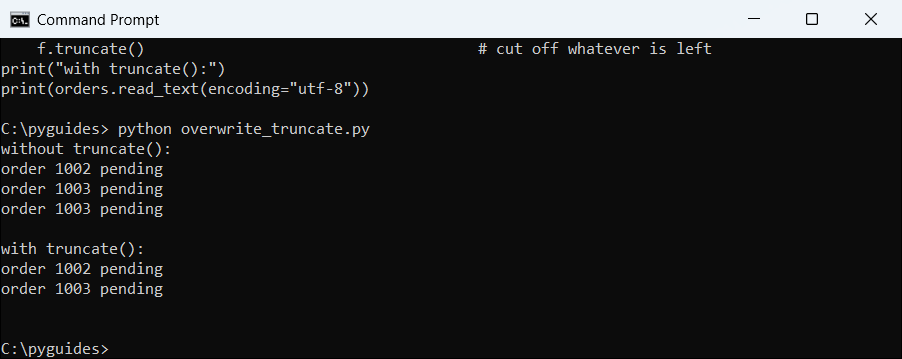
truncate() the old last line stays at the end; with it, the file holds only the new text.seek(0) moves the file pointer back to the start, so the write goes over the old text. truncate() then cuts the file at the pointer, which removes the leftover bytes.
If you only need to change one line, replacing a specific line in a file shows line-number and text-match versions of this pattern.
Why does my file only keep the last line after writing in a loop?
This is the question I see most. You switch from "a" to "w" to start fresh, and suddenly only the last item survives:
from pathlib import Path

cities = ["Austin", "Denver", "Seattle"]

for city in cities:                                  # wrong: reopens (and wipes) every time
    with open("cities.txt", "w", encoding="utf-8") as f:
        f.write(city + "\n")
print("open inside the loop ->", Path("cities.txt").read_text(encoding="utf-8").split())

with open("cities.txt", "w", encoding="utf-8") as f: # right: open once, write many
    for city in cities:
        f.write(city + "\n")
print("open before the loop ->", Path("cities.txt").read_text(encoding="utf-8").split())
Output:
open inside the loop -> ['Seattle']
open before the loop -> ['Austin', 'Denver', 'Seattle']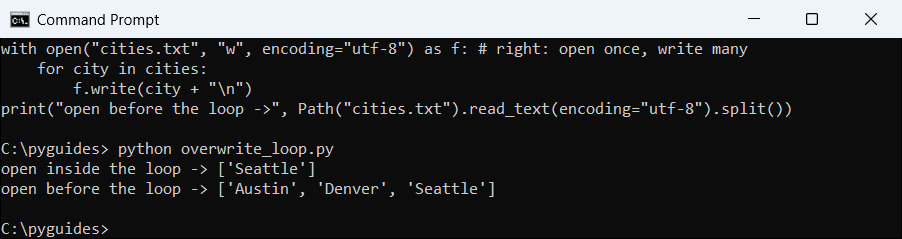
Every open(..., "w") empties the file again, so each pass erases the city before it. Open the file once, before the loop, and write inside it.
For lists of lines there’s also writelines(); see writing multiple lines to a file in Python.
Overwrite a file safely with a temp file and os.replace()
Mode "w" wipes the file before the new data is written. If the script crashes halfway, you’re left with a broken or empty file.
The safe pattern writes to a temporary file in the same folder, then swaps it in with os.replace():
import os
import tempfile
from pathlib import Path

config = Path("settings.json")
config.write_text('{"tax_rate": 0.0825, "currency": "USD"}', encoding="utf-8")

def overwrite_safely(path, text):
    fd, tmp = tempfile.mkstemp(dir=path.parent, suffix=".tmp")   # same folder = same drive
    try:
        with os.fdopen(fd, "w", encoding="utf-8") as f:
            f.write(text)
        os.replace(tmp, path)                        # swaps the files in one step
    except BaseException:
        os.remove(tmp)
        raise

overwrite_safely(config, '{"tax_rate": 0.0725, "currency": "USD"}')
print("settings.json ->", config.read_text(encoding="utf-8"))
print("leftover .tmp files:", len(list(Path(".").glob("*.tmp"))))

Path("draft.json").write_text("{}", encoding="utf-8")
try:
    os.rename("draft.json", "settings.json")         # rename refuses to overwrite on Windows
except FileExistsError as err:
    print("os.rename ->", type(err).__name__)
os.replace("draft.json", "settings.json")
print("os.replace ->", config.read_text(encoding="utf-8"))
Output:
settings.json -> {"tax_rate": 0.0725, "currency": "USD"}
leftover .tmp files: 0
os.rename -> FileExistsError
os.replace -> {}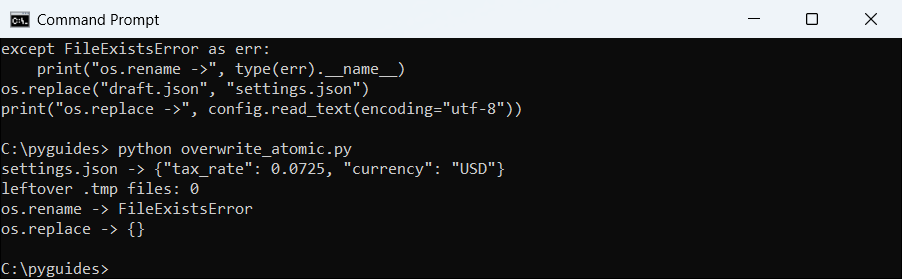
os.rename() refuses to overwrite while os.replace() works.os.replace() is atomic when both files are on the same drive, meaning readers see either the old file or the new one, never half of each. That’s why mkstemp() gets dir=path.parent.
The last lines show a Windows detail: os.rename() raises FileExistsError when the target exists. More on that is in renaming files in Python.
Which method should you use to overwrite a file in Python?
All of these replace the old content. The right one depends on where the new data comes from and how bad a half-written file would be:
| Method | What it does | Best for |
|---|---|---|
open(path, "w") | Empties, then writes | Most scripts |
Path.write_text() | Same, in one call | Small text files |
"r+" + seek(0) + truncate() | Read, then rewrite in place | Editing existing content |
Temp file + os.replace() | Atomic swap | Config and data you can’t lose |
My default is "w" for scratch output and os.replace() for anything a user would miss.
To empty a file with nothing written, see clearing a file in Python. To avoid overwriting by accident, see checking if a file exists and creating it if not.
Keep going with these file guides:
- Read a file line by line in Python
- Check if a file exists in Python
- Create a new file in Python
- Delete a file if it exists in Python
Frequently asked questions
Does open() with w mode overwrite a file in Python?
Yes. "w" empties an existing file as soon as it opens and creates the file if it doesn’t exist.
How do I overwrite a file instead of appending to it?
Use "w" instead of "a". Mode "a" adds to the end; "w" replaces everything.
Why is there old text left at the end of my file?
You wrote shorter content in "r+" mode. Call f.truncate() after writing to cut off the leftover bytes.
How do I overwrite a file without losing data if the script crashes?
Write to a temp file in the same folder, then call os.replace(tmp, path). The swap happens in one step.
Does os.rename() overwrite an existing file?
Not on Windows; it raises FileExistsError. os.replace() overwrites on every platform.
Where are the file modes and os.replace() documented?
See os.replace() in the Python docs; the open() modes are in the built-in functions page on the same site.

Bijay Kumar is a 13-time Microsoft MVP with more than 18 years in software development, and the founder of Python Guides and TSinfo Technologies. He started out building .NET and SharePoint solutions at HP, TCS and KPIT before moving into Python, machine learning and AI, and he also builds web apps with TypeScript and React. He writes the tutorials here himself, and every example is run before publishing so you see the real output. More about Bijay · Microsoft MVP profile · LinkedIn