
I remember the first time I had to parse a large dataset of customer feedback from a New York-based retail chain. The data was messy, and I quickly realized that simply “splitting by space” wasn’t going to cut it.
Python makes this incredibly easy once you know which tool to grab from the toolbox. Whether you are dealing with simple strings or complex, punctuated sentences, there is a method for you.
In this tutorial, I will show you several ways to split a sentence into words in Python.
Method 1: Use the split() Method
The split() method is the most common way to get the job done. It’s built right into Python’s string class, so you don’t need to import anything.
I use this when I know my data is relatively clean. By default, it splits the string at every whitespace character (space, tab, or newline).
# A typical sentence about a road trip across the USA
sentence = "Driving through Route 66 is a dream for many travelers."

# Splitting the sentence into a list of words
words = sentence.split()

print(words)
Output:
['Driving', 'through', 'Route', '66', 'is', 'a', 'dream', 'for', 'many', 'travelers.']You can refer to the screenshot below to see the output.
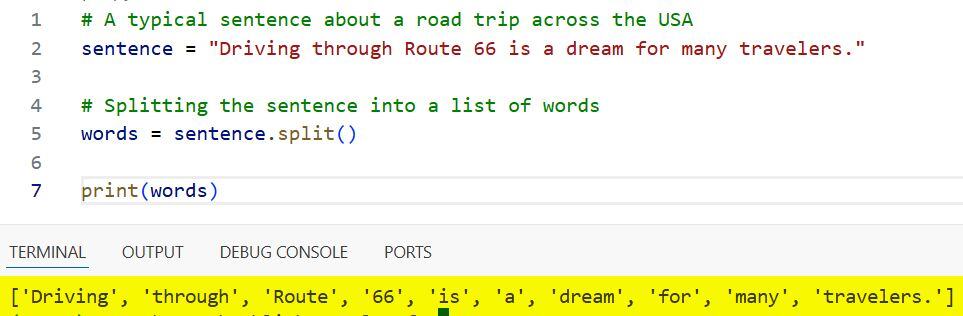
One thing I love about split() is that it automatically handles multiple spaces. If there are two spaces between “Route” and “66”, Python still treats them as a single delimiter.
Method 2: Use a Specific Delimiter
Sometimes, your data isn’t separated by spaces. I often encounter this when dealing with exported logs or CSV-style strings from financial reports in Chicago.
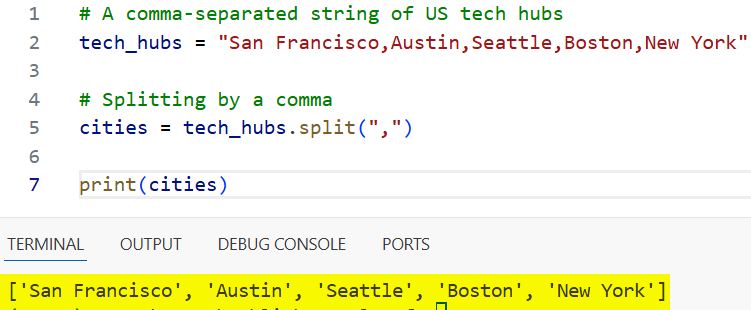
You can pass a specific character to the split() method to tell Python exactly where to break the sentence.
# A comma-separated string of US tech hubs
tech_hubs = "San Francisco,Austin,Seattle,Boston,New York"

# Splitting by a comma
cities = tech_hubs.split(",")

print(cities)
Output:
['San Francisco', 'Austin', 'Seattle', 'Boston', 'New York']You can refer to the screenshot below to see the output.
Method 3: Use Regular Expressions (re.split)
When sentences get complicated with punctuation, like commas, periods, or exclamation marks, the standard split() method falls short. It keeps the punctuation attached to the word.
To get clean words, I prefer using the re module. This allows me to split by any non-alphanumeric character.
import re

# A sentence with mixed punctuation
us_fact = "The Grand Canyon is in Arizona; it's truly breathtaking, isn't it?"

# Splitting by any non-word character (removes punctuation)
words = re.findall(r'\b\w+\b', us_fact)

print(words)
Output:
['The', 'Grand', 'Canyon', 'is', 'in', 'Arizona', 'it', 's', 'truly', 'breathtaking', 'isn', 't', 'it']You can refer to the screenshot below to see the output.
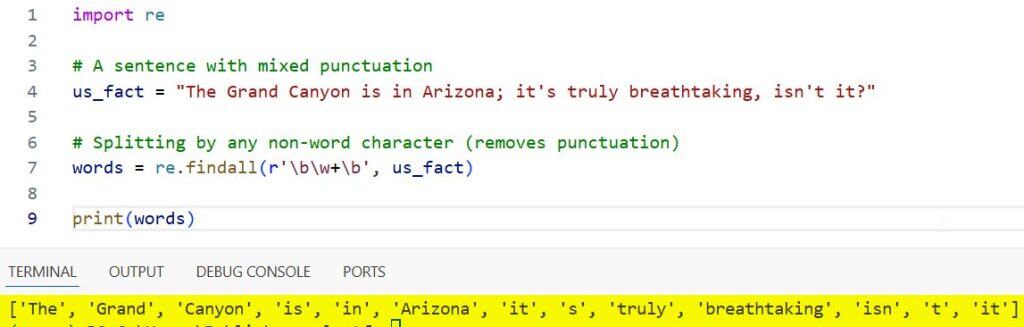
Using re.findall with the \b\w+\b pattern is a trick I’ve used for years to extract only the actual words while ignoring the “noise.”
Method 4: Use the NLTK Library
If you are working on a serious data science project, perhaps analyzing political speeches or news articles from the Washington Post, you should use the Natural Language Toolkit (NLTK).
It handles contractions and punctuation much more intelligently than a simple split.
import nltk
# Ensure you have the 'punkt' resource downloaded
# nltk.download('punkt')

sentence = "The U.S. economy is showing growth in the tech sector."

# Using word_tokenize for smarter splitting
words = nltk.word_tokenize(sentence)

print(words)
Output:
['The', 'U.S.', 'economy', 'is', 'showing', 'growth', 'in', 'the', 'tech', 'sector', '.']Notice how NLTK is smart enough to keep “U.S.” together as a single word rather than splitting it at the period. That’s why it’s a favorite in the industry.
Method 5: Handle Newlines and Tabs
In many real-world scenarios, like reading a file containing a list of National Parks, the “sentence” might span multiple lines.
I use splitlines() or the default split() to handle these cases without worrying about the specific invisible characters.
# Multi-line string of landmarks
landmarks = """Statue of Liberty
Golden Gate Bridge
Mount Rushmore"""

# Splitting into words regardless of newlines
word_list = landmarks.split()

print(word_list)
Output:
['Statue', 'of', 'Liberty', 'Golden', 'Gate', 'Bridge', 'Mount', 'Rushmore']In this guide, we looked at several ways to split a sentence into words in Python.
For most day-to-day tasks, the built-in split() method is more than enough. However, if you’re dealing with messy text or need to perform linguistic analysis, tools like re or nltk are much more reliable.
You may also like to read:
- Command Errored Out with Exit Status 1 in Python
- Priority Queue in Python
- Fibonacci Series Program in Python
- Exponents in Python

I am Bijay Kumar, a Microsoft MVP in SharePoint. Apart from SharePoint, I started working on Python, Machine learning, and artificial intelligence for the last 5 years. During this time I got expertise in various Python libraries also like Tkinter, Pandas, NumPy, Turtle, Django, Matplotlib, Tensorflow, Scipy, Scikit-Learn, etc… for various clients in the United States, Canada, the United Kingdom, Australia, New Zealand, etc. Check out my profile.

