
In my years of building large-scale Python applications, I have often needed to peek under the hood of how objects store their data.
One of the most powerful yet misunderstood tools for this is the __dict__ attribute.
Whenever I am debugging complex class hierarchies or building dynamic APIs, __dict__ is my go-to for inspecting object states.
In this tutorial, I will show you exactly how to use the __dict__ attribute in Python classes to manage and manipulate data efficiently.
What is the __dict__ Attribute in Python?
From my experience, the easiest way to think of __dict__ is as a dictionary that stores an object’s (writable) attributes.
Every instance of a class in Python has this internal mapping, which links the attribute names to their values.
I find this incredibly useful when I need to convert an object into a format like JSON for a web service or a database entry.
Access Instance Attributes Using __dict__
When I first started working with Object-Oriented Programming (OOP) in Python, I realized that accessing attributes via the dot notation is just the tip of the iceberg.
Using __dict__, you can see every instance variable at once in a clean, key-value pair format.
Let’s look at a practical example involving a real estate listing in Los Angeles.
class RealEstateListing:
    def __init__(self, property_id, price, location, sq_ft):
        self.property_id = property_id
        self.price = price
        self.location = location
        self.sq_ft = sq_ft

# Creating an instance for a home in Silver Lake, CA
luxury_home = RealEstateListing("LA-90026", 1250000, "Silver Lake", 2400)

# Accessing the instance dictionary
print(luxury_home.__dict__)
You can see the output in the screenshot below.
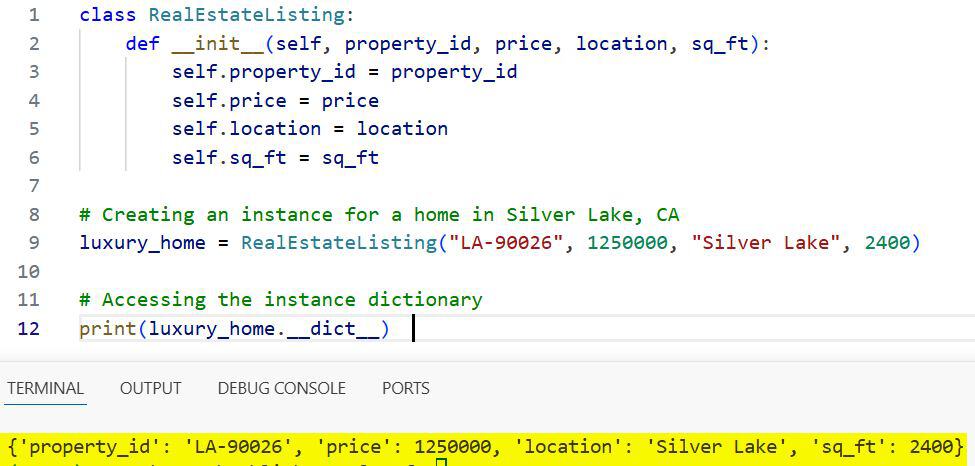
When you run this code, Python returns a dictionary containing all the property details.
I often use this method when I need to quickly verify if all fields in a data model have been correctly populated.
Modify Attributes via the __dict__ Dictionary
One trick I’ve picked up over the years is that __dict__ is not just for reading data; you can actually write to it.
Since it is a standard Python dictionary, you can add or update attributes directly through the dictionary interface.
In this example, let’s update the stock price for a company listed on the New York Stock Exchange.
class StockTicker:
    def __init__(self, symbol, company_name, price):
        self.symbol = symbol
        self.company_name = company_name
        self.price = price

# Portfolio entry for a tech giant
tech_stock = StockTicker("AAPL", "Apple Inc.", 180.50)

# Updating the price directly via __dict__
tech_stock.__dict__['price'] = 185.75

# Adding a new attribute dynamically
tech_stock.__dict__['exchange'] = "NASDAQ"

print(f"Updated Price: {tech_stock.price}")
print(f"Exchange Info: {tech_stock.exchange}")
You can see the output in the screenshot below.
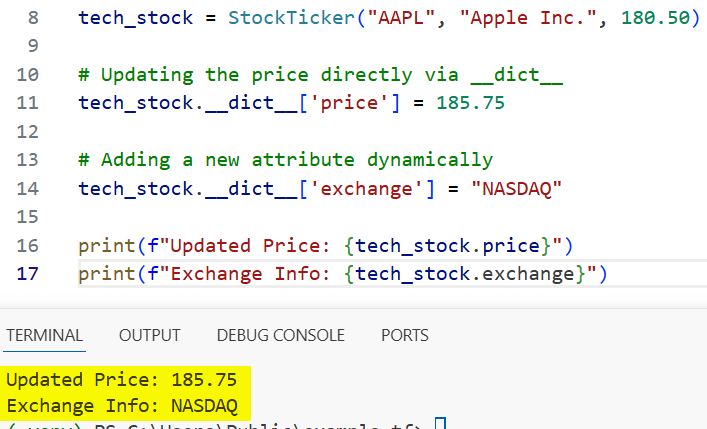
While I usually prefer standard assignment, using __dict__ is perfect when you are dealing with dynamic attribute names coming from an external configuration file.
Class-Level vs. Instance-Level __dict__
It is a common misconception that __dict__ only exists for instances. I have found that classes themselves have a __dict__ attribute, but it behaves differently than the instance-level one.
The class __dict__ contains the methods and class-level variables defined within that specific class.
class FederalTaxRate:
    tax_year = 2024

    def calculate_tax(self, income):
        return income * 0.24

# Viewing the class-level dictionary
print("Class Level Dictionary Keys:")
print(FederalTaxRate.__dict__.keys())

# Viewing the instance-level dictionary
my_tax = FederalTaxRate()
print("\nInstance Level Dictionary:")
print(my_tax.__dict__)
In my workflows, checking the class __dict__ helps introspect inherited methods or check for static variables.
Use __dict__ for Dynamic Object Creation
There are times when I receive a large batch of data, perhaps from a CSV of National Park statistics, and I need to turn those rows into objects.
Instead of mapping every column manually, I use __dict__.update() to populate the object in one go.
class NationalPark:
    def __init__(self, park_data):
        # Dynamically updating the instance dictionary
        self.__dict__.update(park_data)

# Data received from an API or CSV
yellowstone_data = {
    "name": "Yellowstone",
    "state": "Wyoming",
    "established": 1872,
    "area_acres": 2219791
}

park_obj = NationalPark(yellowstone_data)

print(f"Park Name: {park_obj.name}")
print(f"Acres: {park_obj.area_acres}")
You can see the output in the screenshot below.
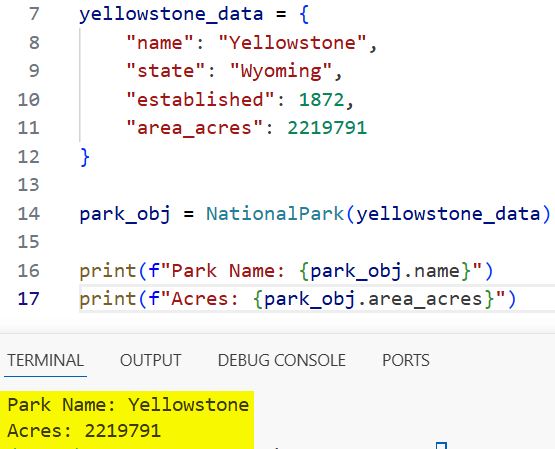
This approach saves me a massive amount of boilerplate code, especially when the data structure changes frequently.
Difference Between vars() and __dict__
In my code reviews, I often see developers use vars(object) instead of object.__dict__.
Functionally, they do the same thing: vars() is simply a built-in function that returns the __dict__ attribute of an object.
I personally find vars() a bit more readable and “Pythonic” in most general scripts.
class Car:
    def __init__(self, make, model):
        self.make = make
        self.model = model

ford_truck = Car("Ford", "F-150")

# These two lines are equivalent
print(vars(ford_truck))
print(ford_truck.__dict__)
I suggest using vars() when you want clean code, and reserving __dict__ for when you are performing deep metaprogramming tasks.
Limitations: When __dict__ is Missing (__slots__)
I have encountered specific scenarios where an object does not have a __dict__ attribute at all. This happens when a class uses __slots__ to save memory.
If you are building an application that handles millions of objects—like a flight tracking system for Hartsfield-Jackson Airport—you might use __slots__.
class Flight:
    __slots__ = ['flight_number', 'destination']

    def __init__(self, flight_number, destination):
        self.flight_number = flight_number
        self.destination = destination

delta_flight = Flight("DL123", "Atlanta")

try:
    print(delta_flight.__dict__)
except AttributeError:
    print("This object has no __dict__ because it uses __slots__.")
I always double-check for __slots__ before accessing __dict__ in library-level code to avoid runtime errors.
Handle Nested Objects and Serialization
One of the best uses for __dict__ I’ve found is converting complex class structures into simple dictionaries for JSON serialization.
If you have a class that represents a United States Census record, you can easily turn that record into a format readable by a front-end dashboard.
class CensusRecord:
    def __init__(self, city, population, state):
        self.city = city
        self.population = population
        self.state = state

    def to_dict(self):
        return self.__dict__

nyc_census = CensusRecord("New York City", 8336000, "NY")
print(nyc_census.to_dict())
However, be careful if your class contains other objects, as __dict__ will only return the reference to those objects, not a nested dictionary.
Use __dict__ for Custom Debugging Tools
Whenever I am building a custom framework, I like to create a “pretty print” method for my objects.
By iterating over __dict__.items(), you can create a clear summary of any object’s current state.
class Employee:
    def __init__(self, name, role, department):
        self.name = name
        self.role = role
        self.department = department

    def debug_info(self):
        print("--- Employee Object Debug ---")
        for key, value in self.__dict__.items():
            print(f"{key.capitalize()}: {value}")

emp = Employee("Sarah Smith", "Software Engineer", "Cloud Infrastructure")
emp.debug_info()
This simple loop has saved me hours of digging through log files during late-night deployment sessions.
Common Issues to Avoid
Throughout my career, I have seen a few common mistakes when using __dict__.
One is forgetting that __dict__ only tracks instance variables, not class variables or properties defined with the @property decorator.
Another is trying to use __dict__ on built-in types like integers or lists; these do not have a __dict__ attribute.
I recommend always using hasattr(obj, ‘__dict__’) when writing a function that needs to process many different data types.
In this guide, I have covered how the __dict__ attribute works and how you can use it to make your Python code more dynamic.
I find that once you understand the dictionary-like nature of Python objects, you can write much more flexible and powerful programs.
You may also read:
- How type() Works as a Metaclass in Python
- How to Use Class Decorators in Python
- Dynamic Attribute Management in Python
- How to Use isinstance() and issubclass() Functions

Bijay Kumar is an experienced Python and AI professional who enjoys helping developers learn modern technologies through practical tutorials and examples. His expertise includes Python development, Machine Learning, Artificial Intelligence, automation, and data analysis using libraries like Pandas, NumPy, TensorFlow, Matplotlib, SciPy, and Scikit-Learn. At PythonGuides.com, he shares in-depth guides designed for both beginners and experienced developers. More about us.

