
Working with data in Python is a lot like cooking; you spend most of your time cleaning and prepping ingredients before the real magic happens.
One of the most common “prepping” tasks I run into is dealing with columns that aren’t in the format I need.
Sometimes a column of numbers is read as text, or a date is stuck as a generic object, making it impossible to do any math or time-based filtering.
In this tutorial, I’ll show you exactly how to change column types in Pandas so you can get back to the actual analysis.
Why You Need to Change Column Types
When you load a CSV or an Excel file, Pandas does its best to guess what’s in each column.
But it isn’t perfect. I’ve often seen “Employee ID” columns loaded as floats (with a decimal point) or “Revenue” columns loaded as strings because of a single dollar sign.
If your data type is wrong, your code will likely crash when you try to calculate a mean or plot a trend.
Method 1: Use the astype() Function
The astype() method is my go-to when I know the data is relatively clean. It’s easy and allows you to cast a column to a specific type like int, float, or str.
Below is an example using a dataset of US retail store locations. I’ll convert the Zip Code from a float to a string (which is better for ZIP codes since we don’t do math on them).
import pandas as pd

# Creating a sample US Retail dataset
data = {
    'Store_Name': ['Walmart', 'Target', 'Costco', 'Home Depot'],
    'Zip_Code': [72716.0, 55403.0, 98134.0, 30339.0],
    'Annual_Revenue_Millions': ['485', '78', '166', '108']
}

df = pd.DataFrame(data)

# Check original types
print("Original dtypes:")
print(df.dtypes)

# Change Zip_Code to string and Revenue to integer
df['Zip_Code'] = df['Zip_Code'].astype(int).astype(str)
df['Annual_Revenue_Millions'] = df['Annual_Revenue_Millions'].astype(int)

print("\nUpdated dtypes:")
print(df.dtypes)
print("\nDataFrame Table:")
print(df)
You can see the output in the screenshot below.
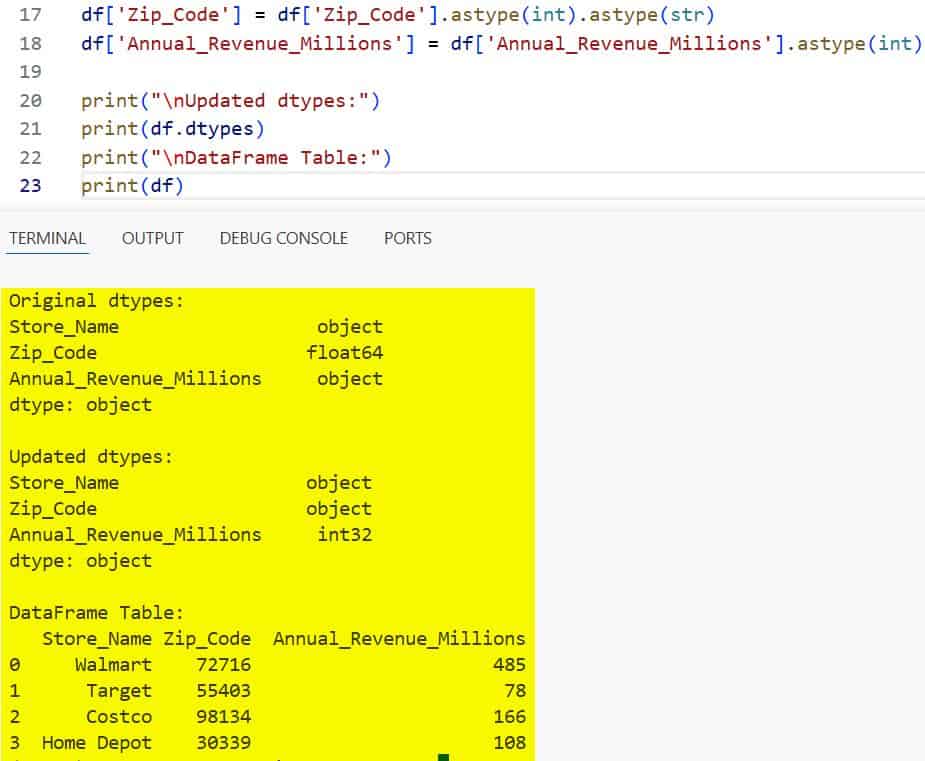
I like using astype(int).astype(str) for ZIP codes because it strips the .0 from the float before making it a string.
Method 2: Use pd.to_numeric() for Messy Data
Sometimes astype() fails because your data has “noise”, like a “N/A” string or a typo in a numeric column.
In these cases, I use pd.to_numeric(). It has a great parameter called errors=’coerce’.
This will turn any value that can’t be converted into a NaN (Not a Number), which prevents your whole script from breaking.
import pandas as pd

# Data representing tech salaries in San Francisco
# Notice the 'Missing' string in the salary column
data = {
    'Employee': ['Alice', 'Bob', 'Charlie', 'David'],
    'Salary_USD': ['145000', '160000', 'Missing', '155000']
}

df = pd.DataFrame(data)

# This would fail with .astype(int) because of 'Missing'
# Using pd.to_numeric with coerce instead
df['Salary_USD'] = pd.to_numeric(df['Salary_USD'], errors='coerce')

print(df)
print("\nColumn Type:", df['Salary_USD'].dtype)
You can see the output in the screenshot below.
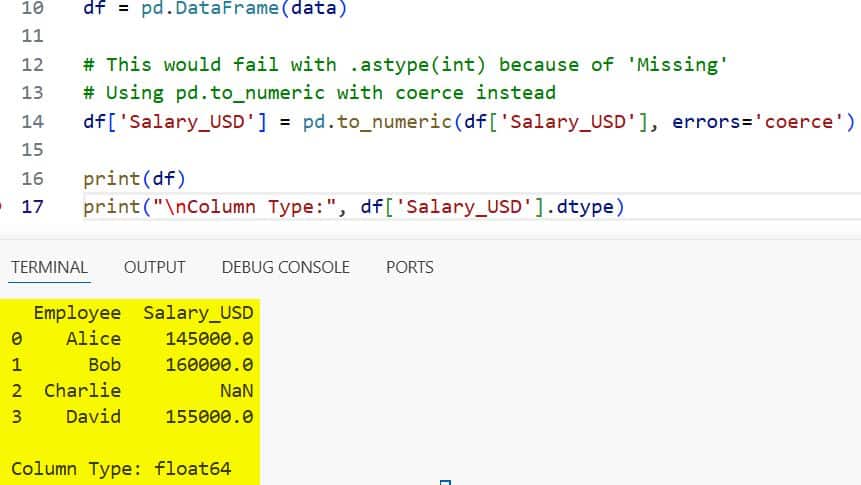
I find this incredibly useful when I’m importing large datasets where I can’t manually check every single row for typos.
Method 3: Change Multiple Column Types at Once
If you have a large DataFrame with several columns that need fixing, doing them one by one is tedious.
I usually pass a dictionary to astype() to handle multiple columns in a single line of code.
import pandas as pd

# US Census-style data
data = {
    'State': ['NY', 'CA', 'TX', 'FL'],
    'Population_2020': ['8804190', '39538223', '29145505', '21538187'],
    'Average_Age': ['39.2', '37.0', '35.0', '42.5'],
    'Is_Coastline': [1, 1, 1, 1]
}

df = pd.DataFrame(data)

# Define a dictionary for mapping columns to types
convert_dict = {
    'Population_2020': int,
    'Average_Age': float,
    'Is_Coastline': bool
}

df = df.astype(convert_dict)

print(df.dtypes)
You can see the output in the screenshot below.
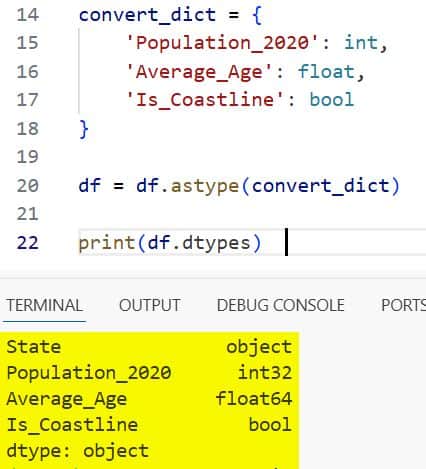
This keeps my code clean and readable, especially when I’m working on a production-level data pipeline.
Method 4: Convert Strings to Datetime
Working with dates as strings is a nightmare. You can’t sort them chronologically or extract the month easily.
I always use pd.to_datetime() for this. It is quite smart at recognizing different US date formats (like MM/DD/YYYY).
import pandas as pd

# US Holiday dates as strings
data = {
    'Holiday': ['Independence Day', 'Thanksgiving', 'Christmas'],
    'Date_2024': ['07-04-2024', '11-28-2024', '12-25-2024']
}

df = pd.DataFrame(data)

# Convert to datetime objects
df['Date_2024'] = pd.to_datetime(df['Date_2024'])

# Now I can easily extract the month name
df['Month'] = df['Date_2024'].dt.month_name()

print(df)
Once converted, I can perform time-series analysis or filter by specific quarters without any extra regex work.
Method 5: Use the Category Type for Efficiency
For columns with many repeated values, like “State” or “Subscription Plan”, I prefer the category type.
It saves a massive amount of memory compared to the standard object (string) type.
import pandas as pd

# Dataset with many repeated string values
data = {
    'User_ID': range(1, 6),
    'Region': ['Northeast', 'West', 'Northeast', 'South', 'West']
}

df = pd.DataFrame(data)

# Check memory before
print("Memory before:", df['Region'].memory_usage(deep=True))

# Convert to category
df['Region'] = df['Region'].astype('category')

# Check memory after
print("Memory after:", df['Region'].memory_usage(deep=True))
In my experience, converting a few high-cardinality string columns to categories can reduce the memory footprint of a DataFrame by up to 80%.
I hope you found this tutorial useful!
Data type conversion is a small step, but getting it right early on saves you from a lot of “TypeErrors” later in your project.
Whether you’re using astype() for quick fixes or to_numeric() for messy files, these methods should cover almost every scenario you encounter in your daily data work.
You may also like to read:
- Ways to Convert Pandas DataFrame to PySpark DataFrame in Python
- How to Drop Column by Index in Pandas
- How to Merge Two Columns in Pandas
- Pandas Series vs DataFrame

Bijay Kumar is an experienced Python and AI professional who enjoys helping developers learn modern technologies through practical tutorials and examples. His expertise includes Python development, Machine Learning, Artificial Intelligence, automation, and data analysis using libraries like Pandas, NumPy, TensorFlow, Matplotlib, SciPy, and Scikit-Learn. At PythonGuides.com, he shares in-depth guides designed for both beginners and experienced developers. More about us.

