
In my decade of developing Python applications, I’ve found that mastering the __init__ method is the “lightbulb moment” for most programmers.
It is the secret sauce that turns a static blueprint into a dynamic, functional object that actually does something useful.
I remember when I first started building data tools for a logistics firm in Chicago; I struggled with hardcoded values until I realized how powerful parameterized constructors are.
In this tutorial, I will walk you through exactly how to use Python class constructors with parameters to make your code more flexible and professional.
What is a Python Class Constructor?
In Python, the constructor is a special method called __init__. Its primary job is to initialize the attributes of an object when that object is created.
Think of it like a “setup” phase. When you buy a new iPhone at a store in New York, the factory has already “constructed” it with specific parameters like storage size and color.
By using parameters in your constructor, you can ensure that every object you create starts its life with the exact data it needs.
The Basic Syntax of a Parameterized Constructor
To add parameters to a constructor, you simply include them in the parentheses of the __init__ method definition.
The first parameter must always be self, which represents the instance of the object itself.
Here is the general structure I use:
class ClassName:
    def __init__(self, param1, param2):
        self.param1 = param1
        self.param2 = param2
Method 1: Use Positional Arguments in Constructors
This is the most common way I pass data into a Python class. You provide the values in the same order they are defined in the __init__ method.
Let’s look at a practical example involving a US Real Estate listing. This is much more useful than a “Hello World” script.
Example: US Real Estate Listing
Suppose I am building a platform to track property prices in San Francisco. I need to pass the address, price, and square footage during initialization.
class Property:
    def __init__(self, address, price, sqft):
        self.address = address
        self.price = price
        self.sqft = sqft
        self.price_per_sqft = price / sqft

    def display_details(self):
        print(f"Property Address: {self.address}")
        print(f"Market Price: ${self.price:,}")
        print(f"Size: {self.sqft} sq. ft.")
        print(f"Value: ${self.price_per_sqft:.2f} per sq. ft.")

# Creating an instance with parameters
listing1 = Property("123 Market St, San Francisco, CA", 1250000, 1500)
listing1.display_details()
You can see the output in the screenshot below.
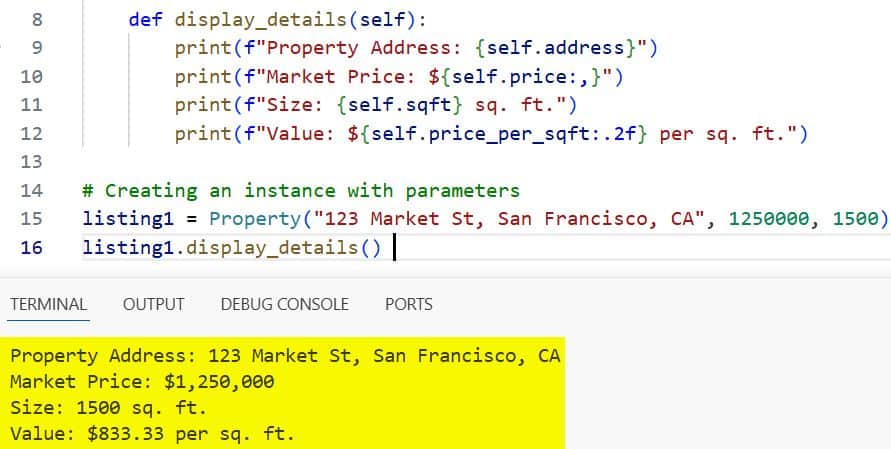
When I run this, the constructor takes the specific values for that Market Street property and assigns them to the instance.
I’ve used this exact logic hundreds of times when building financial dashboards for US-based clients.
Method 2: Use Default Parameter Values
Sometimes, you don’t want to force the user to provide every single piece of data. This is where default values come in handy.
I often use this when a property has a standard value that only occasionally needs to be changed.
Example: Employee Payroll System
Imagine I’m setting up a payroll system for a tech startup in Austin, Texas. Most employees work 40 hours a week, so I can set that as a default.
class Employee:
    def __init__(self, name, hourly_rate, hours_worked=40):
        self.name = name
        self.hourly_rate = hourly_rate
        self.hours_worked = hours_worked

    def calculate_weekly_pay(self):
        return self.hourly_rate * self.hours_worked

# Standard 40-hour employee
emp1 = Employee("Sarah Jenkins", 55)
# Employee with overtime
emp2 = Employee("Michael Ross", 55, 50)

print(f"{emp1.name} Pay: ${emp1.calculate_weekly_pay()}")
print(f"{emp2.name} Pay: ${emp2.calculate_weekly_pay()}")
You can see the output in the screenshot below.
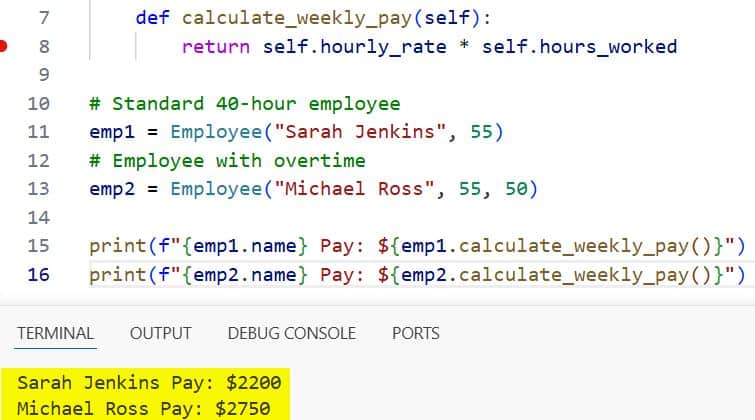
In my experience, using defaults makes your classes much more “user-friendly” for other developers on your team.
Method 3: Use Keyword Arguments (Named Parameters)
When a constructor has five or six parameters, it becomes very easy to mix up the order. To avoid bugs, I prefer using keyword arguments.
This means you explicitly name the parameter when you call the class. It makes the code incredibly readable.
Example: Custom Ford F-150 Order
Let’s say you are building a configurator for a car dealership in Detroit.
class TruckOrder:
    def __init__(self, model, trim, engine, bed_length):
        self.model = model
        self.trim = trim
        self.engine = engine
        self.bed_length = bed_length

# Using keyword arguments for clarity
my_truck = TruckOrder(
    model="Ford F-150",
    trim="Lariat",
    engine="3.5L PowerBoost Hybrid",
    bed_length="6.5-foot"
)

print(f"Ordered a {my_truck.model} {my_truck.trim} with a {my_truck.bed_length} bed.")
You can see the output in the screenshot below.
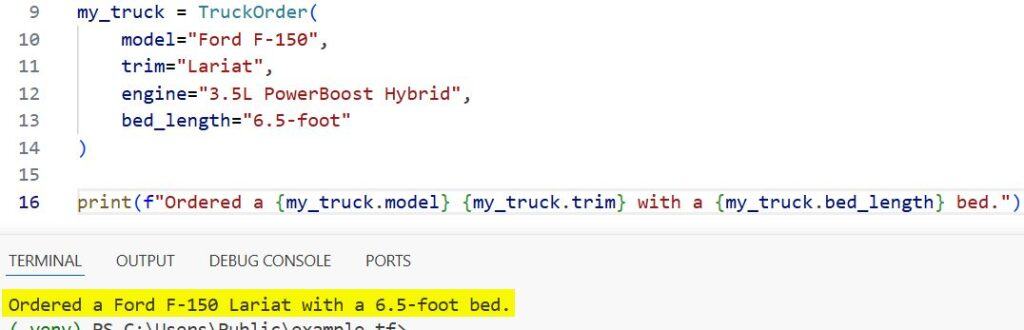
I find that using this method reduces “argument confusion” errors, especially in large-scale projects where documentation might be sparse.
Method 4: Handle Variable Number of Arguments (*args)
There are rare occasions when you don’t know how many parameters will be passed. In these cases, I use *args.
This allows the constructor to accept a tuple of arguments.
Example: National Park Visit Logger
If you are tracking a road trip across the US and want to list all the parks visited in one go:
class RoadTrip:
    def __init__(self, state, *parks):
        self.state = state
        self.parks = parks # This is a tuple

    def show_itinerary(self):
        print(f"Exploring {self.state}:")
        for park in self.parks:
            print(f"- {park}")

trip = RoadTrip("Utah", "Zion", "Bryce Canyon", "Arches", "Canyonlands")
trip.show_itinerary()
While I don’t use *args in every project, it’s a lifesaver when dealing with unpredictable data inputs.
Method 5: Use Dictionary-style Arguments (**kwargs)
If you want to pass a flexible set of named attributes, **kwargs (keyword arguments) is the way to go.
This collects all named arguments into a dictionary inside the constructor.
Example: US Tax Profile
Different states have different tax filing requirements. You might want to pass various bits of metadata.
class TaxProfile:
    def __init__(self, taxpayer_name, **details):
        self.name = taxpayer_name
        self.extra_info = details

    def summary(self):
        print(f"Taxpayer: {self.name}")
        for key, value in self.extra_info.items():
            print(f"{key.replace('_', ' ').title()}: {value}")

profile = TaxProfile("John Doe", state="California", filing_status="Married Filing Jointly", has_dependents=True)
profile.summary()
I’ve used **kwargs extensively when building API wrappers where the response fields might change over time.
Why Use Parameters in Constructors?
You might wonder why you can’t just create an empty object and set attributes later. From my experience, there are three main reasons:
- Data Integrity: You ensure the object is never in an “incomplete” state.
- Code Conciseness: You do in one line what would otherwise take five or six.
- Readability: It’s immediately clear what data a class requires to function.
When I review code for junior developers, the first thing I look at is their __init__ methods. Clean constructors usually mean clean logic.
Common Mistakes to Avoid
In my years of Python coding, I’ve seen these two mistakes more than any others:
- Forgetting
self: If you forget self as the first argument, Python will throw a TypeError. It’s a rite of passage for every developer. - Mutable Defaults: Never use a list or dictionary as a default value (e.g., def __init__(self, items=[])). This leads to shared state bugs that are a nightmare to debug.
[Image showing the error of using mutable default arguments in Python]
Use Type Hinting for Better Clarity
In modern Python (3.5+), I always recommend using type hints in your constructors. It helps your IDE (like VS Code or PyCharm) give you better autocomplete.
class BankAccount:
    def __init__(self, account_holder: str, balance: float):
        self.account_holder = account_holder
        self.balance = balance
This is especially helpful in the US corporate world, where codebases are maintained by large, rotating teams of engineers.
I hope this guide helps you feel more confident using Python class constructors with parameters.
It really is one of those fundamental skills that separates a script-writer from a software engineer.
You may also like to read:
- Exit an If Statement in Python
- Fix the Python 3 pickle type error: a bytes-like object is required not ‘str
- Python Program to Get the Last Day of the Month
- Program to Find the Area of a Rectangle in Python

Bijay Kumar is an experienced Python and AI professional who enjoys helping developers learn modern technologies through practical tutorials and examples. His expertise includes Python development, Machine Learning, Artificial Intelligence, automation, and data analysis using libraries like Pandas, NumPy, TensorFlow, Matplotlib, SciPy, and Scikit-Learn. At PythonGuides.com, he shares in-depth guides designed for both beginners and experienced developers. More about us.

