
In my years of working as a data developer, I’ve combined thousands of datasets. One of the most common issues I face is dealing with messy, overlapping indices.
When you merge two pieces of data, pandas tries to be helpful by keeping the original row numbers. Most of the time, this leads to a confusing mess where you have multiple rows labeled “0” or “1.”
I remember the first time I ran an analysis on New York and Los Angeles housing prices and realized my index was completely duplicated.
It made it impossible to select specific rows or perform calculations accurately. In this tutorial, I will show you exactly how to use the ignore_index parameter to keep your data clean.
The Problem with Default Concatenation
When you use the pd.concat() function without any extra settings, pandas preserves the index of each DataFrame.
If you have a list of sales from a Chicago branch and another from a Houston branch, both likely start at index 0.
When you stack them, the new DataFrame will have two rows with index 0, two with index 1, and so on. I’ve found that this is rarely what you want when building a clean master dataset.
Let’s look at a practical example using retail sales data from two different American cities.
import pandas as pd

# Sales data from the Chicago branch
chicago_sales = pd.DataFrame({
    'Product': ['Laptop', 'Monitor', 'Keyboard'],
    'Revenue': [1200, 300, 50],
    'State': ['IL', 'IL', 'IL']
})

# Sales data from the Houston branch
houston_sales = pd.DataFrame({
    'Product': ['Smartphone', 'Tablet', 'Cables'],
    'Revenue': [800, 450, 25],
    'State': ['TX', 'TX', 'TX']
})

# Default concatenation
combined_sales = pd.concat([chicago_sales, houston_sales])

print("Combined Data with Duplicated Index:")
print(combined_sales)
In the code above, you will notice the index repeats (0, 1, 2, then 0, 1, 2 again). I find this happens most often when I’m pulling data from different CSV files or SQL tables.
Method 1: Use ignore_index=True for Row Concatenation
The easy way to fix this is by using the ignore_index parameter. I set this to True whenever the original row labels don’t carry any specific meaning.
When you do this, pandas throws away the old index and creates a brand-new range index starting from 0.
I use this daily when I am aggregating daily stock market ticks from the NASDAQ or NYSE.
Here is how I implement it in my workflow:
import pandas as pd

# Real estate listings from San Francisco
sf_listings = pd.DataFrame({
    'Address': ['123 Market St', '456 Mission St'],
    'Price': [1200000, 950000],
    'City': ['San Francisco', 'San Francisco']
})

# Real estate listings from Seattle
seattle_listings = pd.DataFrame({
    'Address': ['789 Pike St', '101 Pine St'],
    'Price': [880000, 720000],
    'City': ['Seattle', 'Seattle']
})

# Concatenating with ignore_index=True
master_listings = pd.concat([sf_listings, seattle_listings], ignore_index=True)

print("Master Listings with Clean Index:")
print(master_listings)
I executed the above example code and added the screenshot below.
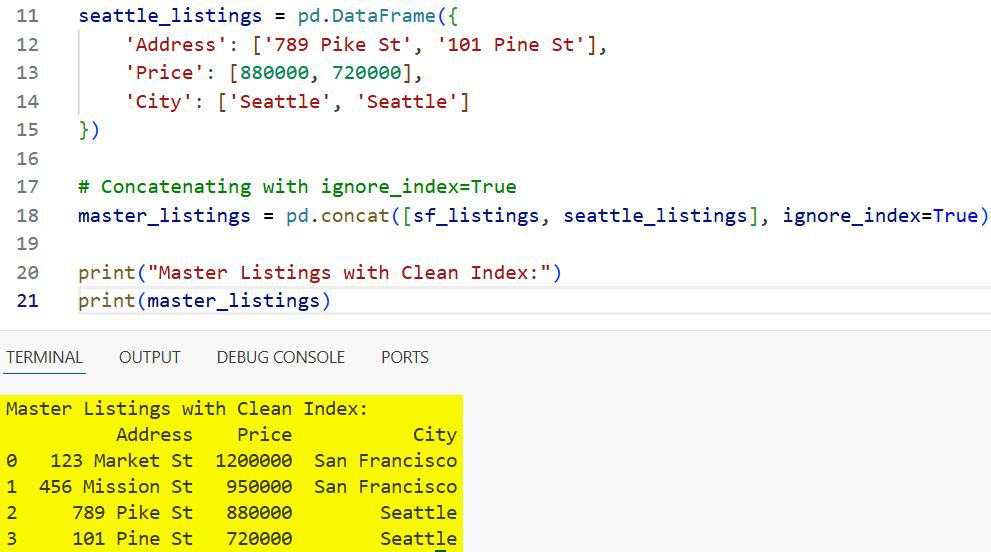
By adding ignore_index=True, the rows are now labeled 0, 1, 2, and 3. I’ve noticed this makes it much easier to use .loc and .iloc later in the analysis.
It prevents those annoying “KeyError” or “IndexingError” messages that pop up when indices aren’t unique.
Method 2: Concatenate a List of Many DataFrames
Often, I’m not just joining two DataFrames; I’m joining dozens of them. Imagine you have monthly employment data for all 50 US states stored in separate variables or a list.
Manually resetting the index on each one before joining is a waste of time. I prefer to pass the entire list into pd.concat and use ignore_index just once at the end.
This is a much more efficient way to handle memory when working with large datasets like the US Census.
import pandas as pd

# Simulating data for multiple states
ny_data = pd.DataFrame({'State': ['NY'], 'Unemployment': [3.9]})
ca_data = pd.DataFrame({'State': ['CA'], 'Unemployment': [4.5]})
tx_data = pd.DataFrame({'State': ['TX'], 'Unemployment': [4.1]})
fl_data = pd.DataFrame({'State': ['FL'], 'Unemployment': [3.2]})

# List of DataFrames
state_list = [ny_data, ca_data, tx_data, fl_data]

# Merging all at once
us_employment_report = pd.concat(state_list, ignore_index=True)

print("National Employment Report:")
print(us_employment_report)
I executed the above example code and added the screenshot below.
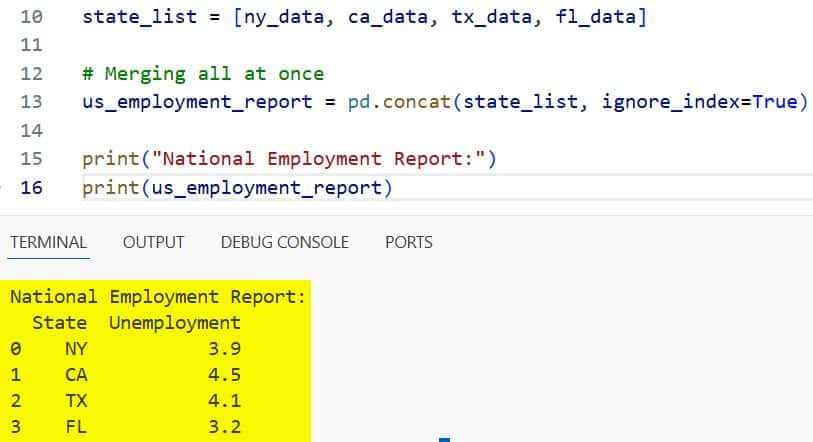
In my experience, this “list-first” approach is the fastest way to build a large DataFrame. I usually use a list comprehension or a loop to gather my data first, then call pd.concat once.
Method 3: Use ignore_index with Column-wise Concatenation
Most people think ignore_index only applies to rows, but I use it for columns too. When you set axis=1, pandas joins the DataFrames side-by-side.
If both DataFrames have column names like “Date” and “Value,” you end up with duplicate column names. By setting ignore_index=True while using axis=1, pandas renames the columns to 0, 1, 2, etc.
I find this useful when I’m merging experimental data where the column names are just placeholders anyway.
import pandas as pd

# Temperature data from Miami
miami_weather = pd.DataFrame({
    'Temp': [82, 85, 88]
})

# Humidity data from Miami
miami_humidity = pd.DataFrame({
    'Humidity': [70, 72, 75]
})

# Side-by-side concatenation ignoring column names
weather_matrix = pd.concat([miami_weather, miami_humidity], axis=1, ignore_index=True)

print("Weather Matrix (Columns Renamed to Numbers):")
print(weather_matrix)
I executed the above example code and added the screenshot below.
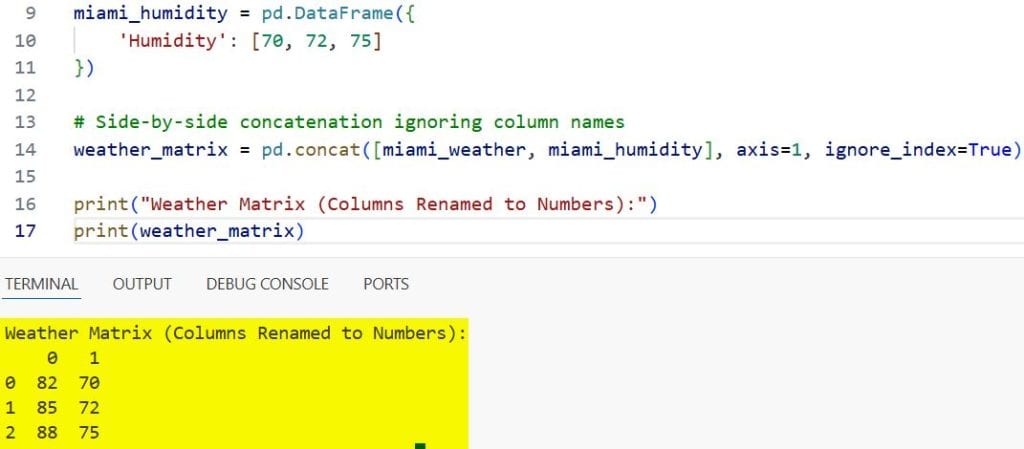
Note that when I do this, I lose the descriptive names “Temp” and “Humidity.” I only recommend this when the column labels aren’t important or when you plan to rename them manually later.
Method 4: ignore_index vs. reset_index()
I often get asked why I use ignore_index=True instead of just calling .reset_index(). The main difference is convenience and performance.
ignore_index=True happens during the concatenation process itself. Calling .reset_index(drop=True) is an extra step that creates a copy of the data in memory.
If I am working with a massive dataset, like California’s voter registration records, I want to save every bit of memory I can.
Using ignore_index is cleaner and requires less code.
import pandas as pd

df1 = pd.DataFrame({'A': [1, 2], 'B': [3, 4]})
df2 = pd.DataFrame({'A': [5, 6], 'B': [7, 8]})

# The "Two-Step" Method (More code)
result_two_step = pd.concat([df1, df2]).reset_index(drop=True)

# The "One-Step" Method (I prefer this)
result_one_step = pd.concat([df1, df2], ignore_index=True)

print(result_one_step)
I executed the above example code and added the screenshot below.
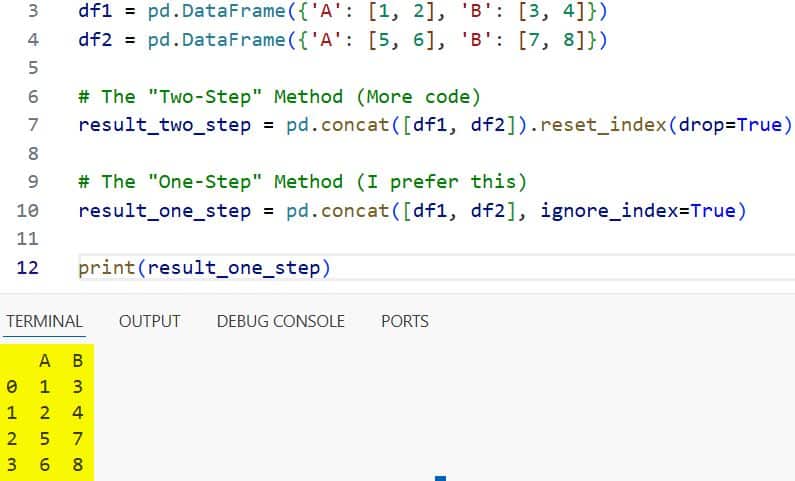
I’ve found that the “one-step” method is much more readable for other developers who might review my code.
Handle Missing Columns During Concatenation
Another scenario I frequently encounter is when my US-based datasets don’t have the same columns.
For example, a dataset from a Boston hospital might have a “Patient_ID” while a clinic in Austin uses “MRN.”
When you use pd.concat, pandas will align the columns that match and fill the rest with NaN (Not a Number).
Even in this case, ignore_index still works perfectly to keep the row labels sequential. I always check for these missing values immediately after concatenating to ensure my data integrity is intact.
import pandas as pd

# Data from a Boston clinic
boston_clinic = pd.DataFrame({
    'Patient_ID': [101, 102],
    'Treatment': ['Type A', 'Type B']
})

# Data from an Austin clinic
austin_clinic = pd.DataFrame({
    'MRN': [5001, 5002],
    'Treatment': ['Type A', 'Type C']
})

# Concatenate and ignore index
combined_clinics = pd.concat([boston_clinic, austin_clinic], ignore_index=True)

print("Combined Healthcare Data:")
print(combined_clinics)
In my work, I find that ignore_index is the best way to handle the row alignment while I manually fix the column names later.
Why Unique Indices Matter for Data Analysis
I’ve learned the hard way that non-unique indices are a recipe for disaster in Python.
If you try to perform a join or a merge on a DataFrame with duplicate indices, your results can explode in size.
This is called a “many-to-many” mapping, and it can crash your script if the dataset is large enough.
By using ignore_index=True, I ensure that every row has a unique identifier from the start.
This is especially critical when I’m preparing data for machine learning models using libraries like Scikit-Learn.
Most models expect a clean, sequential input, and overlapping indices can cause unexpected training errors.
Practical Tips for Large US Datasets
When I work with large-scale data, such as the US Bureau of Labor Statistics files, I keep these tips in mind:
- Check Memory Usage: Concatenating many large DataFrames can consume a lot of RAM. I often use del to remove the original small DataFrames after the master one is created.
- Verify the Length: After using ignore_index, I always check if the length of the new DataFrame equals the sum of the lengths of the parts.
- Data Types: Sometimes, concatenating different datasets can change your data types (like integers becoming floats). I always run .info() after a concat.
I’ve found that taking these small steps prevents massive headaches down the road.
If you are dealing with millions of rows from different US states, a clean index is your best friend.
It makes filtering, grouping, and aggregating much more predictable.
I hope this guide helps you understand how to keep your pandas DataFrames organized and professional.
Using ignore_index is a small change in your code, but it makes a huge difference in the quality of your data work.
In this article, I showed you how to use the pandas concat ignore index parameter to merge DataFrames efficiently. I also covered row-wise and column-wise concatenation, and how it compares to other methods like reset_index.
You may also like to read:
- Pandas Sort by Multiple Columns
- Lambda Functions in Pandas DataFrames
- How to Read Excel Files in Pandas
- How to Compare Two Pandas DataFrames in Python

Bijay Kumar is an experienced Python and AI professional who enjoys helping developers learn modern technologies through practical tutorials and examples. His expertise includes Python development, Machine Learning, Artificial Intelligence, automation, and data analysis using libraries like Pandas, NumPy, TensorFlow, Matplotlib, SciPy, and Scikit-Learn. At PythonGuides.com, he shares in-depth guides designed for both beginners and experienced developers. More about us.

