
If you’ve ever run into a NameError, got confused about why a variable changed unexpectedly inside a function, or wondered why your variable “disappeared” the moment your code exited a loop, this guide is for you.
Python variables are deceptively simple on the surface. You can learn the basic syntax in five minutes. But the real depth, scope, mutability, type conversion, unpacking, and naming pitfalls trip up beginners and even intermediate developers all the time.
In this tutorial, I’m going to walk you through everything you need to know about Python variables. I’ll keep it practical, show you real code I’ve personally tested, and flag the most common mistakes I’ve seen people make.
Let’s get into it.
What Is a Variable in Python? (Simple Explanation)
A variable is a name that points to a value stored in memory. That’s it. You give a name to some data so you can use it, change it, and refer to it throughout your program.
Here’s a simple way to think about it: imagine a variable as a sticky label on a storage box. The label (the variable name) tells you what’s inside. The box (computer memory) holds the actual value. You can change what’s in the box anytime, and you can even put a completely different type of thing in it; that’s Python’s dynamic typing in action.
# Creating a variable
name = "Michael"
age = 28
price = 9.99

print(name)   # Michael
print(age)    # 28
print(price)  # 9.99
You can refer to the screenshot below to see the output.
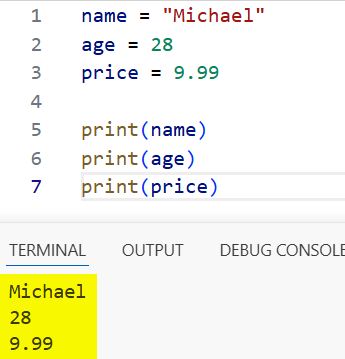
In Python, you don’t need to declare the type upfront. The moment you assign a value, the variable is created. No separate int x; declaration like in Java or C++.
And here’s something worth knowing early on, Python is dynamically typed, which means the same variable can hold different types of data at different points in your code:
data = 42           # data is an integer
data = "hello"      # now data is a string
data = [1, 2, 3]    # now data is a list

print(type(data))   # <class 'list'>
This is very flexible — but it also means you need to be careful, because it’s easy to accidentally overwrite a variable with the wrong type and get unexpected behavior.
Python Variable Types Explained (With a Quick-Reference Table)
Python variables can hold many types of data. Here’s a clean reference table so you can see everything at a glance before we dive into each one:
| Variable Type | Example | Mutable? | Common Use Case |
|---|---|---|---|
Integer (int) | age = 30 | No | Counting, indexing |
Float (float) | price = 9.99 | No | Decimal calculations |
String (str) | name = "Alice" | No | Text, labels, messages |
Boolean (bool) | is_active = True | No | Flags, conditions |
List (list) | items = [1, 2, 3] | ✅ Yes | Ordered, changeable collections |
Tuple (tuple) | coords = (10, 20) | No | Fixed data, unpacking |
Dictionary (dict) | user = {"id": 1} | ✅ Yes | Key-value pairs |
Set (set) | unique = {1, 2, 3} | ✅ Yes | Deduplication, membership checks |
Now let’s look at each one with practical examples.
Integer
An integer is a whole number — no decimal point.
product_count = 150
year = 2026
temperature = -5

print(type(product_count))  # <class 'int'>
You’ll use integers everywhere — loop counters, IDs, indexes, age values, scores.
Float
A float is a number with a decimal point.
item_price = 499.99
discount_rate = 0.15
pi = 3.14159

print(type(item_price))  # <class 'float'>

# Practical example: calculate discount
final_price = item_price - (item_price * discount_rate)
print(f"Final price: ${final_price:.2f}")  # Final price: $424.99
You can refer to the screenshot below to see the output.
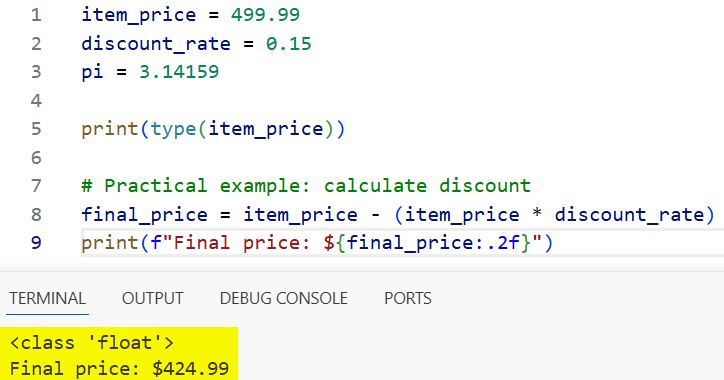
Watch out: floating-point numbers can sometimes give you tiny precision issues (like 0.1 + 0.2 = 0.30000000000000004). For financial calculations, use Python’s decimal module instead.
String
A string is text — anything wrapped in single or double quotes.
first_name = "Sarah"
city = 'Austin'
message = "Welcome to Python!"

# String operations
print(first_name.upper())        # SARAH
print(len(city))                 # 6
print(f"Hello, {first_name}!")   # Hello, Sarah!
Strings in Python are immutable — you can’t change individual characters in place. But you can always create a new string from the old one.
Boolean
A boolean holds either True or False. That’s it — just two values.
is_logged_in = True
has_permission = False
is_admin = True

if is_logged_in and is_admin:
    print("Access granted")
else:
    print("Access denied")
Booleans are what drive all your if statements, while loops, and conditional logic. They’re used constantly in real applications.
List
A list is an ordered, mutable collection. You can add, remove, and change items.
products = ["Laptop", "Mouse", "Keyboard"]

# Add an item
products.append("Monitor")
print(products)  # ['Laptop', 'Mouse', 'Keyboard', 'Monitor']

# Remove an item
products.remove("Mouse")
print(products)  # ['Laptop', 'Keyboard', 'Monitor']

# Sort the list
products.sort()
print(products)  # ['Keyboard', 'Laptop', 'Monitor']

# Access by index
print(products[0])  # Keyboard
Lists are one of the most used data structures in Python. If you’re building any kind of collection that might change, use a list.
Tuple
A tuple looks like a list but uses parentheses — and once created, you can’t change it.
coordinates = (40.7128, -74.0060)  # New York City's lat/long
rgb_color = (255, 128, 0)

print(coordinates[0])     # 40.7128
print(type(coordinates))  # <class 'tuple'>

# Tuples are great for returning multiple values from a function
def get_user():
    return "Jake", 32, "Chicago"

name, age, city = get_user()
print(name, age, city)  # Jake 32 Chicago
Use tuples when data shouldn’t change — like coordinates, RGB values, or config settings you want to stay fixed.
Dictionary
A dictionary stores data as key-value pairs. Think of it like a real dictionary — you look up a key, you get the value.
user = {
    "name": "Emily",
    "age": 27,
    "city": "Seattle",
    "is_active": True
}

# Access values
print(user["name"])    # Emily
print(user.get("age")) # 27

# Add a new key
user["email"] = "emily@example.com"

# Update a value
user["age"] = 28

print(user)
You can refer to the screenshot below to see the output.
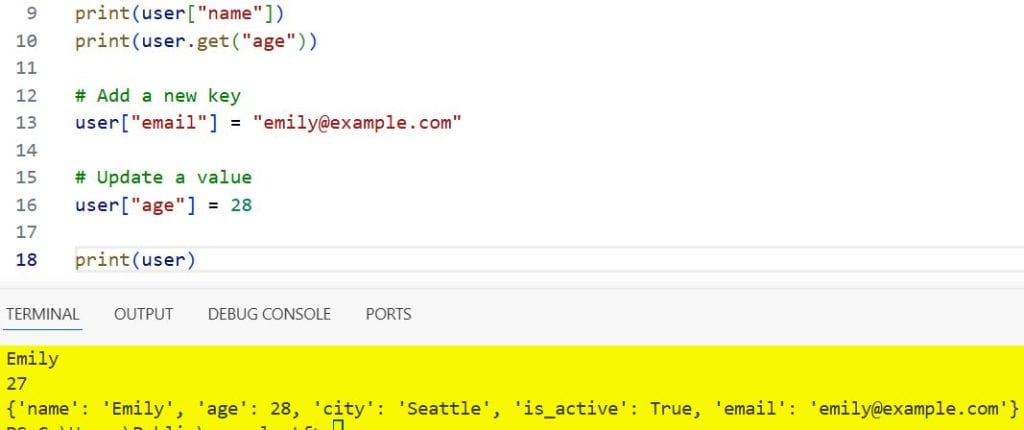
Dictionaries are heavily used when you’re working with APIs, JSON data, databases, or anything that has labeled fields.
Set
A set is an unordered collection with no duplicate values.
visitors = {"Alice", "Bob", "Charlie", "Alice", "Bob"}
print(visitors)  # {'Alice', 'Bob', 'Charlie'} — duplicates removed

# Check membership
print("Alice" in visitors)  # True

# Set operations
team_a = {"Ryan", "Jessica", "Marcus"}
team_b = {"Jessica", "Marcus", "Lauren"}

print(team_a & team_b)  # Intersection: {'Jessica', 'Marcus'}
print(team_a | team_b)  # Union: {'Ryan', 'Jessica', 'Marcus', 'Lauren'}
Sets are perfect when you need to eliminate duplicates or do membership testing fast.
Python Variable Naming Rules — And What Happens When You Break Them
Python is pretty flexible with variable names, but there are hard rules. Break them and Python throws a SyntaxError immediately. Let me show you the rules — and then show you what actually happens when you violate each one.
The Rules
- A variable name must start with a letter (a-z, A-Z) or an underscore (
_) - It can contain letters, digits, and underscores — but no spaces or special characters
- It cannot start with a number
- It cannot be a Python reserved keyword (
if,for,while,True,False,None, etc.) - Variable names are case-sensitive
What Breaks and Why
# ❌ Cannot start with a number
2fast = 100
# SyntaxError: invalid syntax

# ❌ Cannot use reserved keywords
for = 5
# SyntaxError: invalid syntax

# ❌ No spaces in names
my city = "Dallas"
# SyntaxError: invalid syntax

# ❌ No special characters
user@name = "Tom"
# SyntaxError: invalid syntax
Case Sensitivity in Action
Score = 100
score = 50
SCORE = 200

print(Score)  # 100
print(score)  # 50
print(SCORE)  # 200
These are three completely different variables. Python doesn’t care that they look similar, the case makes them distinct.
The Right Naming Style (PEP 8)
Python’s official style guide (PEP 8) recommends snake_case for variable names:
# ✅ Good — snake_case (recommended)
user_name = "Robert"
total_price = 1500.00
is_logged_in = True

# ⚠️ Avoid — camelCase (used in JavaScript, not Python convention)
userName = "Robert"

# ✅ Good — UPPER_CASE for constants
MAX_RETRY_COUNT = 3
TAX_RATE = 0.07
Using consistent naming makes your code readable not just for others, but for future-you as well.
How to Assign, Reassign, and Delete Variables
Let me explain to you how to assign, reassign, and delete variables.
Basic Assignment
city = "Portland"
print(city)  # Portland
Reassignment
You can point any variable to a new value anytime:
city = "Portland"
city = "Denver"
print(city)  # Denver
The old value doesn’t vanish from memory immediately — Python’s garbage collector takes care of cleanup. But the variable name now points to the new value.
Multiple Assignment in One Line
# Assign the same value to multiple variables
x = y = z = 0
print(x, y, z)  # 0 0 0

# Assign different values to multiple variables at once
a, b, c = 10, 20, 30
print(a, b, c)  # 10 20 30
Delete a Variable
Use the del statement to delete a variable completely:
score = 95
print(score)  # 95

del score
print(score)  # NameError: name 'score' is not defined
After deletion, trying to access the variable raises a NameError. This is useful when you want to free memory or prevent accidental reuse.
Python Variable Scope: Why Your Variable “Disappears” Inside a Function
Scope is one of those things that confuses a lot of beginners. The short version: where you define a variable determines where you can use it.
Python has three main scopes:
- Local scope — inside a function
- Global scope — outside all functions, at the top level of your file
- Enclosing scope — in nested functions (covered in the
nonlocalsection below)
Local Variables
def greet():
    message = "Hello!"   # local variable
    print(message)

greet()         # Hello!
print(message)  # NameError: name 'message' is not defined
message only exists inside greet(). The moment the function finishes, the variable is gone.
Global Variables
app_name = "MyApp"   # global variable

def show_app():
    print(app_name)  # can READ the global variable

show_app()  # MyApp
You can read a global variable inside a function without any special syntax. But if you try to modify it, Python treats it as a local variable by default:
count = 0

def increment():
    count += 1  # UnboundLocalError: local variable 'count' referenced before assignment

increment()
To modify a global variable inside a function, you need the global keyword:
count = 0

def increment():
    global count
    count += 1

increment()
increment()
print(count)  # 2
A word of caution: overusing global is generally a bad habit. It makes code harder to debug and maintain. Prefer passing values as function arguments and returning results instead.
The nonlocal Keyword (Nested Functions)
This one’s often missing from beginner tutorials — but it’s important if you work with closures or decorators.
nonlocal lets you modify a variable from an enclosing function (not the global scope, but the outer function’s scope):
def outer():
    count = 0

    def inner():
        nonlocal count   # modifies outer's variable
        count += 1

    inner()
    inner()
    print(f"Count: {count}")  # Count: 2

outer()
Without nonlocal, Python would create a new local variable inside inner() instead of modifying outer()’s count.
Python Variable Unpacking (Including the One-Line Swap Trick)
Unpacking lets you assign multiple variables from a sequence in one clean line. It’s one of those Python features that makes code feel really elegant once you start using it.
Basic Unpacking
# Unpack a list
coordinates = [40.7128, -74.0060]
latitude, longitude = coordinates

print(latitude)   # 40.7128
print(longitude)  # -74.0060
Swap Two Variables Without a Temp Variable
In most languages, swapping two variables requires a temporary third variable:
# The old way (needed in C, Java, etc.)
temp = a
a = b
b = temp
In Python, you can do it in one line:
x = 5
y = 10

x, y = y, x

print(x)  # 10
print(y)  # 5
Clean, readable, no temporary variable needed. This is Python’s elegance at its best.
Extended Unpacking with *
first, *middle, last = [1, 2, 3, 4, 5]

print(first)   # 1
print(middle)  # [2, 3, 4]
print(last)    # 5
The * captures all the remaining elements. This is incredibly useful when you’re processing data where the number of items varies.
Unpacking in Loops
students = [("Aaron", 85), ("Megan", 92), ("Tyler", 78)]

for name, marks in students:
    print(f"{name} scored {marks}")

# Output:
# Aaron scored 85
# Megan scored 92
# Tyler scored 78
Type Conversion in Python: Converting Between Variable Types
Sometimes Python won’t automatically convert one type to another — you have to do it explicitly. This is called explicit type conversion (or type casting).
# String to Integer
age_str = "28"
age_int = int(age_str)
print(age_int + 2)   # 30

# Integer to String
score = 95
score_str = str(score)
print("Your score: " + score_str)  # Your score: 95

# String to Float
price_str = "499.99"
price_float = float(price_str)
print(price_float * 2)  # 999.98

# Float to Integer (truncates decimal, doesn't round)
pi = 3.999
print(int(pi))  # 3 — not 4, it just drops the decimal

# Integer to Float
num = 5
print(float(num))  # 5.0

# Integer to Boolean
print(bool(0))    # False
print(bool(100))  # True

# String to Boolean
print(bool(""))       # False — empty string is falsy
print(bool("hello"))  # True — non-empty string is truthy
What Can’t Be Converted?
# ❌ Can't convert a non-numeric string to int
value = "hello"
print(int(value))  # ValueError: invalid literal for int() with base 10: 'hello'
Always wrap type conversion in a try/except block when the input comes from a user or external source:
user_input = "abc"

try:
    number = int(user_input)
except ValueError:
    print(f"'{user_input}' is not a valid number.")
# 'abc' is not a valid number.
5 Common Python Variable Mistakes (And Exactly How to Fix Them)
I’ve seen these mistakes come up again and again — in tutorials, in client code, and yes, in my own early Python scripts. Here are the five most common ones and the exact fix for each.
Mistake 1 — Use a Variable Before Assigning It
# ❌ Wrong
print(total)   # NameError: name 'total' is not defined
total = 100
Python reads top to bottom. If you try to use a variable before it’s been assigned, you get a NameError.
# ✅ Fix: Always assign before use
total = 100
print(total)   # 100
Mistake 2 — Accidentally Shadowing a Built-in Name
This one is sneaky and can cause very confusing errors.
# ❌ Wrong — you've just overwritten Python's built-in list()
list = [1, 2, 3]
print(list([4, 5]))  # TypeError: 'list' object is not callable
When you use list as a variable name, you’ve replaced the actual list() built-in function. Now you can’t use it until you restart or del list.
# ✅ Fix: Use a descriptive name that's not a built-in
my_items = [1, 2, 3]
Avoid using these as variable names: list, dict, set, str, int, float, type, id, input, print, range.
Mistake 3 — Mutable Default Argument in a Function
This is probably the most surprising bug for beginners:
# ❌ Wrong — the default list persists across function calls
def add_item(item, cart=[]):
    cart.append(item)
    return cart

print(add_item("apple"))    # ['apple']
print(add_item("banana"))   # ['apple', 'banana'] ← NOT what you expected!
The default [] is created only once and reused every time you call the function without passing a cart argument.
# ✅ Fix: Use None as the default and initialize inside the function
def add_item(item, cart=None):
    if cart is None:
        cart = []
    cart.append(item)
    return cart

print(add_item("apple"))    # ['apple']
print(add_item("banana"))   # ['banana'] ← correct!
Mistake 4 — Try to Modify a Global Variable Without global
# ❌ Wrong
total = 100

def update_total():
    total += 50  # UnboundLocalError!

update_total()
Python sees total += 50 and assumes total is local. Since it hasn’t been assigned yet locally, it throws an error.
# ✅ Fix: Declare it with the global keyword
def update_total():
    global total
    total += 50

update_total()
print(total)  # 150
Mistake 5 — Confuse Variable Copy vs. Reference
# ❌ This is NOT making a copy — both point to the same list
a = [1, 2, 3]
b = a
b.append(4)

print(a)  # [1, 2, 3, 4] ← a also changed!
When you do b = a, you’re not creating a new list. Both a and b point to the same object in memory.
# ✅ Fix: Use .copy() or slicing for a shallow copy
b = a.copy()    # method 1
b = a[:]        # method 2 (slice)

b.append(99)
print(a)  # [1, 2, 3] ← a is unchanged now
print(b)  # [1, 2, 3, 99]
Note: .copy() is a shallow copy. If your list contains nested lists or objects, you’ll need import copy and copy.deepcopy(a) instead.
Python Variable Best Practices (PEP 8 Aligned)
These are the habits that separate beginner code from clean, professional Python:
- Use snake_case for all variable names — user_name, not userName or UserName
- Use UPPER_CASE for constants — MAX_CONNECTIONS = 100, BASE_URL = “https://api.example.com”
- Use descriptive names —
user_ageis better thanuaor justx - Don’t use single-letter names except in short loops —
i,j,kare fine inforloops, terrible as general variable names - Avoid names that start with my_ — my_list adds nothing; product_list tells you exactly what it holds
- Don’t shadow built-in names — never use
list,dict,str,int,id,typeas variable names - Keep variable names consistent — mixing naming styles in the same project confuses team settings
- Use
_prefix for “private” variables by convention — _internal_counter signals to other developers “don’t touch this directly” - Delete variables you no longer need in memory-intensive scripts using del variable_name
Here’s an example of messy vs. clean variable naming on the same logic:
# ❌ Hard to read
x = 75000
y = 0.22
z = x * y
print(z)

# ✅ Clear and self-documenting
annual_salary = 75000
tax_rate = 0.22
tax_amount = annual_salary * tax_rate
print(f"Tax payable: ${tax_amount:,.2f}")  # Tax payable: $16,500.00
The second version doesn’t need a single comment; the variable names explain everything.
FAQ: Python Variables — Answers to Common Questions
Q: Can a Python variable change its type after assignment?
Yes. Python is dynamically typed. The same variable can hold an integer at one point, a string later, and a list after that. Python doesn’t enforce type consistency, but you should be intentional about it to avoid bugs.
Q: What is the difference between a local and a global variable?
A local variable is defined inside a function and only exists within that function. A global variable is defined at the module level (outside all functions) and can be accessed anywhere in the file. To modify a global variable from inside a function, use the global keyword.
Q: What happens if you use a Python keyword as a variable name?
Python raises a SyntaxError immediately. You can see all reserved keywords by running:
pythonimport keyword
print(keyword.kwlist)
Q: Is Python case-sensitive for variable names?
Yes. Score, score, and SCORE are three completely different variables. Python treats uppercase and lowercase letters as distinct.
Q: How do you check the type of a variable in Python?
Use the built-in type() function:
pythonname = “Python” print(type(name)) # <class ‘str’> count = 42 print(type(count)) # <class ‘int’>
Q: What’s the difference between a shallow copy and a deep copy?
A shallow copy (.copy() or [:]) creates a new list, but nested objects inside it still point to the same memory. A deep copy (copy.deepcopy()) creates a fully independent copy of everything, including nested structures.
Q: How do you delete a variable in Python?
Use the del statement:
pythonx = 100
del x
print(x) # NameError: name ‘x’ is not defined
Q: What does nonlocal do in Python?
nonlocal lets a nested (inner) function modify a variable that belongs to its enclosing (outer) function — without affecting the global scope. It’s commonly used in closures.
Q: What is the difference between = and == in Python?
= assigns a value to a variable. == compares two values for equality. Mixing them up is one of the most common beginner errors:
pythonx = 10 # assigns 10 to x
x == 10 # checks if x equals 10, returns True
Q: Can two variables point to the same value in Python?
Yes. When you assign b = a for mutable types like lists, both variables point to the same object in memory. Modifying one will affect the other. Use .copy() to create an independent copy.
You may also read:
- Check If a Variable is None
- Swap Three Variables Without Using Temporary Variables in Python
- Print New Line after a Variable in Python
- Declare a Variable Without Assigning it a Value in Python

Bijay Kumar is an experienced Python and AI professional who enjoys helping developers learn modern technologies through practical tutorials and examples. His expertise includes Python development, Machine Learning, Artificial Intelligence, automation, and data analysis using libraries like Pandas, NumPy, TensorFlow, Matplotlib, SciPy, and Scikit-Learn. At PythonGuides.com, he shares in-depth guides designed for both beginners and experienced developers. More about us.

